Jan: Sandbox 3.0, Constraints, ToolTips & API++!

Sandbox 3.0, Cable Physics Constraints, Interaction ToolTips, Docs Improvements, Scripting API++!

Welcome to our roundup of the latest updates from the last month!
Sandbox 3.0
We're happy to announce the latest Sandbox update!
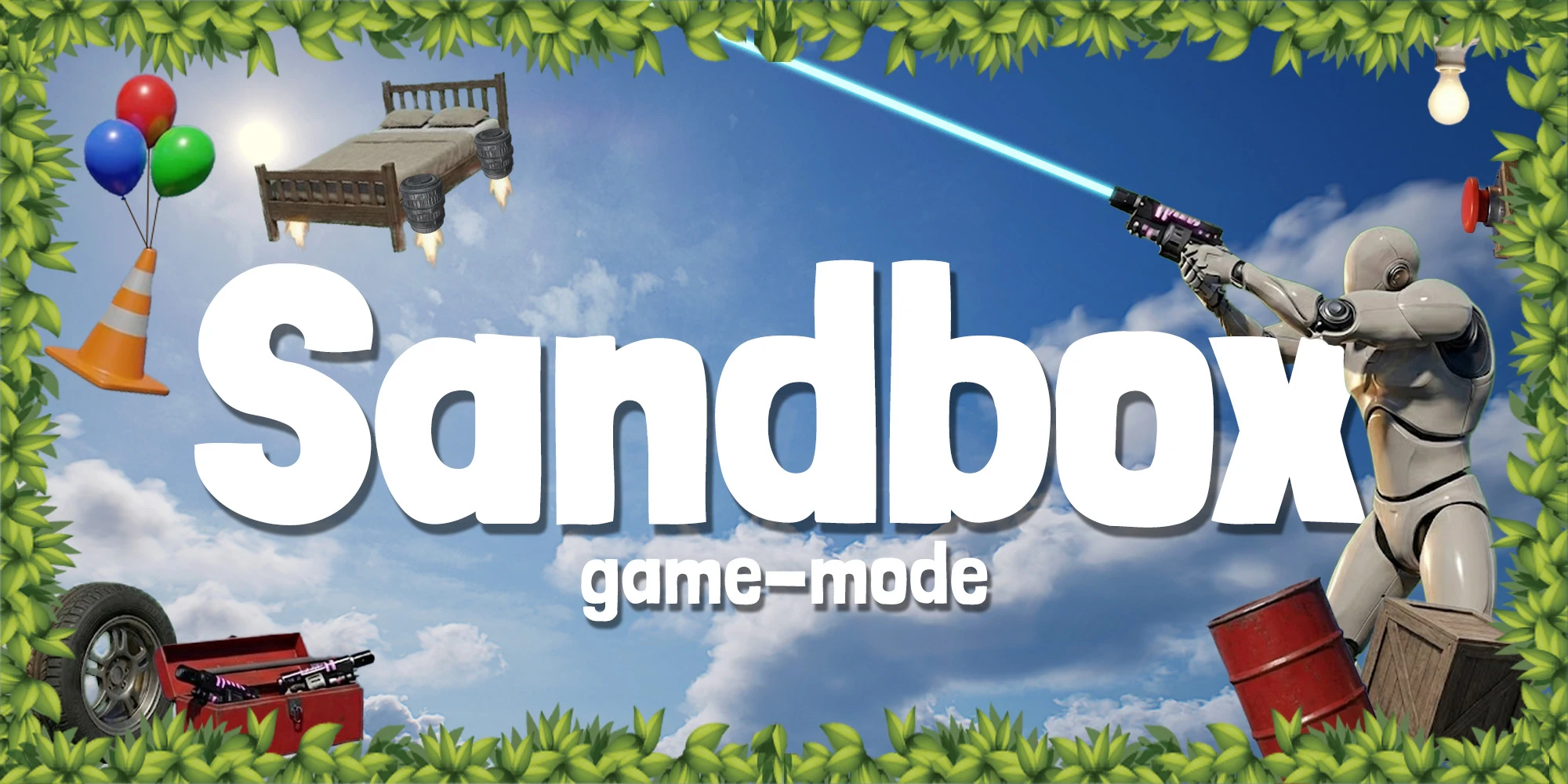
This update brings lots of improvements to the Sandbox game mode: new features, entities, tools, and a big polish pass on the UI and existing systems. It's heavily focused on improving the user experience and making it more fun (and easier) to create content, entities, and tools.
Spawn Menu
Our Spawn Menu was drastically improved. It now displays all items in a Unified List, separated by categories. The Category is highlighted when visible on the screen. And there's a new Search Bar!
Context Menu
The Context Menu was the biggest change in this update!
Selecting Entities
You can now Select and Modify Entities by clicking on them while the Context Menu is open.
Each entity has its own set of properties that can be modified through the Context Menu. You can configure it programmatically in your custom class by defining the selected_context_menu_items property.
Now a new "preview mesh" will appear when using spawner Tool Guns, showing a ghost preview of the entity you're about to spawn:
Adding a property to Thruster Entity
For example, the Thruster custom particle can be set like this to display on Context Menu:
Thruster.selected_context_menu_items = {
	{
		id = "thruster_particle_asset",
		type = "select",
		label = "particle",
		options = Thruster.assets_list,
		callback = function(value)
			ContextMenu.selected_entity:CallRemoteEvent("SetParticleAsset", value)
		end,
		value = function()
			return ContextMenu.selected_entity:GetValue("Particle")
		end,
	},
	...
}
Entity Blame
We also added a new feature that shows who spawned/edited an entity when hovering the entity, useful for moderating and knowing who created what.

Tutorials
The Tutorials UI has been upgraded and now displays a short description of the tool, and all the keys used by the ToolGun.
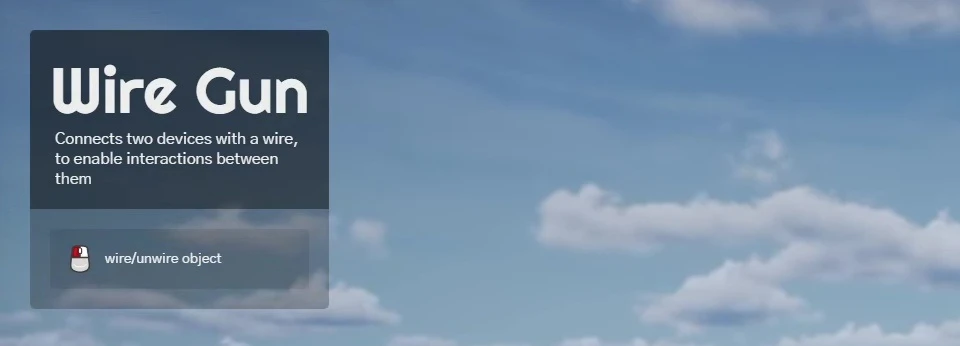
Adding Description and Tutorials to a Tool
You can add custom description and tutorials easily like this, it is automatically picked up by the Tutorials system:
-- Tool Description
ColorGun.description = "Paint props and objects with a selected color"

-- Tool Tutorials
ColorGun.tutorials = {
	{ key = "LeftClick", text = "paint object" },
	{ key = "ContextMenu", text = "color gun settings" },
}
New Entities
We added a bunch of fun new entities to Sandbox, and there's more on the way!
Retro Camera
The RetroCamera is a polaroid instant camera that lets you take photos in real time.
It uses a SceneCapture and outputs a base64 image which is printed immediately onto a photo film, that is synchronized and persistent in the server!
Button & Wire
The Button is a new entity that's pressable, activating and deactivating other entities:
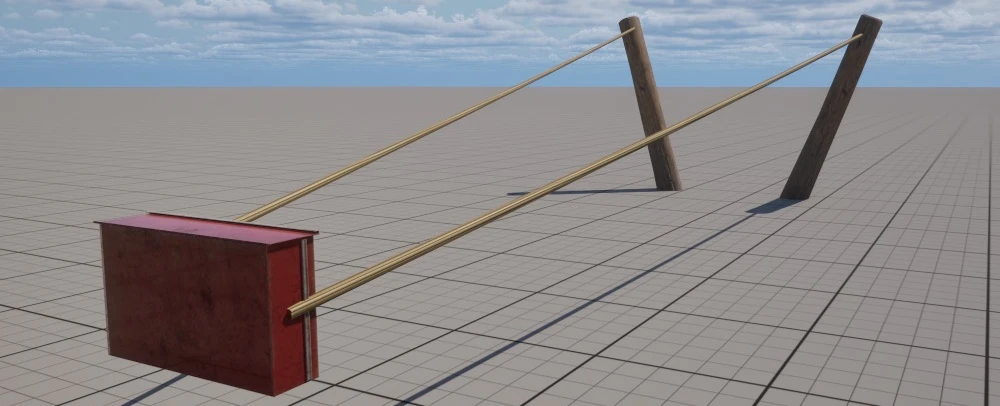
You can connect the button to other entities using the new Wire Tool Gun.
It works by keeping a list of "connected" entities and calling :Activate() and :Deactivate() on them, if they implement those methods.
Since some Sandbox entities already implement those methods, you can wire the button to them and create cool integrations.
You can create your own entities and implement these two methods to make it work:
function MyEntity:Activate()
	-- Turns on!
end

function MyEntity:Deactivate()
	-- Turns off!
end
Photo Frame
The PhotoFrame is a new entity that can display custom images. It supports both Base64 and URLs.
Sign & FloatingText
We created two new entities, Sign and FloatingText. Both use the new TextRender class to render text in the world, and the text can be customized through the Context Menu.
New Tools
Besides the new Wire Gun tool, we're also adding more tools in the next updates, such as a Ball Socket Gun, Spring Gun and an Elastic Gun for constraining two ends with different physics constraints.
Refactored APIs
Now, all Sandbox systems are consolidated and exported into a single global variable: Sandbox. You can access all Sandbox systems and methods through it from your scripts, for example Sandbox.ContextMenu or Sandbox.SpawnMenu.
We also created and exposed several new subsystems such as Tutorials, Notifications, SpawnHistory, and even exposed the WebUI as Sandbox.WebUI.
Updated Docs Pages
We have updated all Sandbox docs pages on how to use and integrate the new systems, take a look:
Sandbox game-modeexplore/sandbox-game-mode/Upcoming
This is just the beginning of our Sandbox 3.0 update, we're still working on many new features and improvements, including more entities, tools, and systems.
One missing system we want to add is an "Input System", so we can interact with entities pressing keys.
A sneak peek of another tool we're experimenting with:
Interaction ToolTips
We added a brand new Interaction ToolTip system for Prop, Weapon (Base Pickable), and Base Vehicle. A tooltip (text + image) appears on screen when you look at those interactable objects:
For Props, you can now change the tooltip text using Prop:SetInteractionToolTipText(). This lets you set custom messages like "Open", "Close", or "Press" for interact-only Props.
You can disable this system with the new static method Viewport.SetInteractionToolTipEnabled().
Scripting & API
New Class: TextRender
We already had a TextRender class, but it was actually a Text3D component (from the Unreal Text3D Plugin).
We then decided to create a new class TextRender and rename the old TextRender to Text3D. This gives us a new lightweight class for rendering simple 2D text with a font, while keeping Text3D separate with its own methods (as before).
This new TextRender class also supports custom fonts via TextRender:SetFont().
For this upgrade, we introduced a new Compatibility Version 1.103 so we don't break any existing scripts using the old TextRender class.
Texture Parameters
Texture parameters got a big flexibility boost: any texture parameter now supports loading Base64, URL images (experimental), and cooked texture assets.
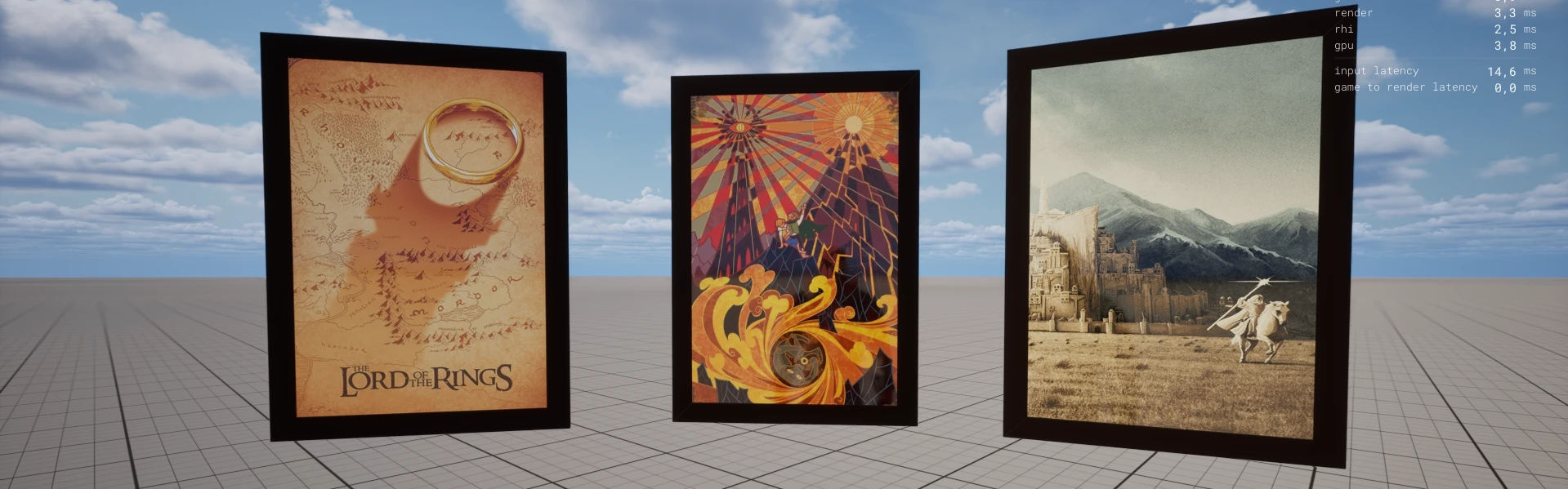
You can directly set the URL/Base64 to materials using the Paintable:SetMaterialTextureParameter()!
Cables & Constraints
Cable was heavily improved. "Locked" constraints will no longer be created with an automatically calculated offset. A new parameter was added to Cable.AttachEndTo(), constraint_offset, so you can customize the offset through scripting and have more control over constraints.
We also added a bunch of new methods to customize physics constraint and motor settings, such as :SetLinearMotorPositionSettings() and :SetAngularMotorSLERPOrientationSettings(). See them all in the next blog section.
The Cables spawn performance was also improved: if you use an All-Free constraint, the Physics Constraint now stays deactivated (great when you only want visuals). We also made small improvements to stabilize physics jitter.
New & Improved Methods
We implemented a bunch of new scripting methods this month:
Angular Impulse/Force
You can now add and set Angular Impulse/Force on any actor:
Override Props Mass
Cables Motor & Physics Constraint
-
Cable:SetPhysicsConstraintSettings() -
Cable:SetLinearMotorPositionSettings() -
Cable:SetLinearMotorVelocitySettings() -
Cable:SetAngularMotorSLERPOrientationSettings() -
Cable:SetAngularMotorSLERPVelocitySettings() -
Cable:SetAngularMotorTwistAndSwingOrientationSettings() -
Cable:SetAngularMotorTwistAndSwingVelocitySettings()
Paintable Getters
-
Paintable:GetMaterialVectorParameter() -
Paintable:GetMaterialColorParameter() -
Paintable:GetMaterialTextureParameter() -
Paintable:GetMaterialScalarParameter()
Actor Render Cull Distance
You can set the render cull distance of any actor now, the distance at which the actor will stop rendering:
Actor Shadows
You can enable/disable shadows on any actor now:
Other New Methods
VehicleWheeled:IsInAir()(Returns if the vehicle is in air or not)WebUI:HasNodeFocus()(Returns if any WebUI node has focus)Steam.TriggerScreenshot()(Triggers a screenshot in Steam)SceneCapture:CaptureScene()(Forces a Capture)Pawn:SetFlyingMode()(now can be called on CharacterSimple)Viewport.SetInteractionToolTipEnabled()(Enables/Disables Interaction ToolTips globally)Prop:SetInteractionToolTipText()(Sets the Interaction ToolTip text for a Prop)
Improved Methods
Client.ShowNotification(): newdurationparameter.CharacterSimple:SetSpeedSettings(): newmax_fly_speedparameter.Actor:AttachTo(),Cable:AttachStartTo()andCable:AttachEndTo(): now returns if it was successful.
Hit Event other_actor Parameter
Now the Hit Event contains a new other_actor parameter, which is the other actor that caused the Hit.
Docs
We've got several improvements to the Docs.
Efficiency Label
We added a new efficiency label to all methods:
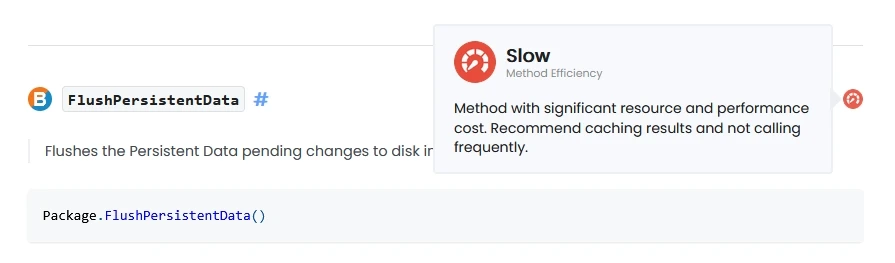
For example, if you hover HTTP.Request(), you will see a "blocking" label in the top right, meaning it's a blocking operation and will freeze the main thread.
Anchor Links
All method and event anchor links are now fixed: you can hover and copy the link from any API page. And when clicking an anchor, the page now scrolls with the correct offset.
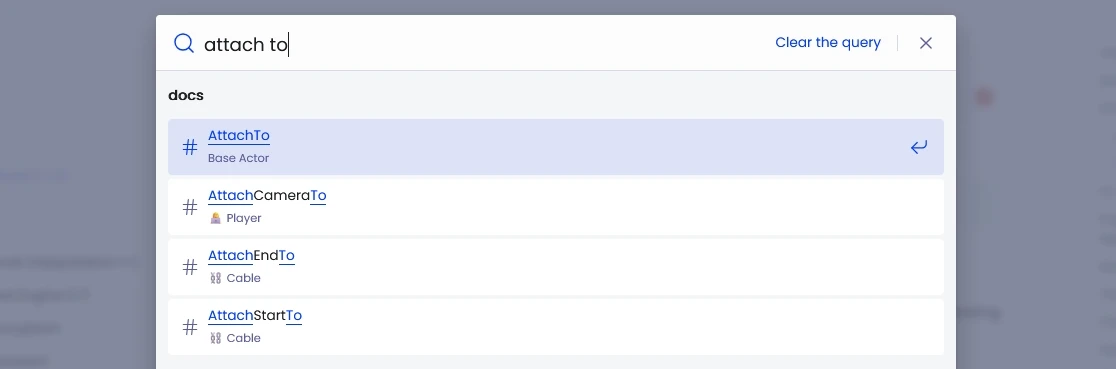
Improved Search Results
We've also improved the docs search, now it returns more precise results.
Docker Tutorial
We got a new community-created tutorial on how to use Docker with nanos world servers, check it out on the Docker Installation page.
Quality of Life Improvements
WebUI Inputs
Besides the new WebUI:HasNodeFocus() method, now pressing Escape while a WebUI node has focus, causes the node to unfocus (instead of opening the escape menu).
Also, while a WebUI node has focus, all game input is ignored. This makes in-game forms and text inputs feel much more "normal", and avoids those annoying cases where the player types into a UI and also triggers gameplay binds.
File Transfer Speeds
We iterated again on the download system, and file transfer speeds are now improved for high-ping players, making joining servers feel smoother in worse network conditions.
VOIP Network Usage
On VOIP, data is now only transmitted to players within ~30 meters (when using local channel), reducing unnecessary bandwidth usage.
Drop Input
Pressing the Drop input (G) now drops the grabbed prop as well.
New Default Assets
We added several new assets to the Default Asset Pack, including new Static Meshes (SM_RetroCamera, SM_PhotoFrame, SM_LightSwitch, SM_PushButton), Sound Effects (button, switches, and thruster sounds), and the full Rocket Thruster Exhaust Particles pack from Fab.
We also improved the Vehicles Skidding particles, fixing some flickering and improving their visuals.
Not to mention several assets collisions were improved, fixing their physics behavior.
First Time Benchmark

We added a new popup asking to run a First Time Benchmark when starting the game for the first time (it will not run automatically anymore).
Dependencies
Updated dependencies:
- Unreal Engine has been updated to 5.7.3.
- CEF has been updated to 144.
- Sentry has been updated to 1.6.
Conclusion
The Sandbox game-mode is finally taking the shape I wanted for it, becoming really next to my inspiration Garry's Mod version of it. I will have some work to do and expand, but we are much closer than before.
My goal with the Sandbox is for it to become a fun game-mode, that can be an easy source of new integrations and entities. But also a source of good examples of how to implement custom entities, tools and systems for nanos world.
It's always great when I dedicate time to writing scripts and game-modes, besides it being hell of fun, I always find missing methods, problems and I end up integrating and fixing stuff during this period.
I'm all the time focused on improving what we already have and fixing chronic problems, and this month it was possible to add many cool features to the game and the scripting API!
As always, thank you for testing, reporting bugs, and scripting! Stay tuned that there are more to come! See you in the next update! 💙