Extra Features
Some extra features and concepts of the Sandbox Game Mode
The Sandbox Game Mode also provides several other sub-systems that can be used and extended through scripting, such as:
Sandbox WebUI
You can directly access the Sandbox WebUI through Sandbox.HUD variable.
Tutorials
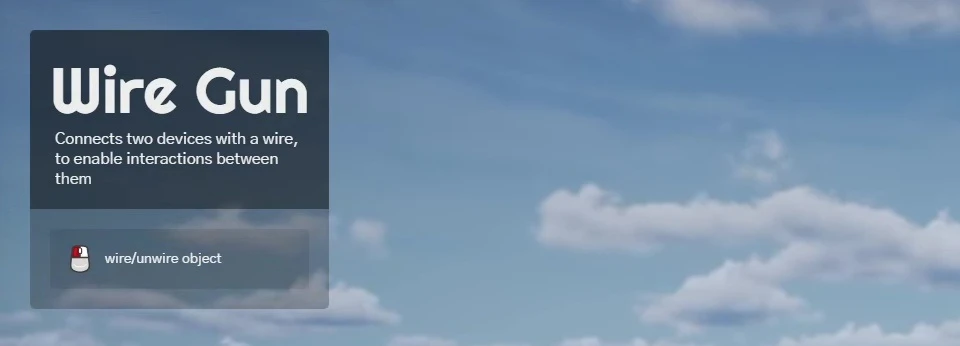
The Tutorials UI can display a title, a short description and also keys. It is used automatically by the Tool Gun system to display instructions on how to use the current equipped tool.
You can also use it on your own packages to provide instructions to the players:
-- Shows the Tutorials UI with a title, a description and a list of keys
-- Each key can be a Key Binding name (e.g. "Fire") or a raw key name (e.g. "E")
Sandbox.Tutorials.Show("My Tool", "Helps you build awesome things", {
	{ key = "Fire", text = "Spawn a block" },
	{ key = "E", text = "Rotate the block" },
})

-- Hides the Tutorials UI
Sandbox.Tutorials.Hide()
SpawnHistory
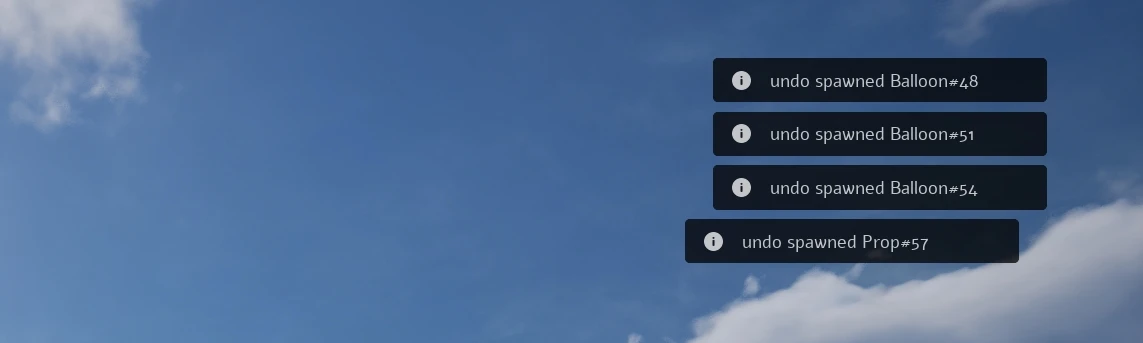
This is a Server side system that keeps track of all the spawned items by each player. It also works by appending information to spawned items, so you can check who (and when) spawned a specific item.
You can call those functions server-side to add an item to a Player's history, so they can undo it by pressing X.
-- Adds an item to the history of a player
Sandbox.SpawnHistory.AddItemToHistory(player, my_prop)

-- Destroys the item at the given position in the history of a player (the last one if index is nil)
-- Returns true if an item was destroyed, otherwise returns false
local destroyed = Sandbox.SpawnHistory.DeleteItemFromHistory(player, nil)

-- Updates an item ownership data
--  I.e. in cases an item gets modified and we need to update the new owner
Sandbox.SpawnHistory.UpdateItemOwnership(other_player, my_prop)
By calling Sandbox.SpawnHistory.AddItemToHistory(), a value "SpawnedBy" will be set on the entity, it will be synced with all clients, and contain the following data:
{
	player_name = "...", -- Player name
	player_steam_id = "...", -- Player Steam ID
	time = 123, -- Time that it was spawned (Server.GetTime())
}
Notifications
Although we already have a notifications system built-in in game (Client.ShowNotification()), the Sandbox provides a more advanced one that allows you to display "tutorials-like" notifications that are only displayed once:
-- Adds a Notification on the Screen. Parameters:
--   type       NotificationType  Type of the notification to display
--   id         string            Unique ID used to store if the notification was already displayed to the player
--   message    string            The message to display
--   duration   number            Duration in seconds of the notification
--   delay      number            Time in seconds to wait until display the notification
--   force      boolean?          To force it to be displayed regardless if it was already displayed before
Sandbox.Notifications.Add(NotificationType.Info, "my_package_welcome", "Welcome! Press Q to open the Spawn Menu", 5, 2)
PersistentConfig
We created a system to help persisting Tool Gun (or any other custom) configs when using them. Our tool guns use them to persist changed configs from Context Menu between sessions:
-- Saves a config for a class
Sandbox.PersistentConfigSystem.SaveConfig("MyToolGun", "power", 50)

-- Gets a config of a class
local power = Sandbox.PersistentConfigSystem.GetConfig("MyToolGun", "power")
EntityInput

This is a system used by our Entities to bind custom Inputs to actions on entities:
-- Registers a Key Binding (players can remap it in the settings)
Input.Register("MyEntityActivate", "E")

-- Adds an input binding to an entity, using the Key Binding name (callbacks receive the entity)
Sandbox.EntityInputSystem.AddEntityBinding(my_entity, "activate", "MyEntityActivate", function(entity) end, function(entity) end)

-- Removes an input binding from an entity
Sandbox.EntityInputSystem.RemoveEntityBinding(my_entity, "activate")
Internally it works automatically by just defining input_bindings to any entity class you want, this will expose to Context Menu when selecting the entity, the input bindings to be set. For example, in the Sandbox's Thruster entity (a Prop inherited class):
-- Input Bindings for this Entity
Thruster.input_bindings = {
	{
		label = "activate / deactivate",
		callback_pressed = function(entity)
			entity:CallRemoteEvent("SetActive", Reliability.Reliable, true)
		end,
		callback_released = function(entity)
			entity:CallRemoteEvent("SetActive", Reliability.Reliable, false)
		end,
	},
	{
		label = "toggle",
		callback_pressed = function(entity)
			entity:CallRemoteEvent("SetActive", Reliability.Reliable, not entity:GetValue("Active"))
		end,
	},
}