Context Menu
How to extend and use Sandbox Context Menu.
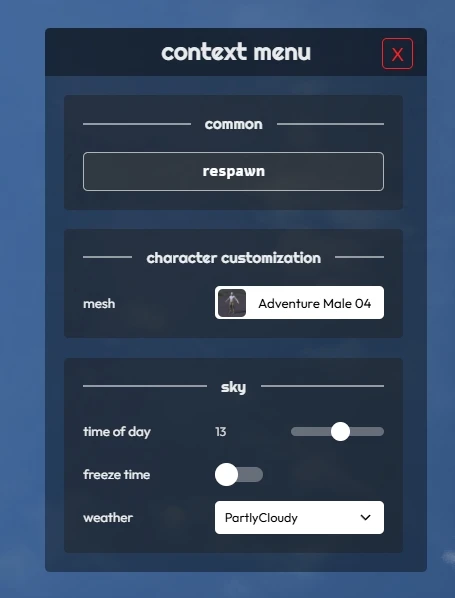
The Context Menu is a menu inside the Sandbox game-mode that provides run-time settings like tweaking the Sun Light or Respawning. It is accessed by the default key C and is toggled ON/OFF by pressing.
It is possible to add/remove settings from the Context Menu directly through Lua!
You can see the source code of the Context Menu in the Sandbox GitHub.
Adding new Entries
-- Adds new items to the Context Menu
--  It can be called multiple times with the same ID to append more items to the same category
---@param id string             Unique ID used to identify this category
---@param title string          Category title
---@param items table           Table of items
---@param color? Color          Optional color of the category
function Sandbox.ContextMenu.AddItems(id, title, items, color)
Example:
Sandbox.ContextMenu.AddItems("my-package-settings", "my settings", {
	{
		id = "my_checkbox",
		type = "checkbox",
		label = "enable fun",
		value = true,
		callback = function(value)
			Console.Log("Fun is now " .. tostring(value))
		end
	},
})
The items parameter is a list of tables with the format for each type:
checkbox
{
	id = "id-of-item",
	type = "checkbox",
	label = "my check box",
	callback = function(value)
		Console.Log("Checkbox value changed to: " .. tostring(value))
	end
},
range
{
	id = "id-of-item",
	type = "range",
	label = "slide me!",
	min = 0,
	max = 1440,
	value = 720,
	step = 1,
	callback = function(value)
		Console.Log("Range value changed to: " .. value)
	end
},
button
{
	id = "id-of-item",
	type = "button",
	label = "press me",
	callback = function()
		Console.Log("Button pressed!")
	end
},
select_image
{
	id = "id-of-item",
	type = "select_image",
	label = "select the image",
	options = {
		{ id = "id-opt-01", name = "Opt 01", image = "package://your-package/01.jpg" },
		{ id = "id-opt-02", name = "Opt 02", image = "package://your-package/02.jpg" },
	},
	value = function()
		return "id-opt-01"
	end,
	callback = function(value)
		Console.Log("Select Image changed to: " .. value)
	end
}
select
{
	id = "id-of-item",
	type = "select",
	label = "select the option",
	options = {
		{ id = "id-opt-01", name = "Opt 01" },
		{ id = "id-opt-02", name = "Opt 02" },
	},
	value = "id-opt-01",
	callback = function(value)
		Console.Log("Select changed to: " .. value)
	end
}
text
{
	id = "id-of-item",
	type = "text",
	label = "type something",
	placeholder = "enter text...",
	value = "",
	callback = function(value)
		Console.Log("Text changed to: " .. value)
	end
},
color
{
	id = "id-of-item",
	type = "color",
	label = "select the color",
	value = function()
		return my_current_color:ToHex(false)
	end,
	callback = function(value)
		Console.Log("Color changed to: " .. value)
	end
},
The value and options properties can be either a direct value, or a function to be dynamically fetched when the entry is added to the Context Menu!
The id property is optional, and can be useful when you want to update the value of an existing item programmatically.
Removing Entries
-- Removes the items from the Context Menu
---@param id string             Unique ID used to identify this category
function Sandbox.ContextMenu.RemoveItems(id)
Updating Entries
-- Updates an existing Context Menu item value
---@param item_id string        Unique ID used to identify this item
---@param value any             The new value
function Sandbox.ContextMenu.SetItemValue(item_id, value)
Adding Entries to an Entity/Tool Gun
Custom Entities and Base Pickable (e.g. Weapon) have the ability to have custom Context Menu entries shown automatically when they are selected or picked up.
When selecting an Entity
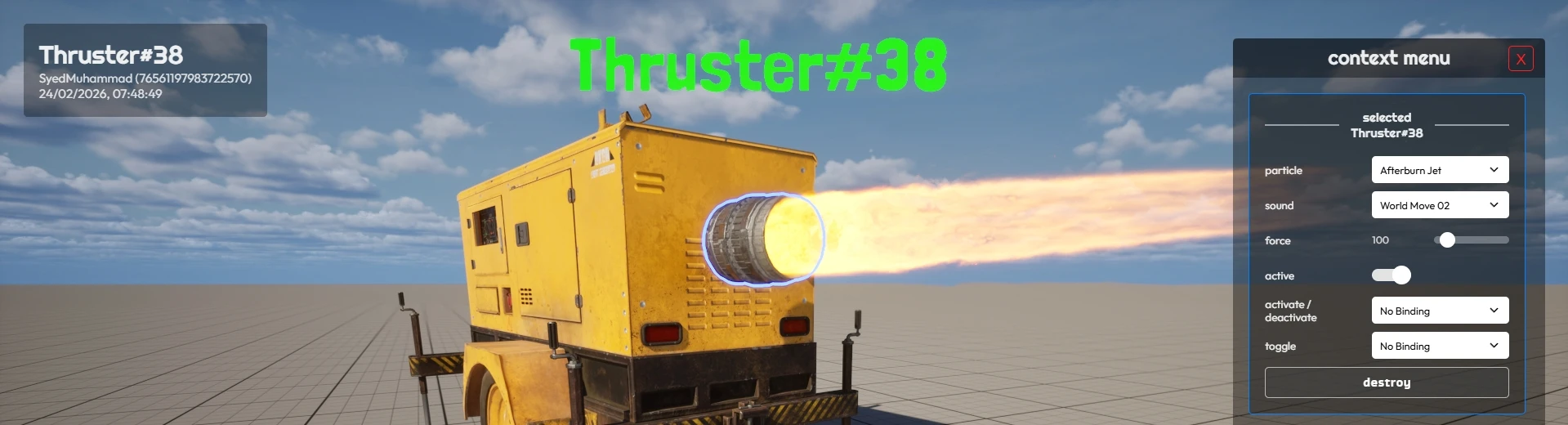
To add entries when an entity is selected, you need to define the selected_context_menu_items property on the Class of the Entity, with the same format as the items parameter of the AddItems function.
You can use the current selected entity set in Sandbox.ContextMenu.selected_entity to dynamically get/set values related to the selected entity in the Context Menu entries, for example:
MyEntityClass.selected_context_menu_items = {
	{
		id = "my_entity_input",
		type = "text",
		label = "text",
		placeholder = "enter the text",
		callback = function(value)
			Sandbox.ContextMenu.selected_entity:CallRemoteEvent("SetMyValue", Reliability.Reliable, value)
		end,
		value = function()
			return Sandbox.ContextMenu.selected_entity:GetValue("MyValue")
		end,
	}
}
When picking up an Entity
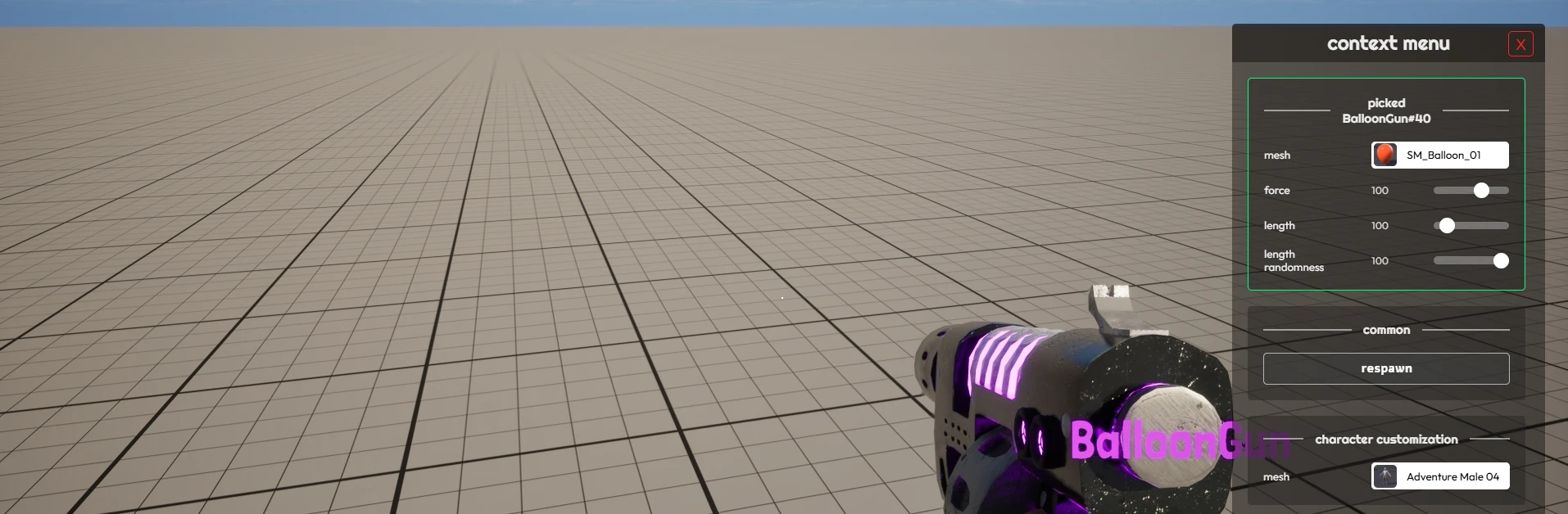
You can also define custom entries for Base Pickable classes, that will automatically show when picking up them. To do that, you need to define the picked_context_menu_items property on the Class of the Pickable:
MyGun.picked_context_menu_items = {
	{
		id = "my_gun_value",
		type = "range",
		label = "my value",
		min = 0,
		max = 100,
		step = 1,
		callback = function(value)
			MyGun.my_value = value
		end,
		value = function()
			return MyGun.my_value
		end
	}
}
Opening/Closing
-- Opens the Context Menu
function Sandbox.ContextMenu.Open()

-- Closes the Context Menu
function Sandbox.ContextMenu.Close()
Examples
You can find examples and how it works deeply at the ContextMenu.lua file.
Also, you can see a working example of dynamically adding an entry to the Context Menu in the BalloonGun.