Mar: Mass Optimization & 500 Players Together!

Massive Performance Optimizations, 500 Players Together, Default Characters Package, Vehicle Handling Fix, New Scripting Methods, In-game Server List, Teams Improvements, New Configs and much more!

Welcome to our roundup of the latest updates from the last month!
Zenkai Hits 500+ Players!
We're incredibly proud to announce that Zenkai (the new French 🇫🇷 Ninja RP server) has achieved 500 concurrent players playing on the same server!
This is a massive achievement for us and the Zenkai team! We can see how well nanos world performs with hundreds of players and thousands of entities on the map! The network usage is very stable and low, and the server CPU usage is running smoothly with really few spikes!
Zenkai Overview with hundreds of players in the same map
The success of Zenkai demonstrates that nanos world is a powerful and reliable platform for ambitious game-mode projects. The Zenkai team's dedication to creating an immersive Ninja RP experience has paid off, and we're excited to keep pushing the limits forward!
If you haven't joined yet, head over to Zenkai's Discord and check them out! 🥷
Zenkai Full Class
Some behind the scenes screenshots I've taken:
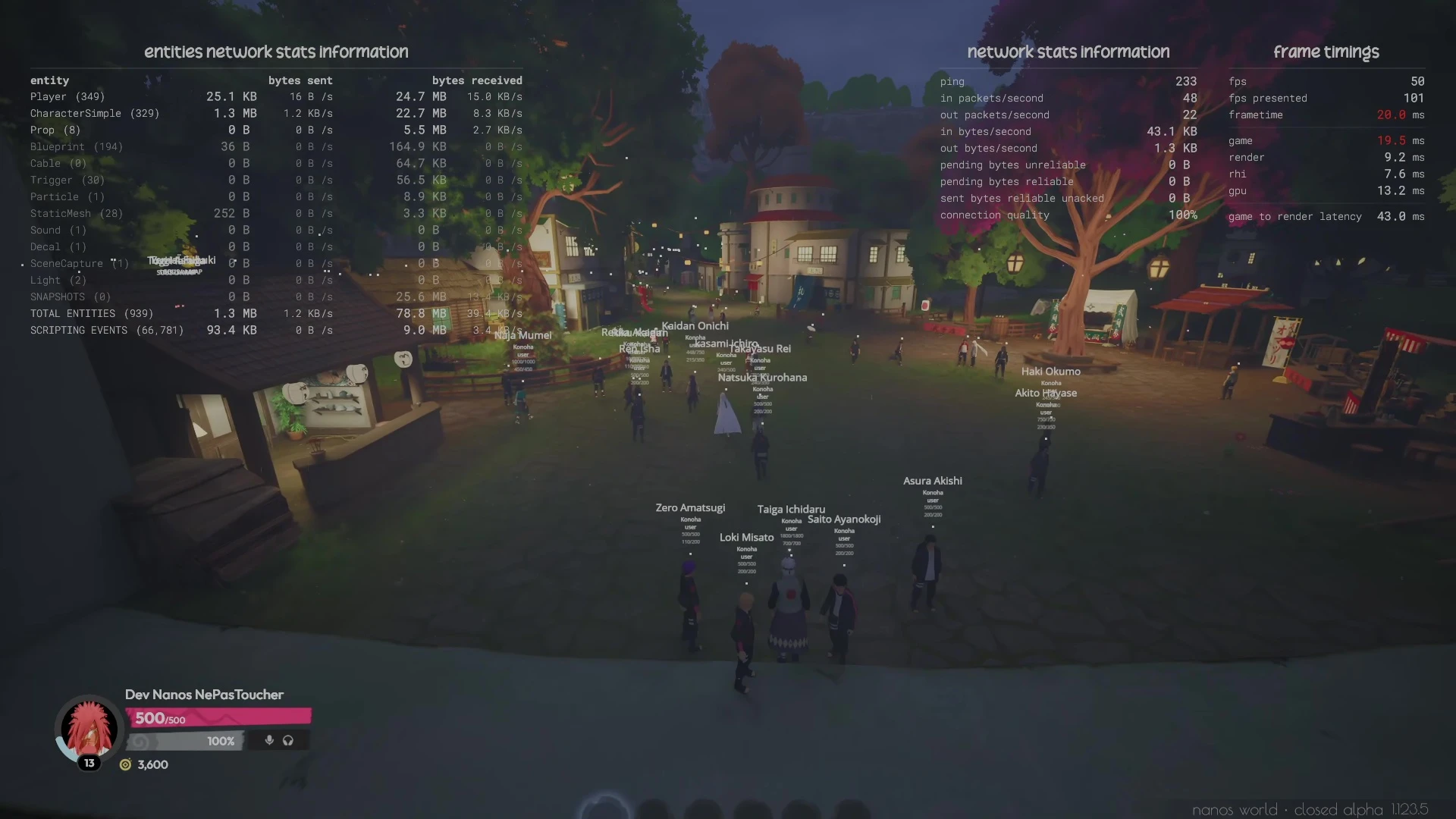
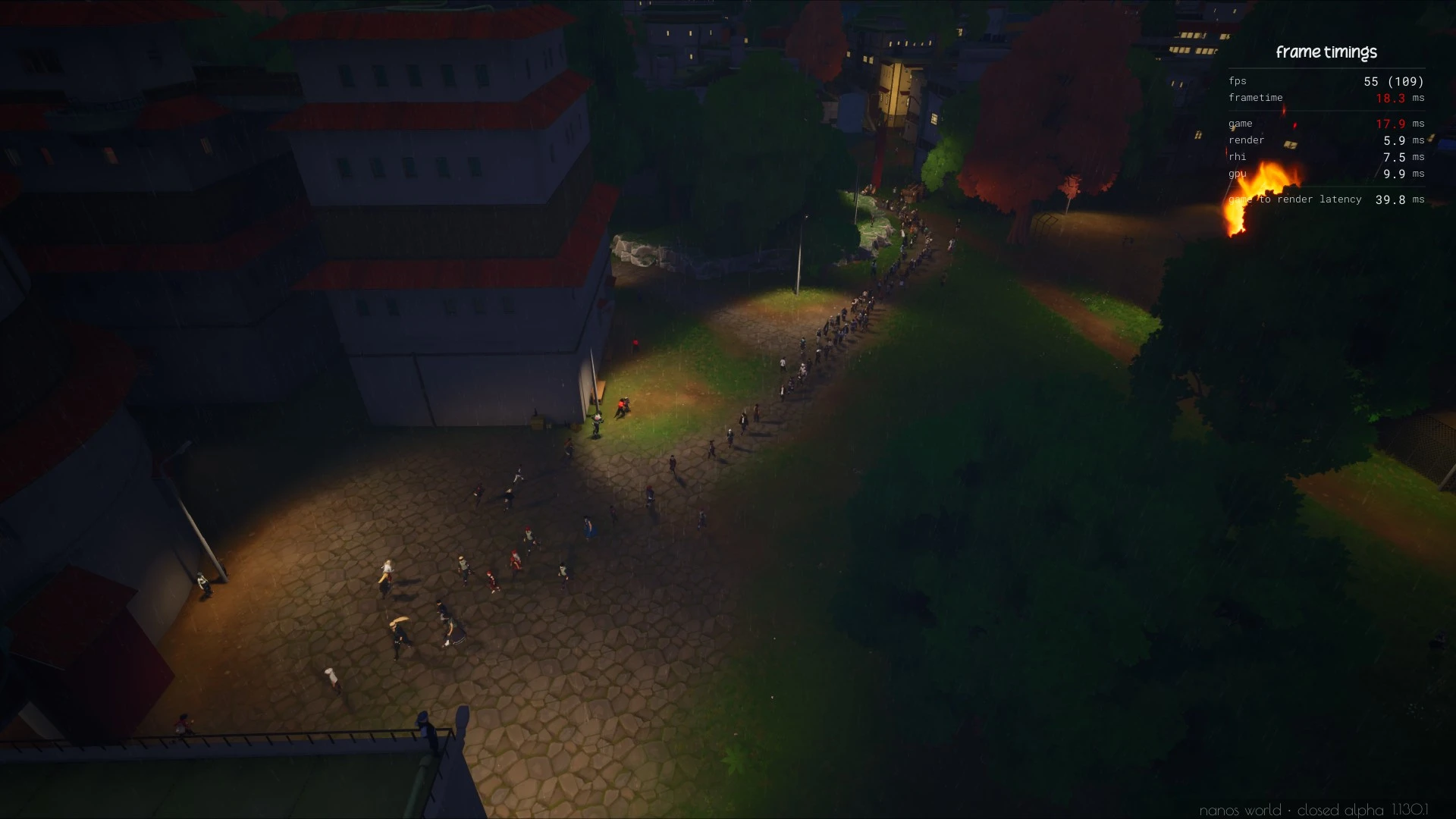
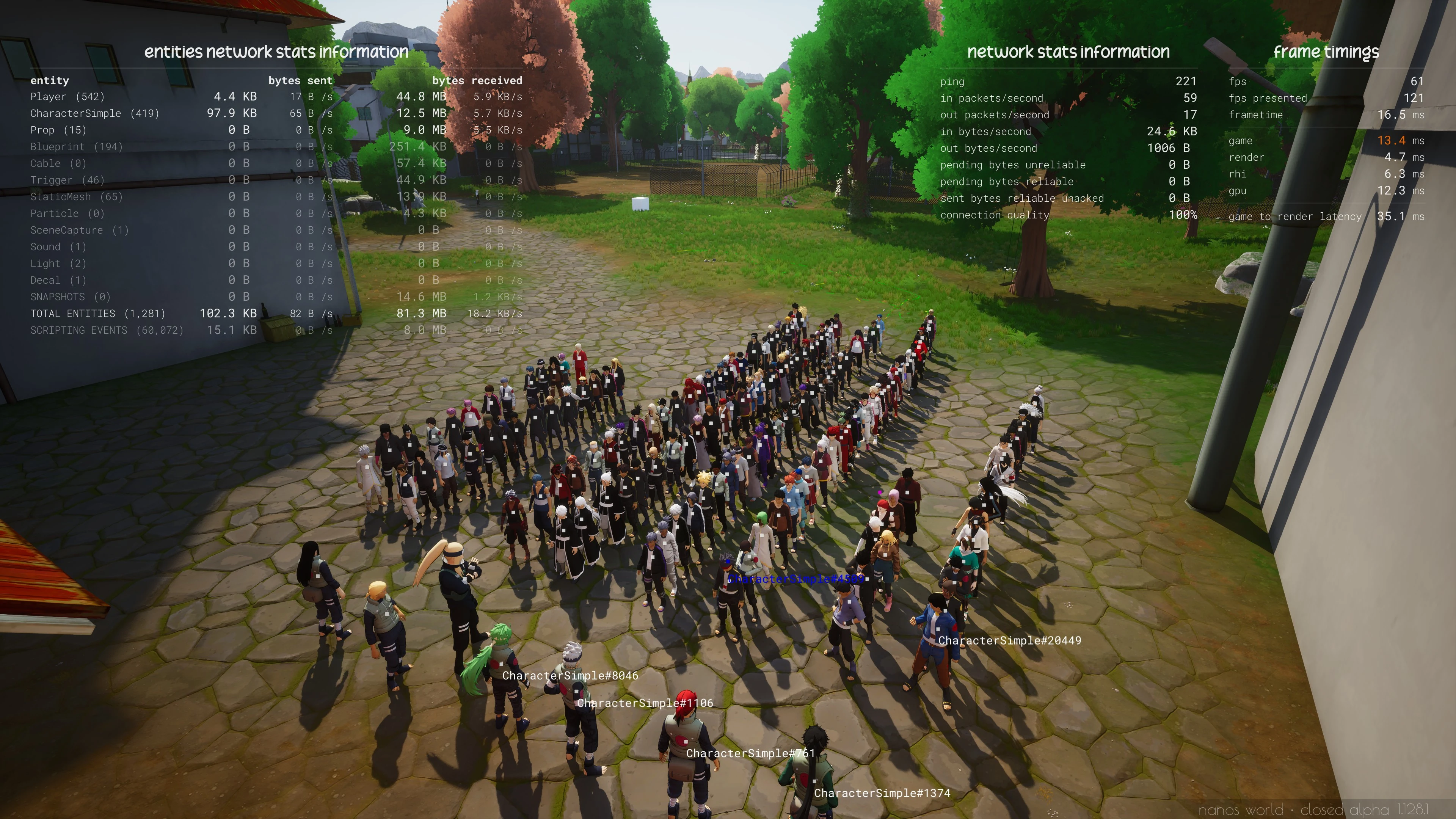
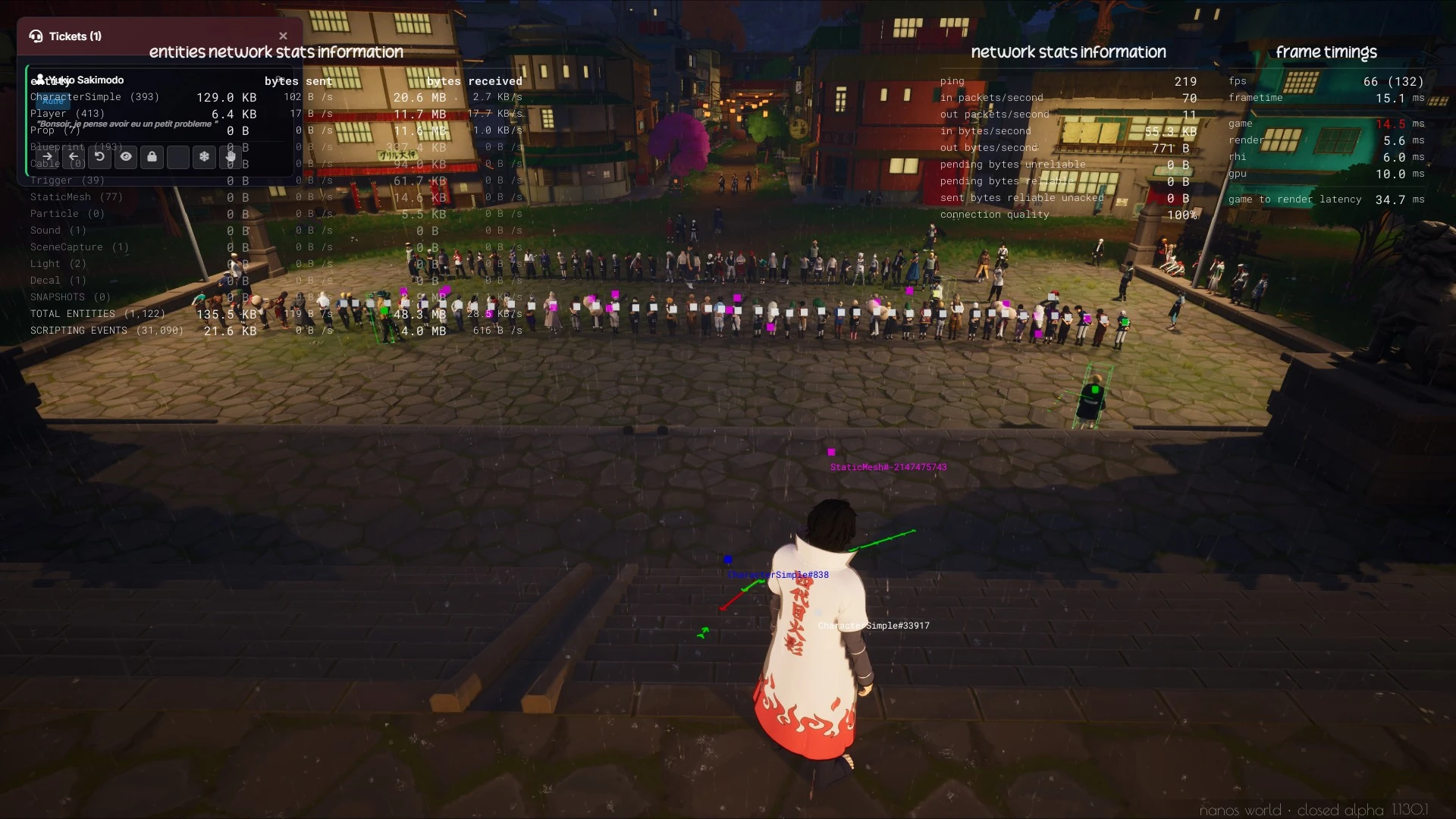
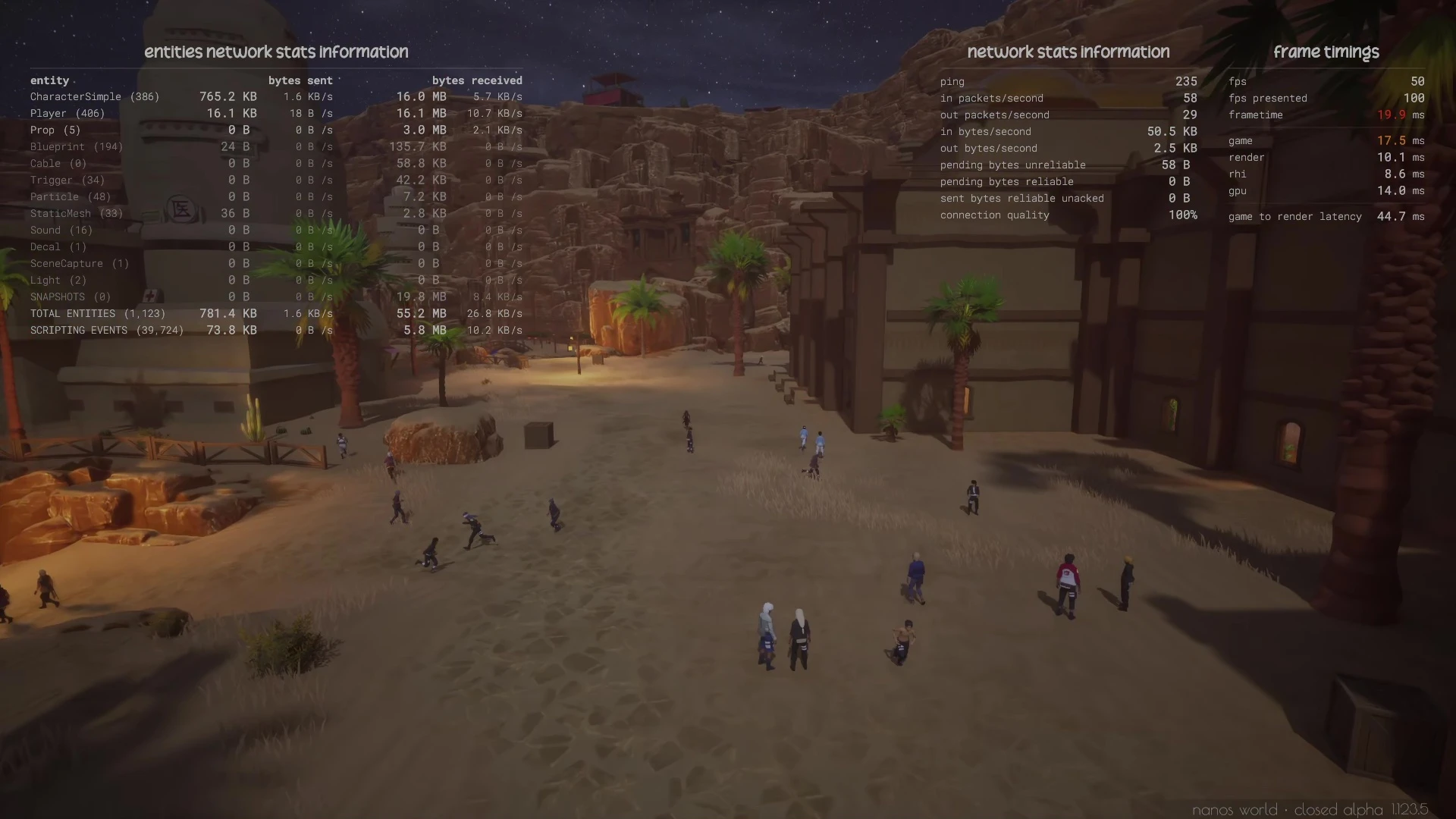
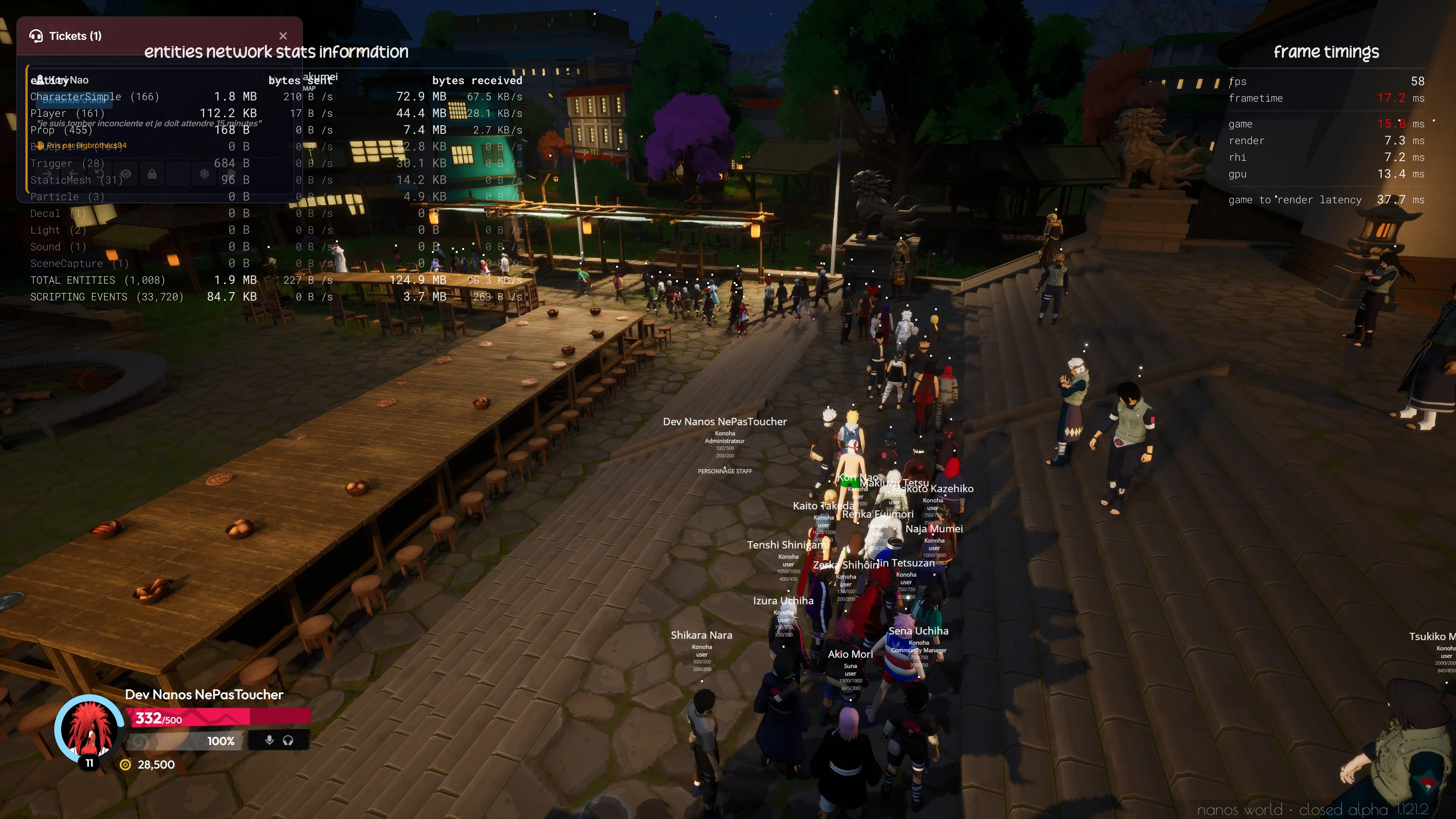
Zenkai Screenshots taken behind the scenes
New default-characters Package
We created a new default-characters package that contains all the native characters implemented as Classes, which can be easily spawned to use in your projects.
Each Character is already configured with it's own materials, or custom meshes/clothes.
Usage Example:
local adventure_male_b = AdventureMaleB(Vector(0, 0, 100), Rotator())
local male = Male(Vector(0, 0, 100), Rotator())
local post_apocalyptic = PostApocalyptic(Vector(0, 0, 100), Rotator())
local chicken = Chicken(Vector(0, 0, 100), Rotator())
...
They contain a basic NPC behavior to move around and run from being damaged.
Chickens
We also added a new Chicken class to this pack using CharacterSimple, which you can possess as well!
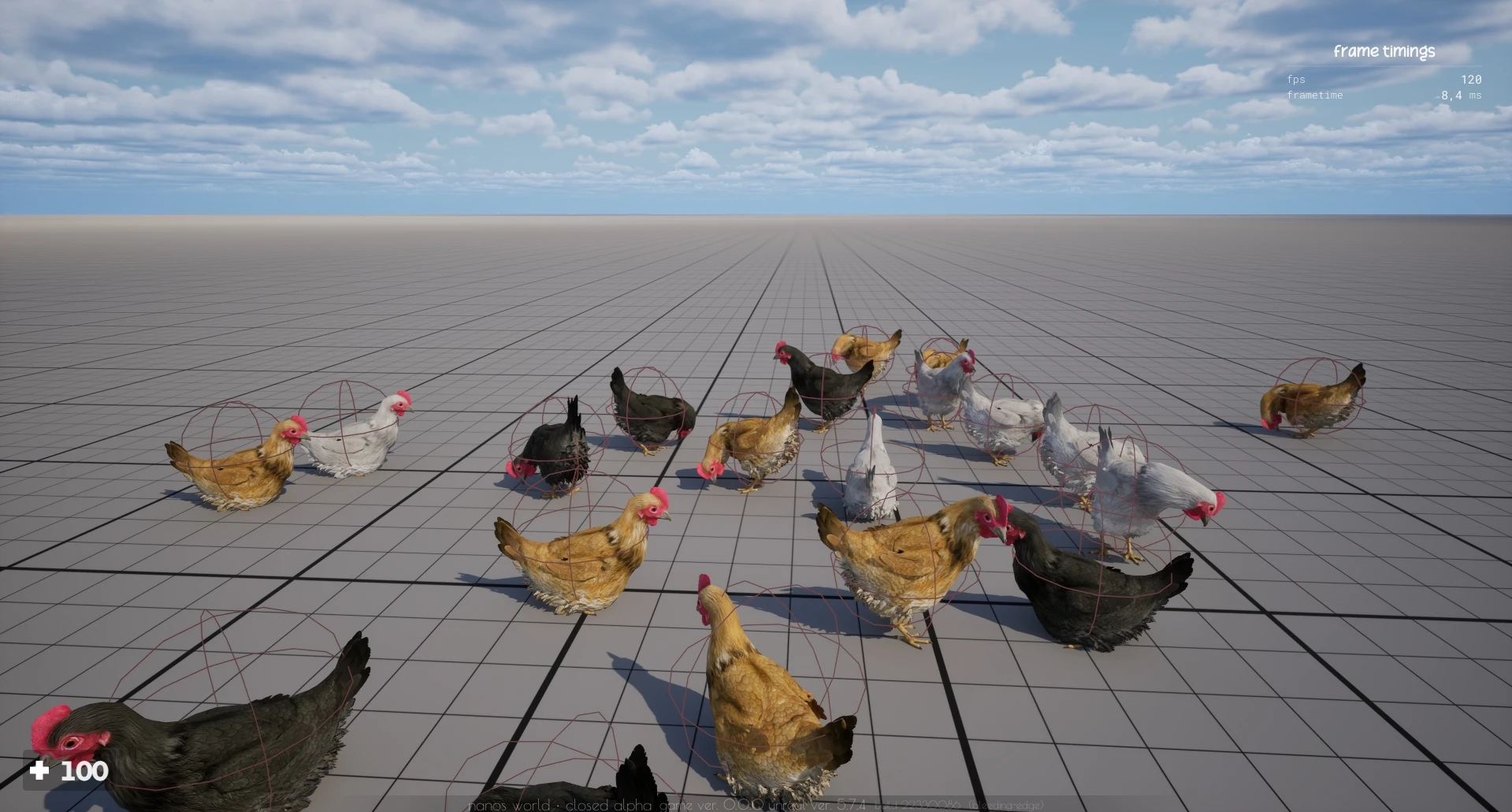
Chickens
Server Performance Overhaul
Zenkai is pushing the limits of nanos world with hundreds of players and thousands of entities on the map, which is a great stress test, and has allowed us to identify several bottlenecks and areas for improvement. Consequently this month we've made massive improvements in server performance and optimization.
Distance Optimization
We've implemented a new Distance Optimization System that dramatically reduces network traffic for distant actors. Instead of constantly syncing all actor snapshots (location/rotation/velocity) for every player, the server now intelligently reduces sync frequency based on distance.
The system is configurable via the distance_optimization setting in Config.toml or via console command:
# distance optimization level to improve network usage by reducing sync from distant actors (0 - 9)
# (0) disables it, (4) is a good middle term, (9) is the most aggressive
distance_optimization = 4
It linearly reduces the sync rate of actors as they get further away from the player, up to a maximum distance where they stop syncing entirely. This can drastically reduce network usage by up to 80% on large maps with many entities, while still maintaining a good experience for players nearby!
Snapshot Sync Batching
We reworked how the server synchronize actors location/rotation/velocity to the clients.
Before we were always sending separate network packets for syncing the snapshots for every updated actor, which could lead to thousands of packets per second on busy servers.
Now we batch all snapshot updates together and send them in a single network call per tick, which radically reduces overhead and improves performance.
Character Performance
We did several improvements on Character and CharacterSimple implementation to reduce their CPU and network overhead, especially for distant characters that don't need to be fully simulated or synced.
We dynamically enable/disable several components and features based on distance and network authority, which lead to significant performance improvements on servers with many characters, examples are the Movement Component, Camera Component, and several tick functions that are now automatically activated on demand.
VOIP Rework
We reworked the VOIP system to improve performance, reduce network usage and decrease voice stuttering/cuts.
Now the VOIP audio data is sent much faster and more efficiently, with better handling of network conditions and reduced CPU usage on the server, also making sure it doesn't block other more critical network calls.
Besides that, we improved the micro-stutters/cuts by adding a buffer in voice transmission on clients.
File Transfer System
We reduced the priority of file transfers to prevent them from interfering with critical game data. Also with the new max_file_transfer_rate setting, you can now control the maximum bandwidth used for file transfers, ensuring that your server remains responsive even when players are downloading large assets or scripting files.
Bad Connections
We added a new system to auto detect bad connections and kick players that are hitting maximum pending network buffer, as it was causing desync and instability on the server.
Steam Maintenance
Now players will no longer be kicked when Steam goes down for maintenance, allowing them to stay connected and play even during Steam outages.
Lower Packet Footprint
Also, we managed to reduce all network packets size, improving the footprint size and decreasing the overall network usage for every network call.
Scripting & API
We've added tons of new methods, events and improvements to the scripting API:
New Methods
-
Server.SetDefaultPlayerDimension() -
Server.SetDefaultEntityDimension() -
Server.AddMapSpawnPoint() -
Server.GetConnectionCount() -
Client.OpenEscapeMenu() -
WebUI:IsReady() -
Decal:SetSize() -
Decal:SetFadeIn() -
Decal:SetFadeOut() -
Events.CallRemotePlayers()
Improved Methods
VehicleWheeled:SetSteeringSetup()- Newsteering_curveparameterVehicleWheeled:SetTransmissionSetup()- Newforward_gear_ratios/reverse_gear_ratiosparametersSky.SetTimeOfDay()- Newtransition_timeparameterActor:IsNetworkDistributed()- Now returns if the actor can ever distribute authority- Failed to load function data. - Now returns entities from all child classes
New Events
PlayerDisconnect (Server)- Called when a Player disconnects (even if not fully spawned)
New Enums
- New Enum SoundType:
Ambient(affected by a new Ambient Sound audio setting).
Vehicles Handling Fixed
We finally fixed an really old issue with Vehicles handling and driving, which was totally broken, making them feel really bad and slippery.
Now configuring a vehicle's settings will properly affect its handling.
Fixed Vehicle Handling
Also, we added new methods to configure the steering and transmission setup of vehicles, allowing for much more control over how they handle and feel when driving:
VehicleWheeled:SetSteeringSetup()- Newsteering_curveparameterVehicleWheeled:SetTransmissionSetup()- Newforward_gear_ratios/reverse_gear_ratiosparameters
Thread Pool System
We've implemented a new Thread Pool System for handling all the asynchronous operations:
- HTTP Requests -
HTTP.RequestAsync() - Database Operations -
Database:SelectAsync()Database:ExecuteAsync() - File Operations -
File:ReadAsync()
There's a new command-line parameter --thread_pool_count to configure the number of threads initialized for async operations. By default, it will initialize 8 threads or the number of CPU cores available, whichever is higher.
This improves the server performance by not allocating new threads for every new async operation, reusing our worker threads on demand.
Authentication Queue System
Steam authentication can sometimes rate-limit servers when many players join simultaneously. We've added an Authentication Queue to handle this gracefully:
Players will queue up and authenticate at a steady rate, preventing Steam rate-limiting errors and allowing smooth joins even with massive connections.
New Ray Tracing Settings

New Ray Tracing Settings
We've added new Ray Tracing Settings to the video settings! You can now enable or disable the global Ray Tracing setting, Hardware Ray Tracing or Mega Lights system independently.
Loading Screen Enhancements

Improved loading screen with new stages
The loading screen now has better visibility into what's happening in the initial stages, now it shows:
- Sending Client Information
- Waiting Steam Authentication
- Fetching Server Requirements
Windows Taskbar Progress
Now the Windows Taskbar will now show only a single progress from 0 to 100% instead of bouncing back and forth between 0 and 100% for each stage, giving a much better notion of progress.
New Native Assets
We've added two new Fab Asset Packs to the default asset pack:
- FXVarietyPack Particles: A variety of particle effects
- Ancient Treasure: A variety of treasures meshes from Dekogon
New Configs and Commands
New Configurations
We added several new server configuration to Config.toml:
# language (country code)
language =               "br"
# max sync rate in Hz (syncs per second) (1 - 30) - controls the location/rotation/velocity actors
# synchronization rate from and to players - naturally limited by the tick rate
max_sync_rate =          30
# max file transfer rate per client in KB/s (128 - max_send_rate) - limits file transfer bandwidth
# for each connected player - this will be limited by 'max_send_rate' setting
max_file_transfer_rate = 1024
# distance optimization level to improve network usage by reducing sync from distant actors (0 - 9)
# (0) disables it, (4) is a good middle term, (9) is the most aggressive
distance_optimization =  4
New Server Language Flag

Server Language flag in the Server List
The new language setting allows specifying the server's language, which will show a flag in the server list.
max_send_rate Change
We changed the definition of max_send_rate from MB/s to KB/s, and set the default to 1024 KB/s.
If you have custom max_send_rate settings, you may need to adjust them (multiply by 1024).
New Console Commands
And new console commands, to allow modifying these settings on the fly without restarting the server:
profilinglog_levelmax_send_ratemax_file_transfer_rate
Server List in Escape Menu
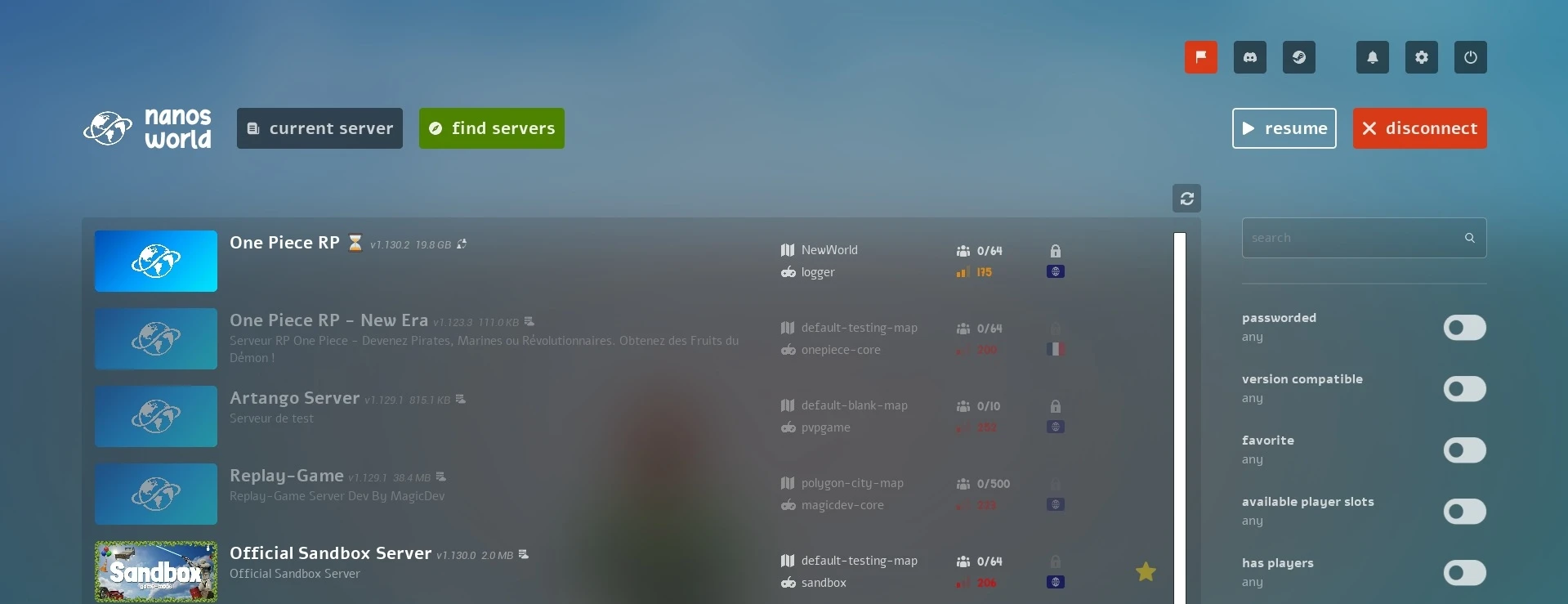
Server list accessible from escape menu
Now it's possible to browse and connect to other nanos world servers while already connected to a server!
No need to disconnect and reconnect through the launcher anymore!
Vault Improvements
Markdown Support
Resource descriptions and changelogs in the Vault now support simplified Markdown:
# Heading
## Heading
### Heading
**Bold text**
*Italic text*
- List items
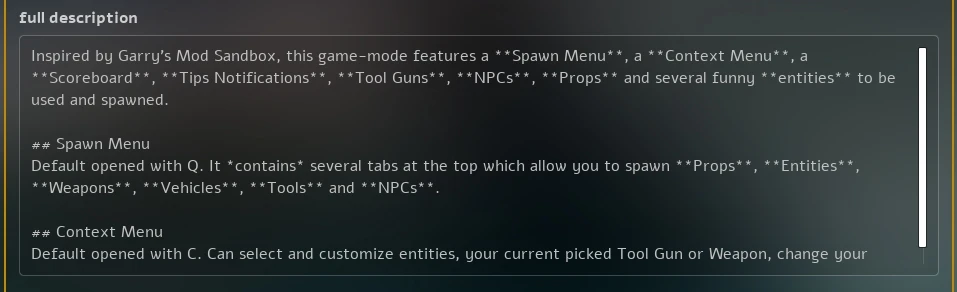
Sandbox Description in Manage tab
This allows creators to make their Vault resources more visually appealing and easier to read!
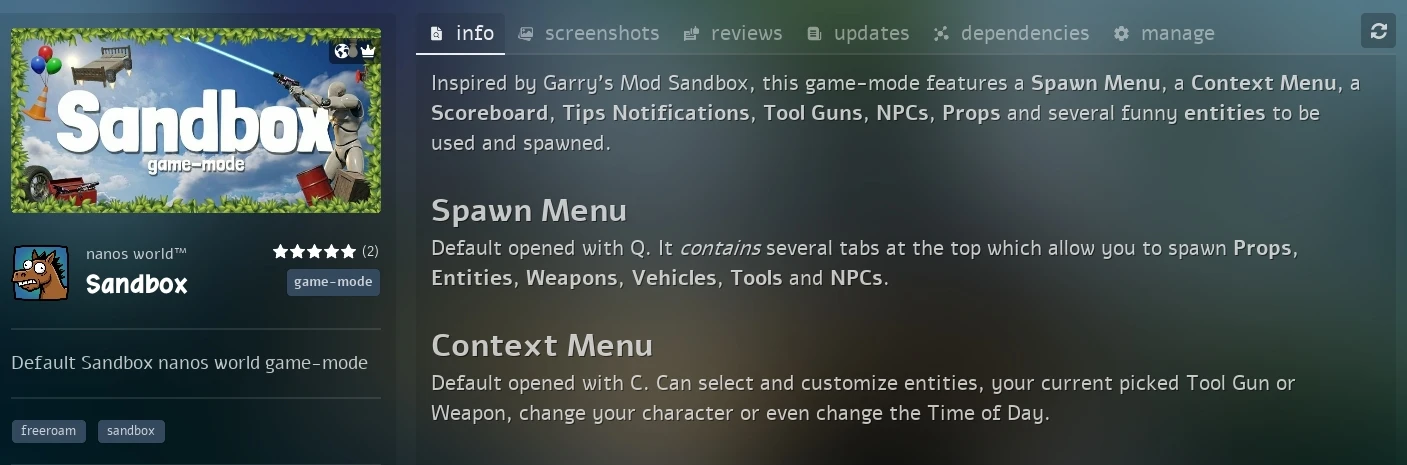
Sandbox Description in Info tab
Team Roles
Vault teams now have a proper role system:
- Admin: Manage team members, edit team info, manage all resources
- Maintainer: Manage resources and updates
- Developer: Can push resources updates
- Member: Team member with limited permissions
You can manage your Team's roles and information in-game by clicking on your Team, in the manage tab:
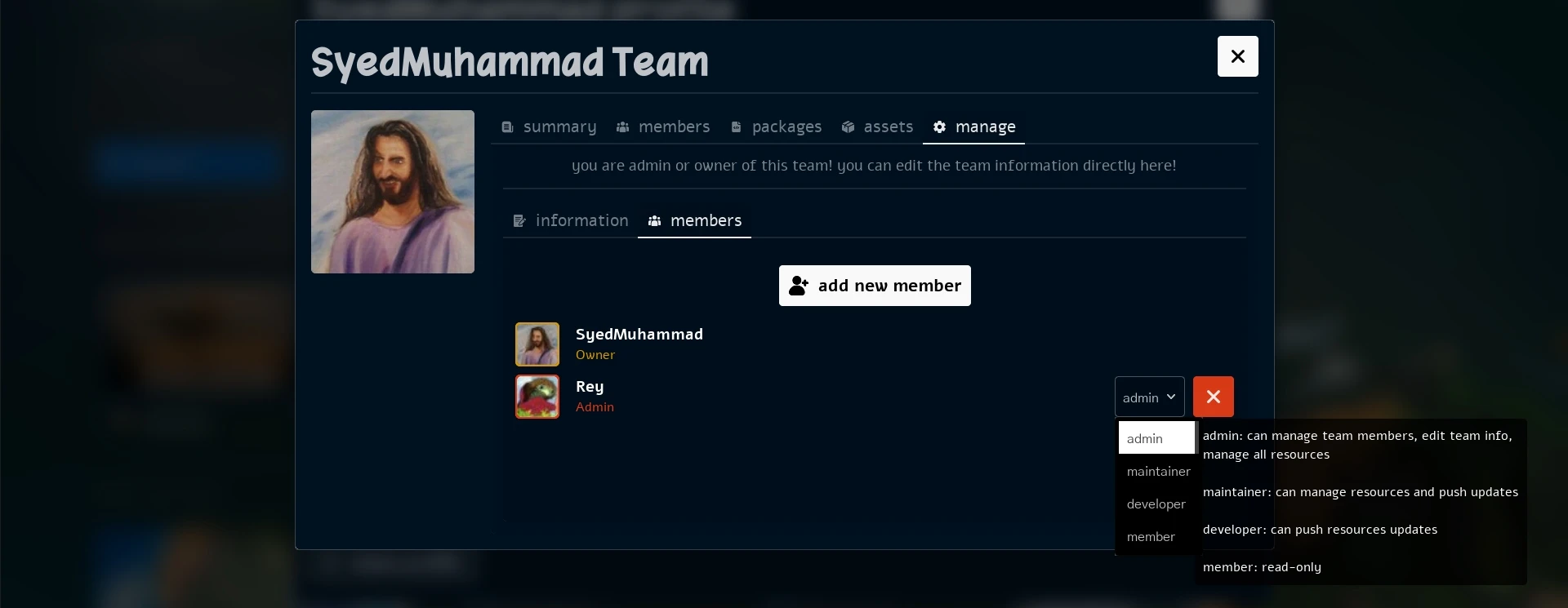
Team Management in-game
Updated Dependencies
We've updated several critical dependencies:
- Unreal Engine 5.7.4:
- DLSS 8.5
- Steam SDK 1.64
- Sentry 1.9.1
Bug Fixes & Stability
We've fixed +40 bugs, fatal errors, and crashes this month. See all the changes in our Changelog Discord channel:
Changelog Discord Channelhttps://discord.com/channels/124107916432113666/680526360015274047Conclusion
March was another incredibly productive month! The Zenkai server hitting 500+ players while running on nanos world is proof that nanos world is ready for ambitious projects.
The Distance Optimization System and Actor Sync Efficiency improvements are game-changers for server performance. We're now seeing servers handle thousands of entities with minimal network overhead and CPU usage.
Together, these improvements make nanos world a much more scalable platform for ambitious projects. Whether you're running a small roleplay server or a massive sandbox, nanos world is now better equipped to handle it!
We are still iterating and optimizing the server performance, and we have a lot of improvements planned for the next months, so stay tuned for more updates!
Thank you all for your patience as we optimize nanos world. We're committed to making it the best game for multiplayer game-modes! 💙
See you in the next update!