商店
nanos world 商店 是一个平台,你可以在此与 nanos world 社区分享你的游戏模式、包和资产!
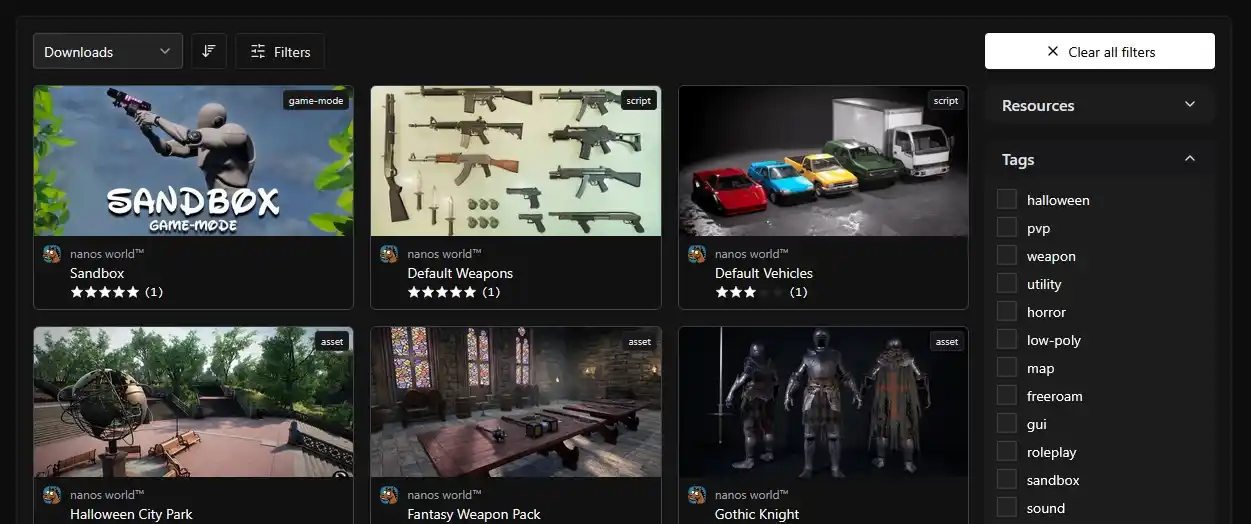
商店仍在开发中。我们正在逐步推出一些小的、可用的功能,以便与你一起构建和改进它!
关于商店
在商店中,你可以上传你的资产、包,发布新版本,创建团队等等!它与资源库 和 CLI 100% 集成!
服务器授权令牌
要使用 CLI,你必须在服务器的 Config.toml 中提供授权令牌,或者通过 --token 命令行传递。
此令牌用于验证你的账户以及下载/上传属于你团队的资产/包的权利。
生成新令牌
要生成新令牌,请转到你的 Profile → PAT 页面,然后按 + Create Token 按钮。页面将提示你设置令牌的名称和过期日期。
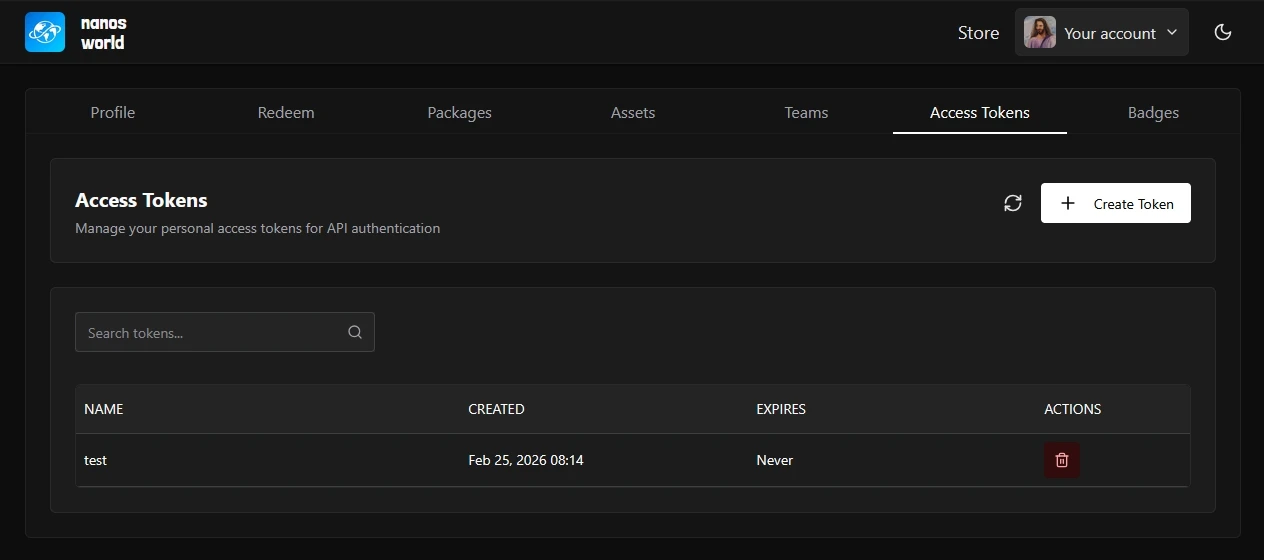
创建完成后,请复制并保存令牌,如果丢失将无法恢复。
现在只需将你的令牌粘贴到 Config.toml 的 token 字段中,或者将其作为 --token 传递给你的服务器,即可通过授权运行 CLI 命令!
自动化 GitHub 发布
此工作流由社区维护。有关更多详细信息,请访问开源 GitHub 仓库。
如果你的包或资产包已上传到 GitHub,你可以使用社区创建的 nanos world Store Publisher Action 来自动上传新版本!
此操作会自动处理版本校验、包压缩和上传到商店。
设置 Github Action
1. 将你的令牌添加为密钥
- 按照 生成新令牌 部分中的说明创建令牌
- 转到你的仓库 Settings → Secrets and variables → Actions
- 单击 New repository secret
- 名称:
NANOS_STORE_TOKEN - 密钥:你在第 1 步中生成的令牌
- 单击 Add secret
2) 创建工作流文件
在你的仓库中创建一个名为 .github/workflows/publish.yml 的 .yml 文件,并添加以下内容:
name: 发布到 nanos world 商店

on:
  # 在推送版本标签(例如 v1.0.1)时运行
  push:
    tags:
      - 'v*'
  # 允许从 Actions 标签页手动运行它
  workflow_dispatch:

jobs:
  build:
    runs-on: ubuntu-latest
    name: 发布包
    steps:
      - uses: actions/checkout@v4

      - uses: nanos-world/store-action@v1
        with:
          NANOS_PERSONAL_ACCESS_TOKEN: ${{ secrets.NANOS_STORE_TOKEN }}
          NANOS_PACKAGE_NAME: 'your-package-name'  # 替换为你的包名称
发布新版本
要发布新版本:
更新 Package.toml 中的版本:
[meta]
    version = "1.0.1"  # 与前一版本相比的增量
提交、标签并推送:
git add Package.toml
git commit -m "Bump version to 1.0.1"
git tag v1.0.1
git push origin main --tags
推送标签后,Action 将自动发布你的包!
你还可以使用 workflow_dispatch 事件,从仓库的 Actions 标签页手动触发工作流。
该 Action 会自动从你的 Package.toml 文件中读取版本,并将其与商店版本进行比较。本地版本必须高于商店版本,上传才能成功。
仓库中有多个包
如果你的仓库中有多个包,你可以使用 EXTRA_PACKAGE_PATHS 输入,以 JSON 数组格式一次性发布它们:
        with:
          ...
          EXTRA_PACKAGE_PATHS: '["path/to/package1", "path/to/package2"]'
如需更高级的配置选项和疑难解答,请访问 Action 仓库。