Monetization
How to sell on your nanos world server, and why the native Tebex integration is the easiest way to do it.
🪙 Native Tebex Integration
Tebex is a monetization platform built for game servers, and it is the official and recommended way to sell on nanos world servers, integrated natively into the game. Set your Tebex secret key in your server's Config.toml and your store is ready.
Why Tebex
- Nothing to install: no plugin and no UI to build. Set your key in
Config.tomland your store shows up in the in-game menu. - Shopping without leaving the server: players browse your store in the in-game menu and only open the browser to pay, with no account to create. Every purchase is linked to the player's Steam ID, so it never goes to the wrong account.
- A checkout players trust: payments happen on Tebex's well-known checkout, not on an unknown website, so more players finish their purchase.
- Many payment methods: cards, PayPal and local methods from many countries.
- Less legal work for you: Tebex is the merchant, so taxes, consumer law and payment data are on Tebex, and card details never touch your machine.
- Protection from fraud: stolen cards and chargebacks are Tebex's problem, not a fee that eats your revenue.
- Reliable delivery: purchases are queued and retried, delivered while the player is online or offline, with optional delays.
- Easy support: every delivery comes with its payment ID, so you can trace any "I paid and didn't get it" in seconds.
- Helps nanos world grow: part of each sale funds the development of the game and the tools you build with.
How a Purchase Works
1. The player opens your store in the in-game menu. Press Escape while on your server and your store is there, with your categories and packages.
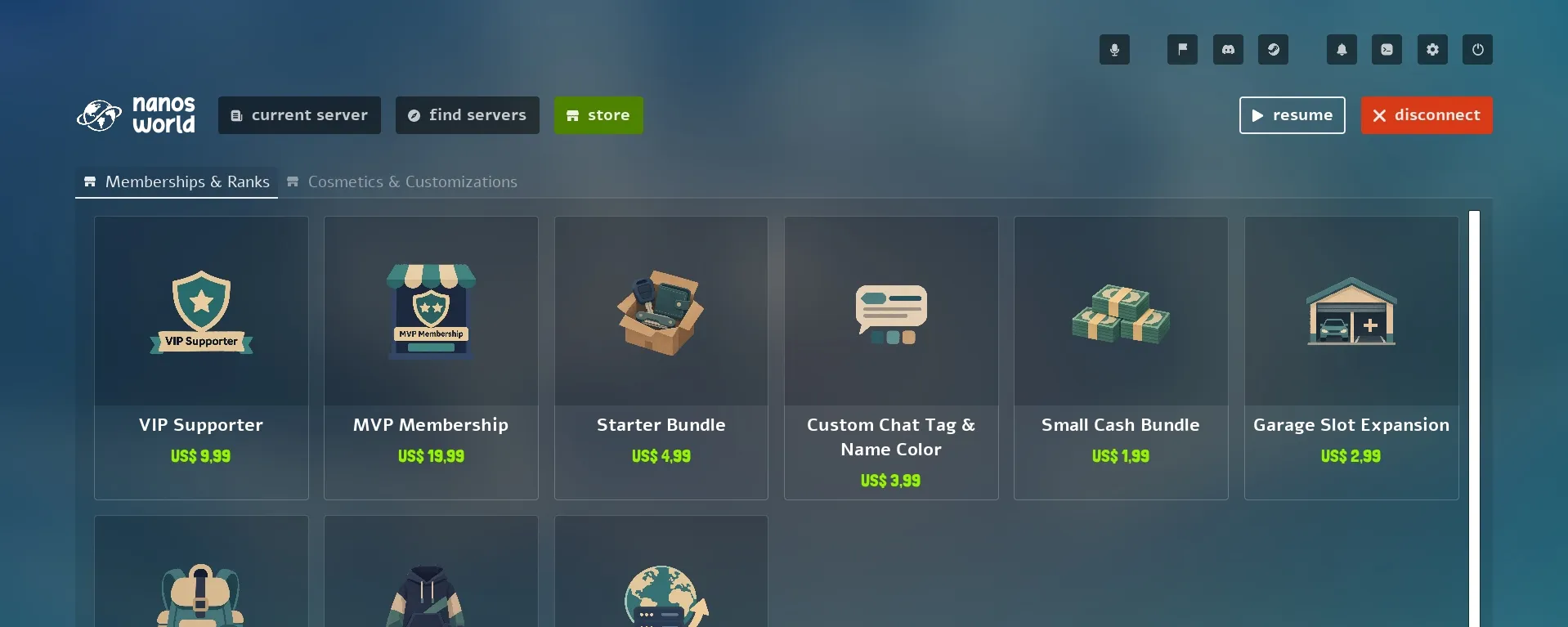
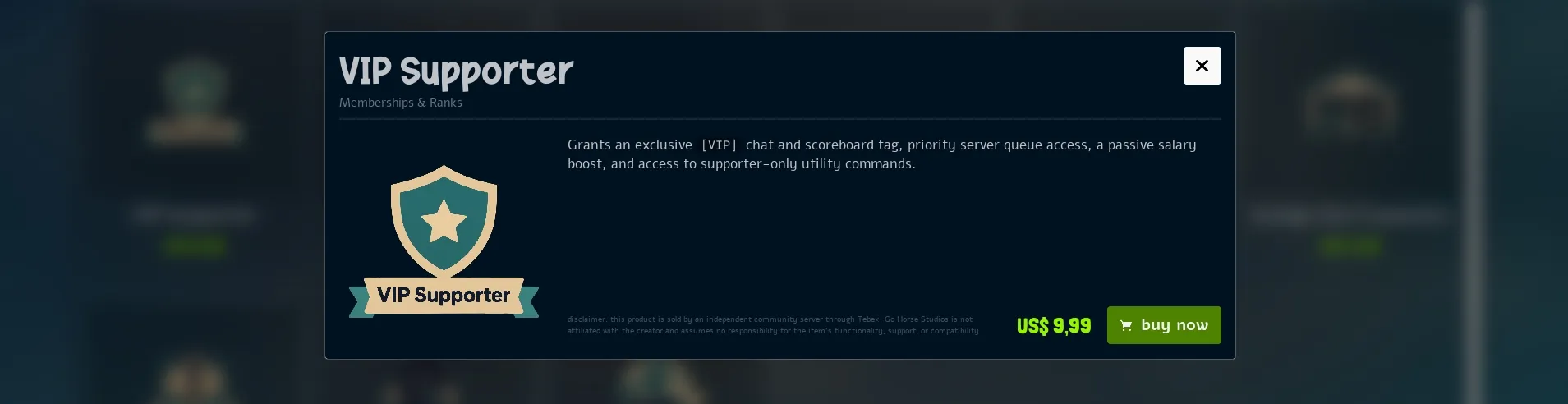
2. They pick a package. Each package shows its image, description, price and discount.
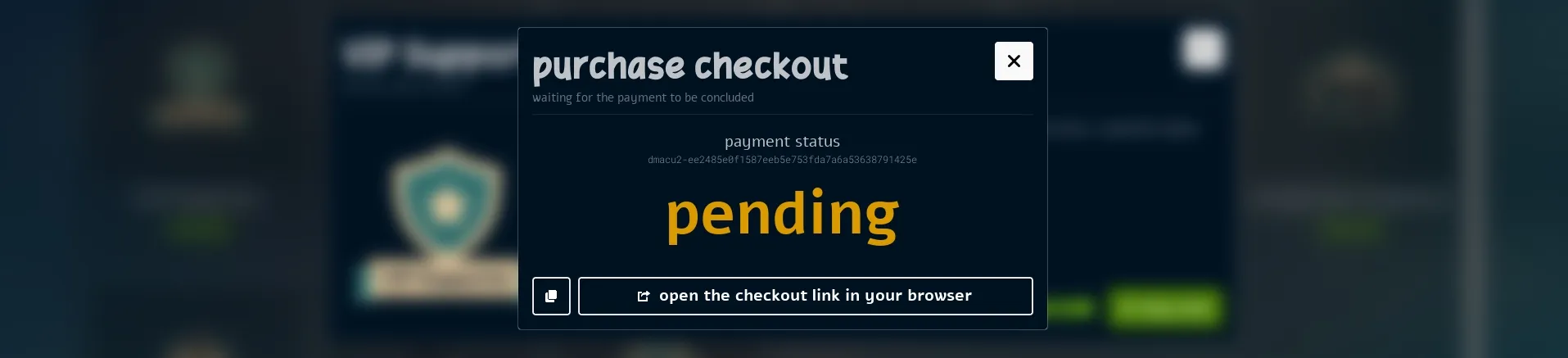
3. They check out. The checkout of the package opens in the in-game menu, with a link to finish the payment in their browser on Tebex's secure checkout. The purchase is already linked to their Steam account, so there is no username to type and no risk of buying for the wrong account.
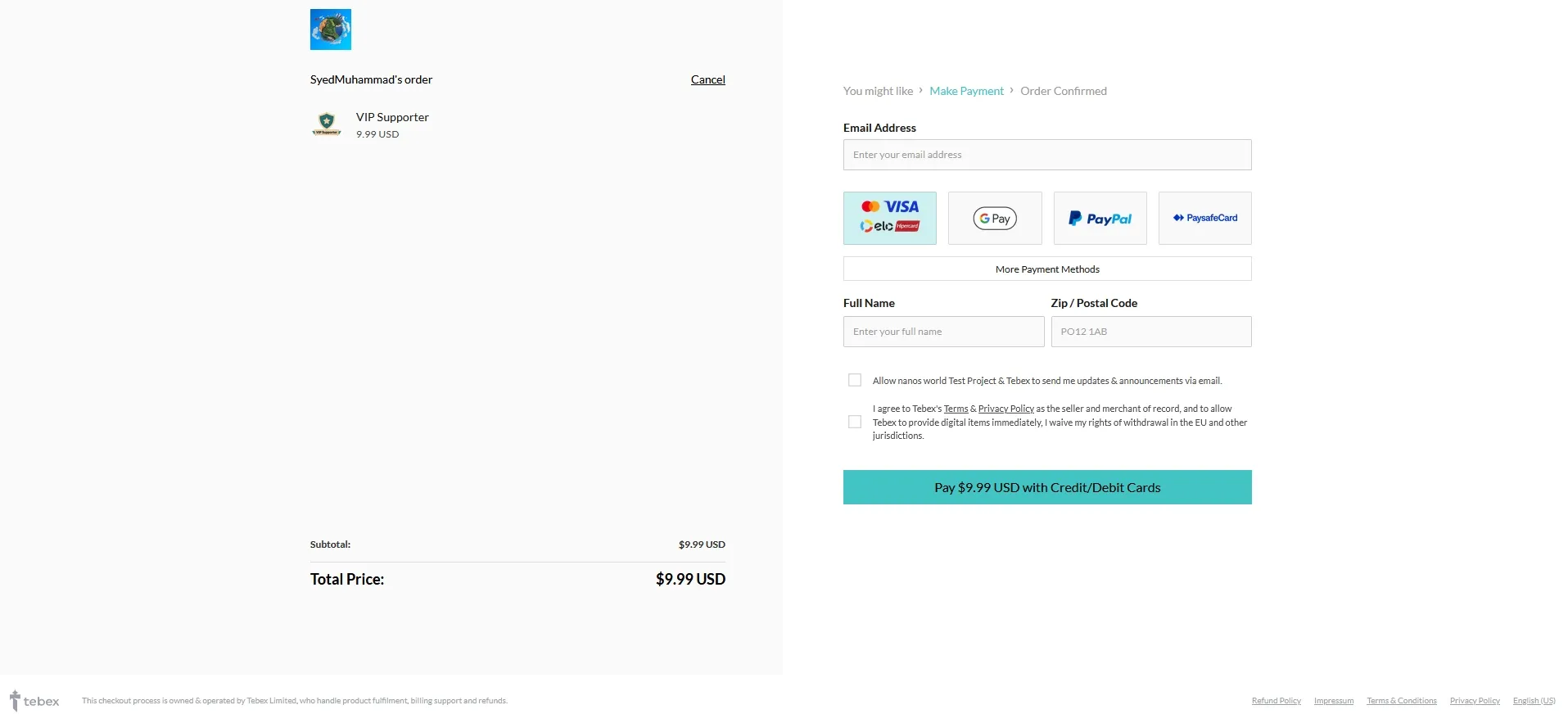
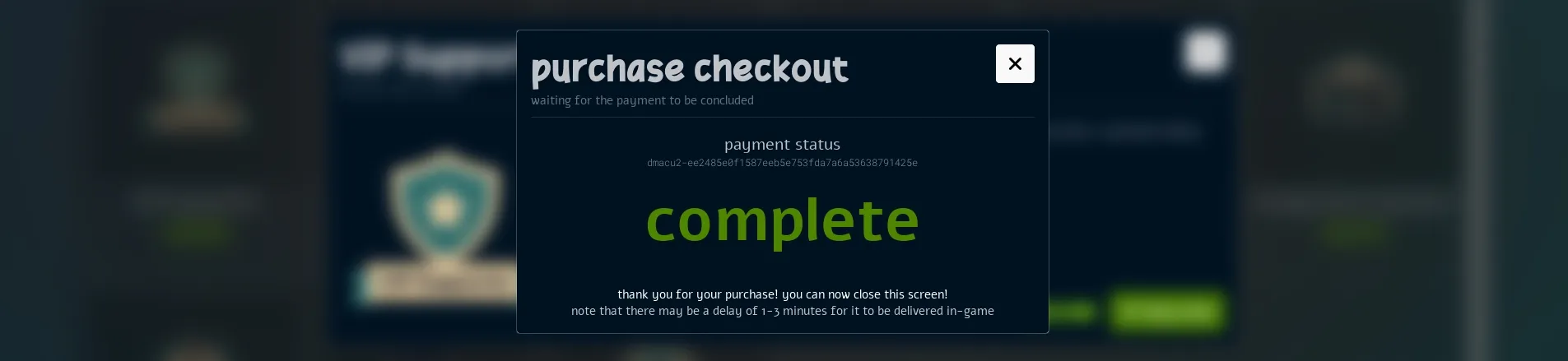
4. Your server delivers it. Tebex confirms the payment and queues the commands you set up for that package. Your server fetches and runs them, right away or on the player's next visit.
 DEBUG  Player 'SyedMuhammad' ('76561197983722570') requested to generate a checkout URL for the Package '7792046'
 DEBUG  Generated Tebex basket for player 'Player#5' ('76561197983722570' - 'SyedMuhammad' - '2a94d978-44f6-43e4-96a0-b0fba2b4a91f'): 'dyooas-ea1c87c647c490199acead1d16df5f855eb7184c'
  INFO  Running Tebex online command 'vip 76561197983722570' (ID '661718342', package '7792046', payment '120674095') for player 'Player#5' ('2069166' - '76561197983722570').
SCRIPT  [my-tebex-package] A Player has made an online purchase! ID: 661718342. Package ID: 7792046. Payment ID: 120674095. Command: 'vip 76561197983722570'. Player: SyedMuhammad.
Purchases usually arrive within a minute or two after the payment is confirmed. Let your players know, so they don't think something went wrong.
Fees
Each sale made through the integration has a 15% fee, deducted automatically:
5%goes to Tebex, for payments, taxes, chargebacks and fraud checks.10%goes to nanos world. This is how selling on nanos world helps pay for nanos world: it goes into development, servers and the tools you use to build on it.
For example, on a $10.00 sale, $0.50 goes to Tebex and $1.00 goes to nanos world.
Tebex is the merchant of every sale. We never see or store players' payment details. Payment processing, taxes and payouts follow Tebex's own terms, which also apply to your store:
Tebex Pricing & Fees Docshttps://docs.tebex.io/creators/pricing-overviewGetting Started
- Create your project: in your Tebex Creator Panel, click Create Project. Fill in the project name and currency, select I operate a game server and accept the terms. Then pick nanos world from the list of games.
- Connect your server: copy your Game Server Secret Key and set it in
tebex_secretof your Config.toml, or start the server with--tebex_secret <your_secret_key>. - Create your packages: add your packages and their commands in the Tebex panel, and deliver them from your Packages. Use Test Mode to try purchases without paying.
- Submit for review: add a store description and a support email, complete the identity verification and set up your wallet. Then click Submit for Review. Your store accepts payments once it is approved.
Integrating with your Server
Your packages, prices and images are all set up in the Tebex panel. Each package also has commands, which tell your server what to give the player. When a purchase is confirmed, your server receives those commands and your scripts deliver them through the Tebex events.
Your scripts can also open the checkout of a specific package, so you can sell from an NPC, a chat command or your own menus.
The scripting page has the full guide, with examples:
Tebex Scripting Referencescripting-reference/static-classes/tebex💰 What you can Sell
nanos world gives creators a lot of freedom to monetize their work. What you may and may not sell is defined by the Creator Monetization Policy, Section 5.2 of our Terms of Service. It applies to every sale, whatever payment system you use, so read it before opening your store:
nanos world Terms of Servicehttps://gohorsestudios.com/tosBy using Tebex, you also agree to Tebex's own terms and rules, which include the Creator Agreement and the Acceptable Use Policy:
Tebex Creator Agreementhttps://www.tebex.io/terms-creator-agreement Tebex Acceptable Use Policyhttps://www.tebex.io/terms-creator-agreement/acceptable-use-policyWhatever you use to sell, you are the seller: you are responsible for what you sell, for your players' support and for refunds. Go Horse Studios is not a party to your sales.
❓ FAQ
Is Tebex mandatory?
No. It is optional, and servers with their own payment system can keep it.
Can I Use Tebex and my own System at the same Time?
Yes. Both follow the same Creator Monetization Policy.
How can I Test my Packages without Paying?
Use Tebex's Test Mode, or create a manual payment in the Creator Panel. Both queue the package commands as a real purchase would, so you can check your delivery without spending money.
Who Handles Refunds and Player Support?
You do, as the seller. Tebex handles the payment itself, including chargebacks and fraud checks, and nanos world does not issue refunds for purchases made on community servers.
Will Tebex Contact me about my Players?
Tebex may forward player questions to your support email. Answer them quickly, as Tebex may step in if there is no response.
Why do Players See different Prices?
VAT and local taxes are added depending on where the player lives, as required by law. Tebex calculates and handles them for you.
Do Players Need a Tebex Account?
No. The purchase is linked to the player's Steam account automatically, so there is no account to create and no username to type.
What Happens if the Player is offline, or my Server Restarts?
Nothing is lost. Online commands wait until the player's next visit, offline commands run right away, and a delayed command that did not run before a restart is fetched again.
What if a Command Fails, or my Package was not Loaded?
A command that no Package handled stays in the Tebex queue, with an error in the server log, and is tried again on the next fetch. Once you fix the command or load the Package, the purchase is delivered.
Can I Cancel a Purchase that was not Delivered yet?
Pending commands can't be deleted, but you can set an automatic expiry for them in the Game Servers page of your Creator Panel.
Does my Server Need an open Port or a public Website?
No. Your server fetches purchases from Tebex on its own, so there is no webhook or extra port to set up.
Can I Build my own Store UI?
Yes. Build your shop the way you like (a menu, an NPC, a custom WebUI) and call
Tebex.OpenCheckoutOverlay()when the player picks a package. The payment still happens on Tebex's checkout in the player's browser, out of reach of any script, so your players' payment details stay safe, and delivery keeps working through theOnlineCommand (Tebex)andOfflineCommand (Tebex)events.
Does nanos world See my Players' Payment Details?
No. Tebex is the merchant and handles all payment details. Your server only receives what was bought and by whom (the player's Steam ID and name).
What does Tebex Receive about my Players?
When a player opens your store, the game loads it directly from Tebex, so Tebex sees their IP address. At checkout, your server sends Tebex the player's Steam ID so the purchase reaches them. See our Privacy Policy for details.