Modèles des personnages
les personnages de nanos world utilisent le squelette du mannequin par défaut d'Unreal. So any Skeletal Mesh which uses it by default will probably work in nanos world as a Character.
Conseils pour l'intégration de Skeletal Meshes dans nanos world
1. Utiliser le squelette de nanos world SKEL_Mannequin
It’s of paramount importance to convert all Skeleton references to use nanos world Skeleton instead, if the Skeletal Mesh you imported is 100% equal to UE4’s Mannequin Skeleton, this conversion won’t be even noticed, but if the Skeleton of the Skeletal Mesh you are importing have more bones or is different, it won’t work! Vous pouvez essayer de le refaire/modifier dans un logiciel 3D comme Blender et le rendre équivalent au Mannequin de UE4.
Note: It is only possible to convert Skeletal Meshes of Meshes which already use the default Unreal Mannequin Skeleton.
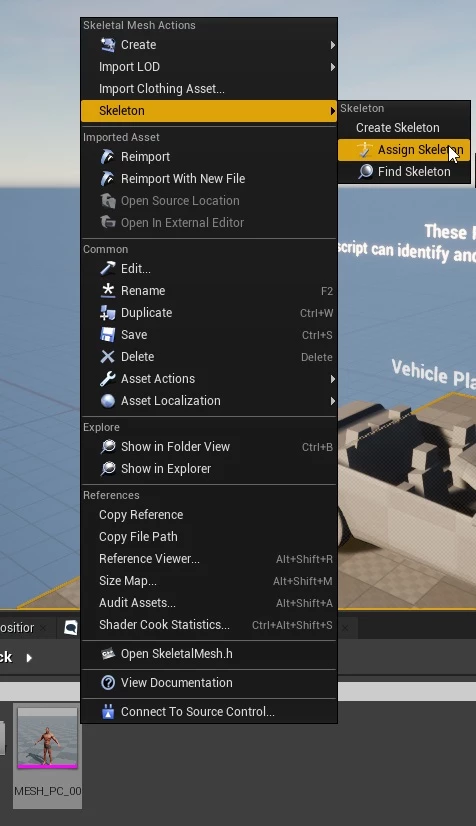
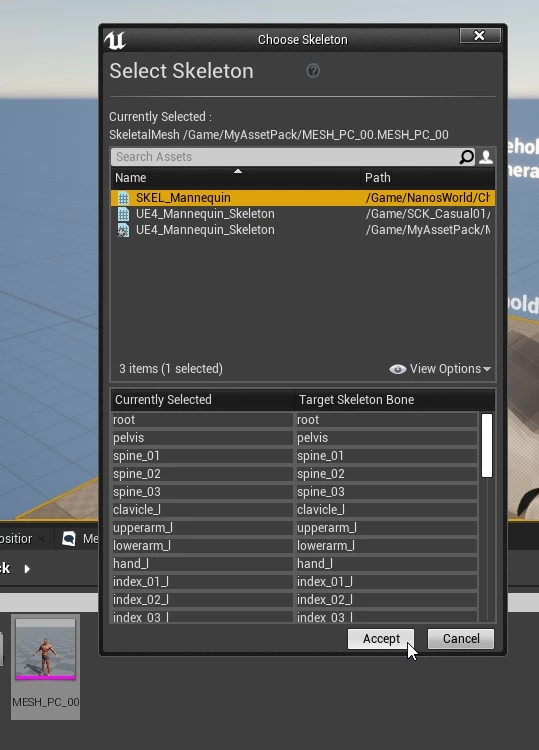
For that, just right click on your Skeletal Mesh ➡ Skeleton ➡ Assign Skeleton, and select our Skeleton SKEL_Mannequin, press Accept to convert:
Cliquez avec le bouton droit de la souris sur votre mesh et choisissez d'assigner un squelette
Sélectionnez SKEL_Mannequin et appuyez sur Accepter pour convertir
2. Utilisez les Physics Assets de Nanos World PHYS_Mannequin
Besides converting your mesh to use nanos world Skeleton, it is also needed that you set your mesh to use the nanos world Physics Assets.
Ceci est nécessaire pour que vos personnages puissent avoir une physique de Ragdoll correcte dans le jeu.
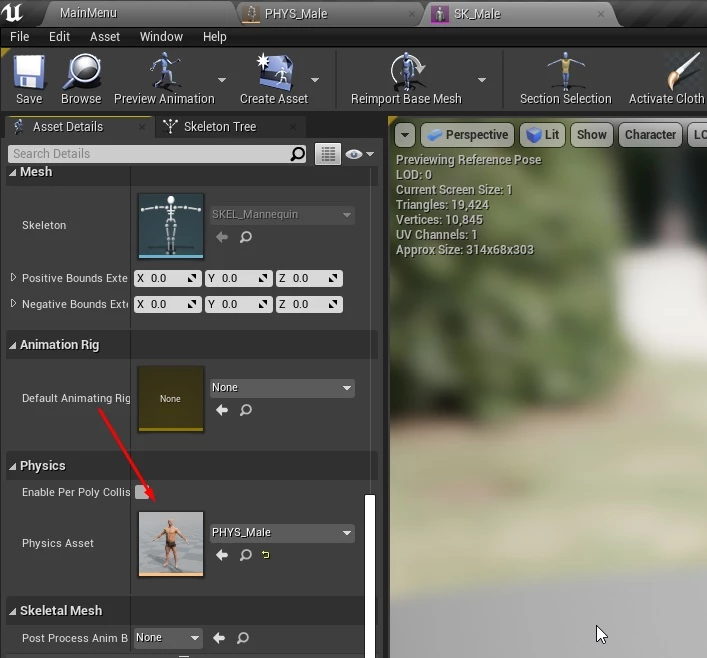
Open your Skeletal Mesh and set the Physics Asset to use PHYS_Mannequin:
Ouverture du Skeletal Mesh pour utiliser le bon Physics Asset
Importation d’une nouvelle Skeletal Mesh de personnage
Apprenez à importer et à utiliser des Skeletal Meshes personnalisées pour les personnages dans nanos world.
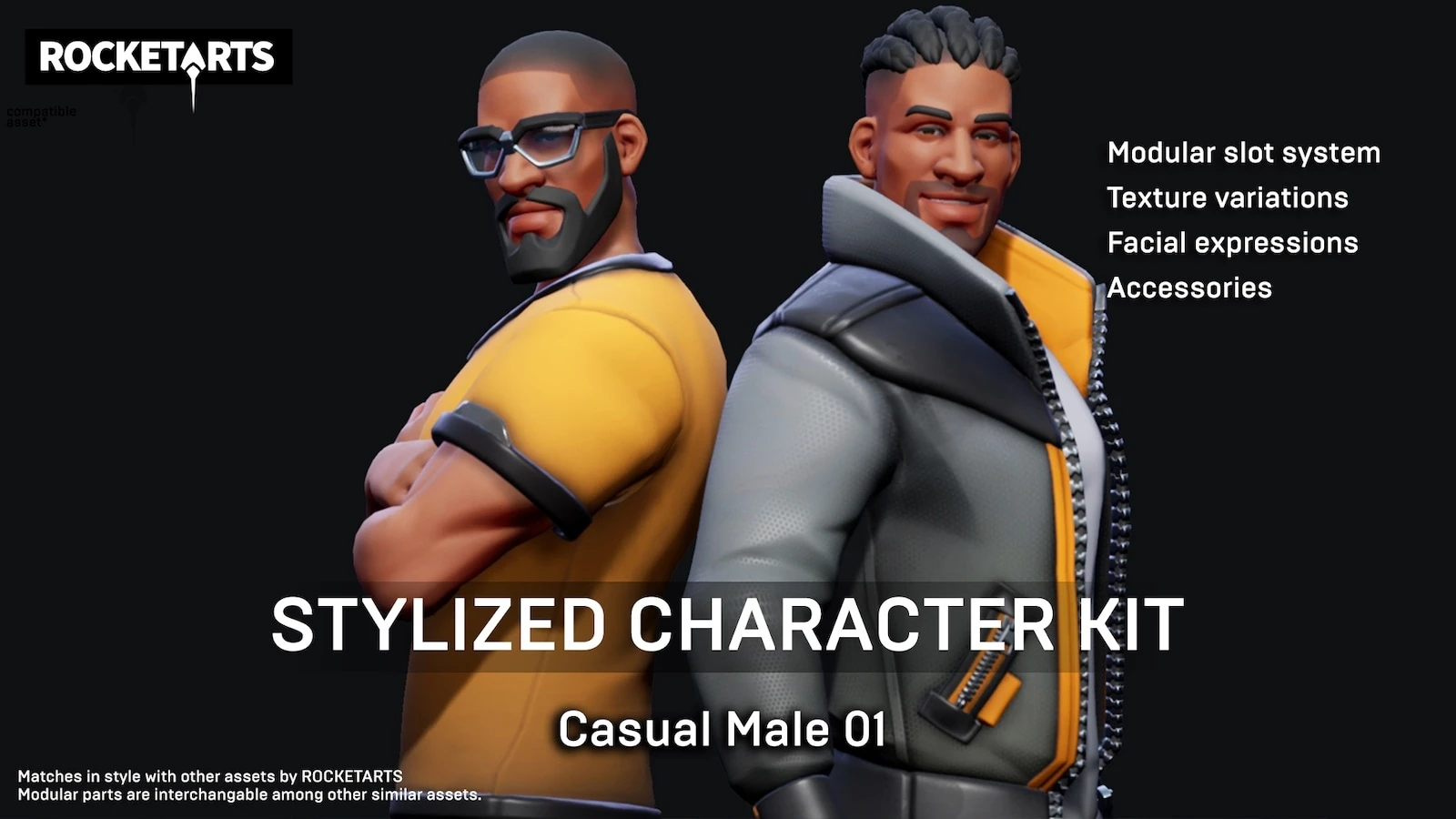
For this Guide, we will import a Skeletal Mesh from Stylized Character Kit: Casual 01 (which is a Free Marketplace Content for September 2020).
Kit de personnage stylisé provenant de l’Unreal Engine Marketplace
Also, we will be using our Assets Development Kit - ADK, make sure you downloaded it.
Téléchargement du pack d’assets depuis l’Unreal Marketplace
The first step is to download the Asset Pack Stylized Character Kit: Casual 01 from UE4 Marketplace, to do so, please follow:
- ➡ Epic Games
- ➡ Unreal Engine
- ➡ Bibliothèque
- ⬇ Scroll to VAULT section
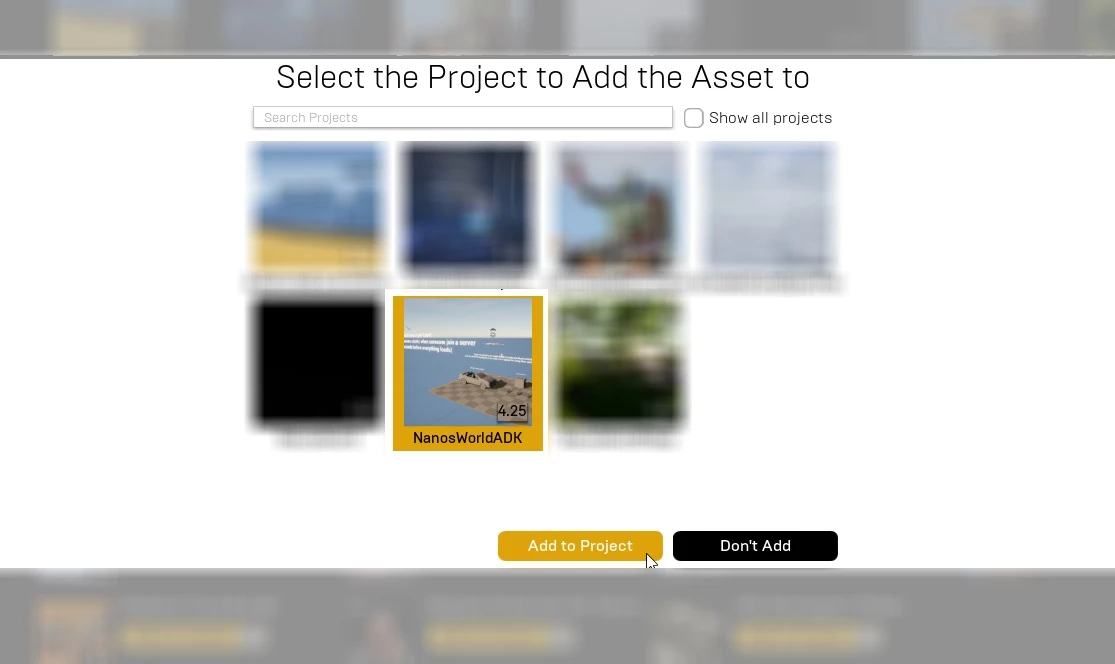
In Vault section you will find all your Marketplace content you have in your account, to download it click on Add To Project and select the Assets Development Kit project, this will download all files and ‘install’ them into the ADK project.
Recherche du Stylized Character Kit: Casual 01
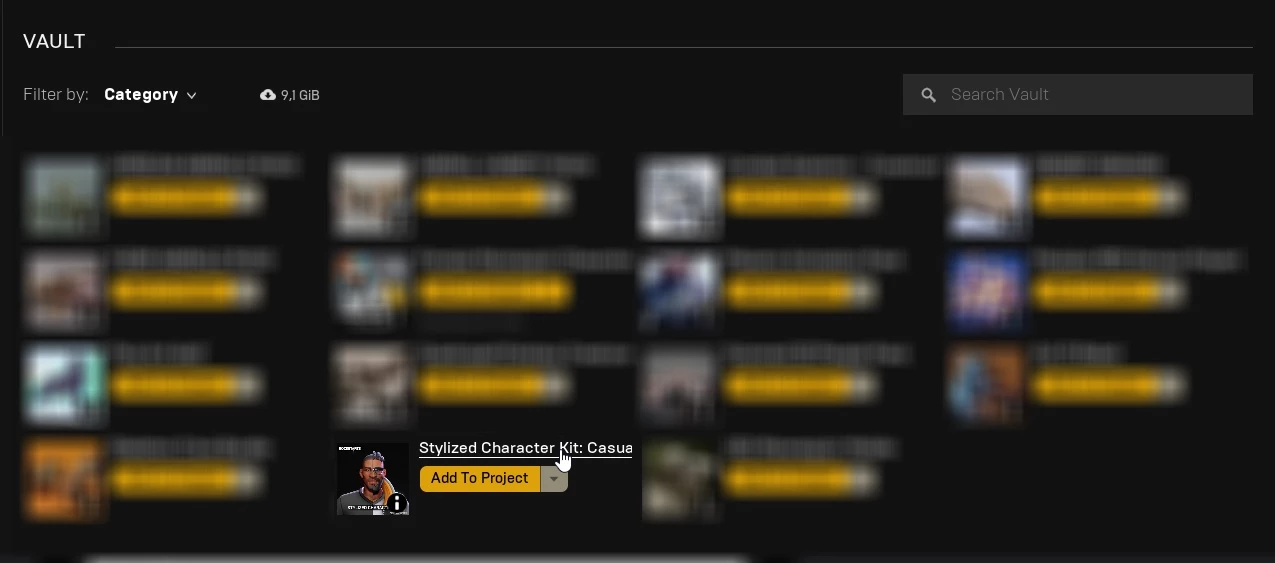
Ajout du Stylized Character Kit: Casual 01 au projet ADK
You can now notice that there is a new folder Content/SCK_Casual01/ in the ADK project, this is the Asset Pack you just downloaded from UE4 Marketplace:
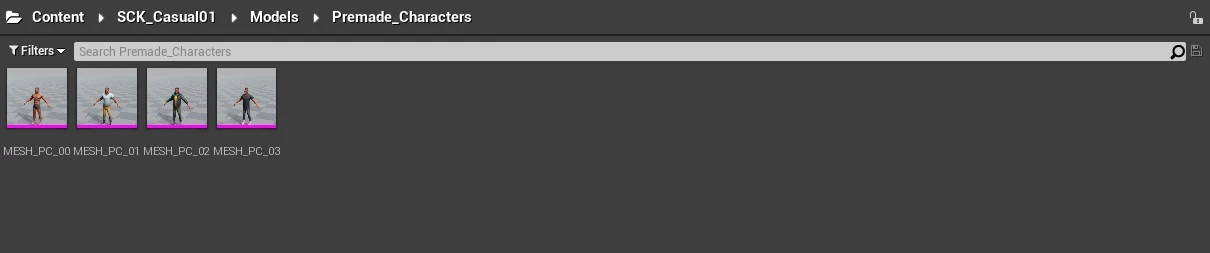
And you can find it’s Skeletal Meshes inside Content/SCK_Casual01/Models/Premade_Characters/:
Ouverture du dossier Premade_Characters
Copie des fichiers souhaités dans notre dossier Asset Pack
For this example, let’s import the Skeletal Mesh MESH_PC_00 to nanos world and use it as our Character’s Mesh:
Ouverture de MESH_PC_00
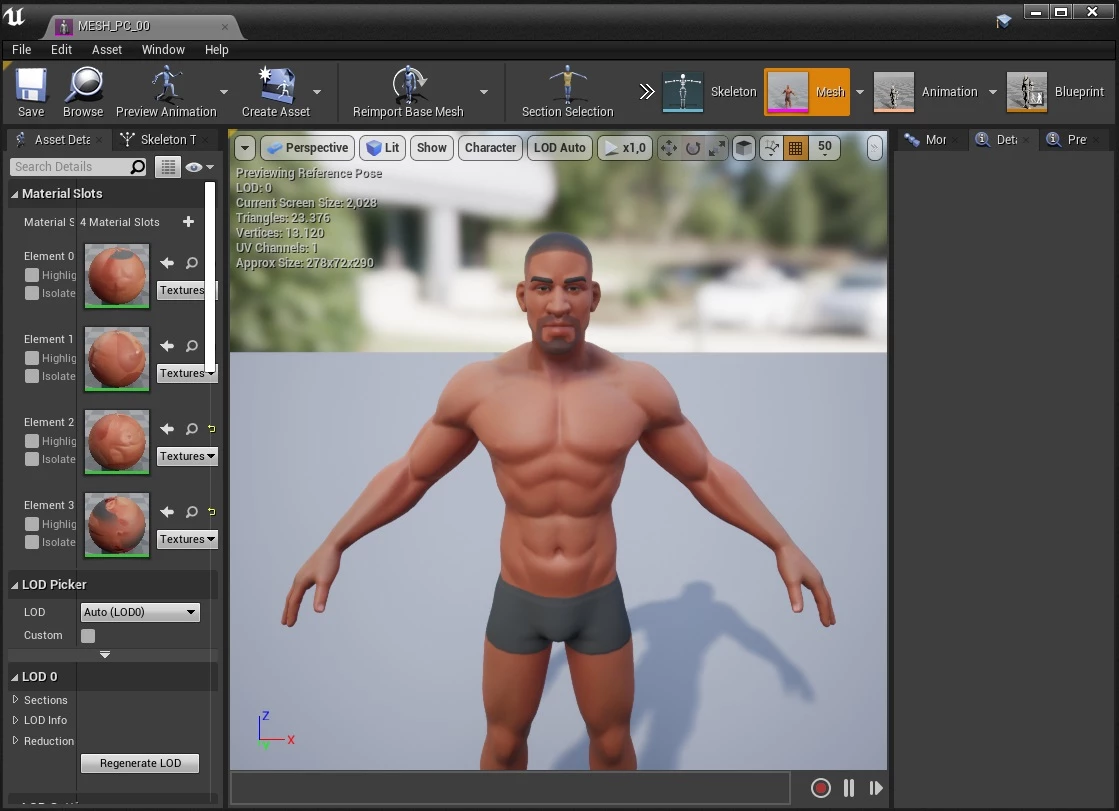
The first step is to copy it and all it’s dependencies to your AssetPack/ folder inside the Project:
Si vous le souhaitez, vous n’êtes pas obligé de faire cela : vous pouvez à la place générer un Asset Pack contenant tous les fichiers du Marketplace, mais cela créerait un contenu volumineux et en grande partie inutile pour nanos world.
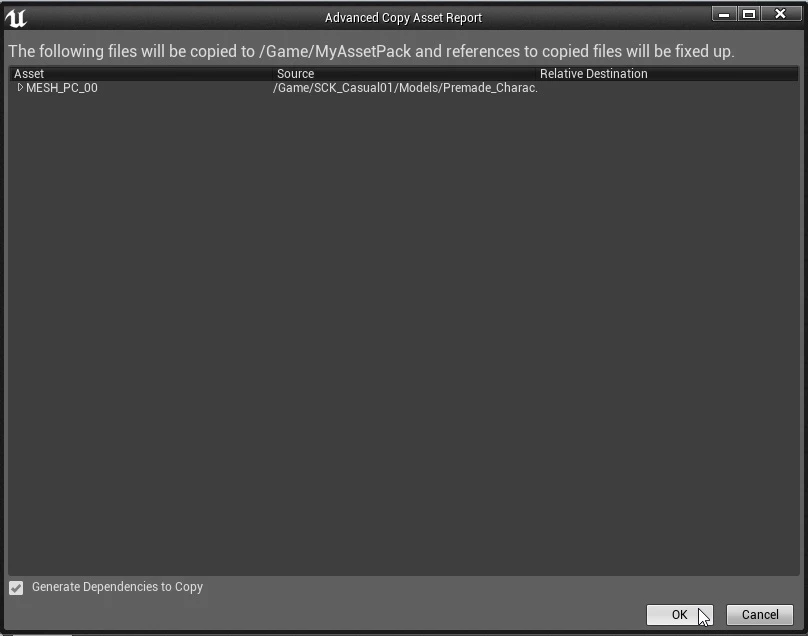
To do so, just drag-n-drop MESH_PC_00 into your AssetPack/ folder and select Advanced Copy Here, this will copy all files and all dependencies in there, i.e. only the real needed ones:
Clic droit sur MESH_PC_00 et copie avancée dans le dossier MyAssetPack/

Cliquez sur OK pour confirmer :
Confirmation de la copie des fichiers
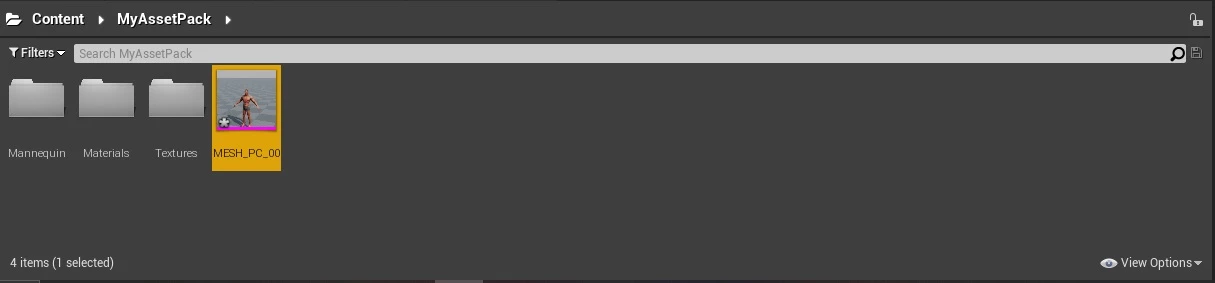
Et maintenant, nous avons uniquement notre Skeletal Mesh souhaitée ainsi que ses textures et matériaux dans le dossier Asset Pack, que nous allons exporter :
Tous les fichiers ont été copiés automatiquement
Conversion du Skeleton vers le Skeleton de nanos world et Physics Asset
Please refer to section Tips for integrating Skeletal Meshes with nanos world Character for converting the MESH_PC_00 to use our Skeleton and the Physics Asset.
After it's converted, save everything and you can delete the old Skeleton (which was located at SCK_Casual01/Mannequin/ folder):
Suppression de l’ancien Skeleton inutile

Exportation des assets
The Exporting process follows the usual process of exporting assets to nanos world. Please follow the Importing Custom Assets Guide.
Utilisation de la Skeletal Mesh dans un Character via le scripting
Après avoir exporté et configuré correctement votre Assets.toml, la dernière étape est de l'utiliser ! For that, you just need to use it’s Key you configured in the Assets.toml in the last step (e.g. my-asset-pack::MESH_PC_00):
local char = Character(Vector(0, 300, 100), Rotator(), "my-asset-pack::MESH_PC_00")
And… voila! Importé et intégré avec toutes les animations de nanos world !