💡 Light
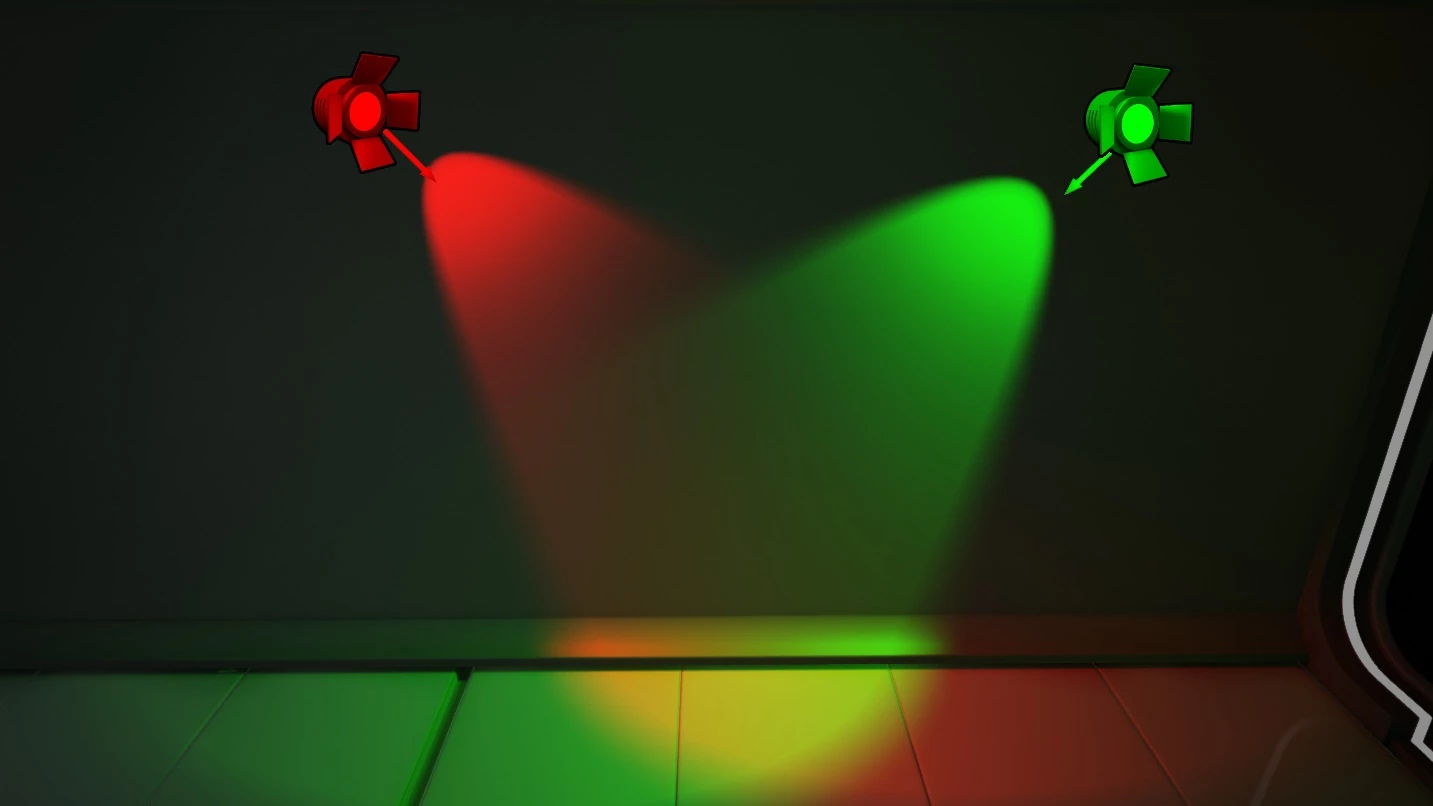
A Light represents a Lighting source
🎒 Examples
local my_light = Light(
    Vector(-152, 245, 115),
    Rotator(0, 90, 90), -- Relevant only for Rect and Spot light types
    Color(1, 0, 0), -- Red Tint
    LightType.Point, -- Point Light type
    100, -- Intensity
    250, -- Attenuation Radius
    44, -- Cone Angle (Relevant only for Spot light type)
    0, -- Inner Cone Angle Percent (Relevant only for Spot light type)
    5000, -- Max Draw Distance (Good for performance - 0 for infinite)
    true, -- Whether to use physically based inverse squared distance falloff, where Attenuation Radius is only clamping the light's contribution. (Spot and Point types only)
    true, -- Cast Shadows?
    true -- Enabled?
)
🛠 Constructors
Default Constructor
No description provided
local my_light = Light(location, rotation?, color?, light_type?, intensity?, attenuation_radius?, cone_angle?, inner_cone_angle_percent?, max_draw_distance?, use_inverse_squared_falloff?, cast_shadows?, visible?, source_radius?, spawn_mode?)
Parameters
| Name | Type | Description |
|---|---|---|
location | Vector | World location to spawn at |
rotation? | Rotator | Relevant only for Rect and Spot LightTypes Default Rotator(0, 0, 0) |
color? | Color | Color of the light Default Color(1, 1, 1) |
light_type? | LightType | Point, Spot or Rect Default LightType.Point |
intensity? | float | Brightness of the light Default 30 |
attenuation_radius? | float | Distance the light reaches Default 250 |
cone_angle? | float | Relevant only for Spot LightType Default 44 |
inner_cone_angle_percent? | float | Inner Cone Angle Percent (Relevant only for Spot LightType) (0-1) Default 0 |
max_draw_distance? | float | Max Draw Distance (Good for performance) - 0 for infinite Default 10000 |
use_inverse_squared_falloff? | boolean | Whether to use physically based inverse squared distance falloff, where Attenuation Radius is only clamping the light's contribution. (Spot and Point types only) Default true |
cast_shadows? | boolean | Whether the light casts shadows Default true |
visible? | boolean | Whether the light starts visible Default true |
source_radius? | float | Radius of light source shape. (Spot and Point types only) Default 2 |
spawn_mode? | SpawnMode | Pass SpawnMode.AfterConstructor or SpawnMode.Manual to avoid immediately sending the entity to clients and improve performance when you want to configure it by setting several configs. Must call FinishSpawn() after all Default SpawnMode.Immediate |
nanos world provides 3 types of lights: Spot, Point and Rect. All lights are Dynamic and because of that, very expensive! Keep that in mind before spawning 1000 lights 😉.
🗿 Static Functions
This class doesn't have own static functions.
Inherited static functions
Subscribe, UnsubscribeSubscribeRemoteGetAll, GetByIndex, GetCount, GetPairs🦠 Functions
 | GetAttenuationRadius: float | Gets the distance this Light reaches |
| GetCastShadows: boolean | Gets if this Light casts shadows |
| GetColor: Color | Gets the color of this Light |
| GetIntensity: float | Gets the brightness of this Light |
| SetAttenuationRadius | Sets the distance this Light reaches |
| SetCastShadows | Sets if this Light casts shadows |
| SetColor | Sets the light color |
| SetIntensity | Sets the brightness of this Light |
| SetTextureLightProfile | Sets the light Texture Profile |
Inherited functions
GetDistanceFromCamera, GetScreenPercentage, IsVisible, SetCastShadow, SetHighlightEnabled, SetOutlineEnabled, SetRenderCullDistance, SetVisibility, WasRecentlyRenderedAttachTo, Detach, GetAttachedEntities, GetAttachedTo, GetAttachedToSocket, GetSocketTransformGetLifeSpan, SetLifeSpanGetDimension, GetNetworkAuthority, HasNetworkAuthority, IsNetworkDistributed, SetDimension, SetDistanceOptimizationMultiplier, SetNetworkAuthority, SetNetworkAuthorityAutoDistributedGetAllValuesKeys, GetValue, SetValueSubscribe, UnsubscribeDestroy, FinishSpawn, IsBeingDestroyed, IsSpawned, IsValid, SetSpawnModeBroadcastRemoteEvent, BroadcastRemoteInRadiusEvent, CallRemoteEvent, CallRemoteEvent, CallRemotePlayersEvent, HasAuthority, SubscribeRemoteGetIDGetAttenuationRadius Optimal
Gets the distance this Light reaches
local attenuation_radius = my_light:GetAttenuationRadius()
Returns
| Type | Description |
|---|---|
| float | The attenuation radius |
See also SetAttenuationRadius.
GetCastShadowsOptimal
Gets if this Light casts shadows
local is_shadows_enabled = my_light:GetCastShadows()
Returns
| Type | Description |
|---|---|
| boolean | Whether it casts shadows |
See also SetCastShadows.
GetColorOptimal
Gets the color of this Light
local color = my_light:GetColor()
Returns
| Type | Description |
|---|---|
| Color | The light color |
See also SetColor.
GetIntensityOptimal
Gets the brightness of this Light
local intensity = my_light:GetIntensity()
Returns
| Type | Description |
|---|---|
| float | The brightness |
See also SetIntensity.
SetAttenuationRadiusOptimal
Sets the distance this Light reaches
my_light:SetAttenuationRadius(attenuation_radius)
Parameters
| Name | Type | Description |
|---|---|---|
attenuation_radius | float | The new attenuation radius |
See also GetAttenuationRadius.
SetCastShadowsOptimal
Sets if this Light casts shadows
my_light:SetCastShadows(is_shadows_enabled)
Parameters
| Name | Type | Description |
|---|---|---|
is_shadows_enabled | boolean | Whether it casts shadows |
See also GetCastShadows.
SetColorOptimal
Sets the light color
my_light:SetColor(color)
Parameters
| Name | Type | Description |
|---|---|---|
color | Color | The light color |
See also GetColor.
SetIntensityOptimal
Sets the brightness of this Light
my_light:SetIntensity(intensity)
Parameters
| Name | Type | Description |
|---|---|---|
intensity | float | The new brightness |
See also GetIntensity.
SetTextureLightProfileOptimal
Sets the light Texture Profile
my_light:SetTextureLightProfile(light_profile)
Parameters
| Name | Type | Description |
|---|---|---|
light_profile | LightProfile | The Light Profile to use |
See also 💡 Light Profiles.
🚀 Events
This class doesn't have own events.
Inherited events
ClassRegister, Destroy, Spawn, ValueChange💡 Light Profiles
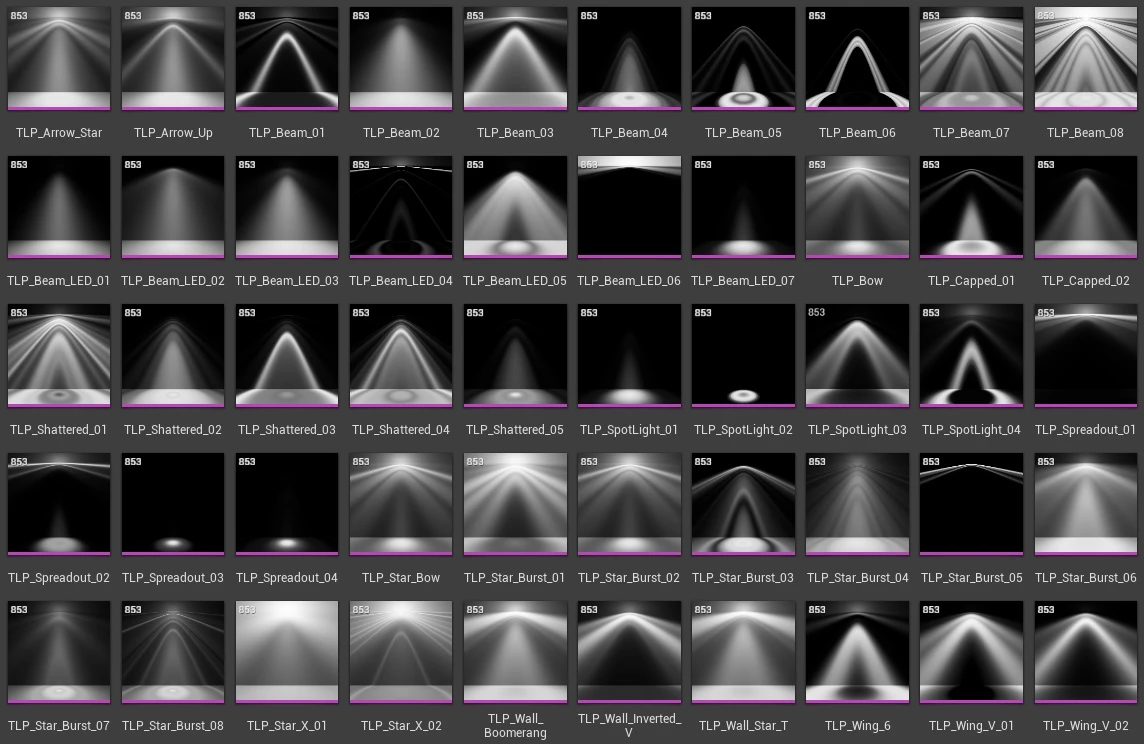
Light Profiles are texture files which describes a light's distribution from a light source using real world measured data.
Please check Unreal Engine Light Profile documentation for more information about Light Profiles!
nanos world provides 50 Light Profiles included in the base game which you can use to enhance your Lights. You can set them using :SetTextureLightProfile() with the enum LightProfile.