🔣 Blueprint
A Blueprint Class allows spawning any Unreal Blueprint Actor in nanos world
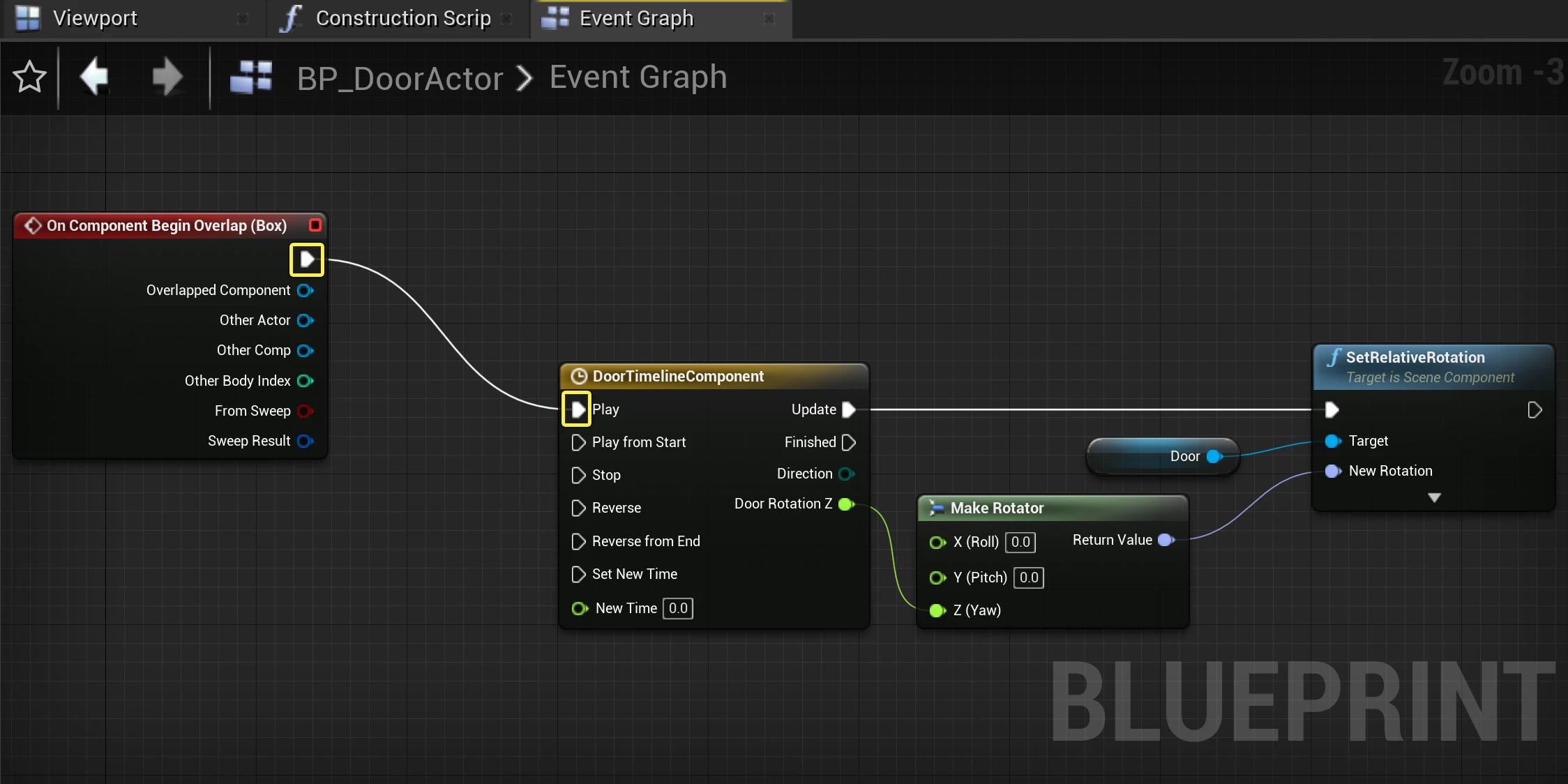
If your Actor Blueprint was spawned on the Server, it will be automatically synchronized with other players using the nanos world Network Authority system! It follows the same rules as all other entities!
🎒 Examples
Calling Blueprint Events from lua
-- Spawns the Blueprint
local blueprint = Blueprint(Vector(), Rotator(), "my-asset-pack::BP_MyBlueprint")

local param1 = 123
local param2 = "hello there!"

-- Calls the event, passing any parameters
blueprint:CallBlueprintEvent("MyBlueprintCustomEvent", param1, param2)
Binding Blueprint Event Dispatchers
-- Spawns the Blueprint
local blueprint = Blueprint(Vector(), Rotator(), "my-asset-pack::BP_MyBlueprint")

-- Subscribes to a Blueprint Event Dispatcher
blueprint:BindBlueprintEventDispatcher("MyBlueprintDispatcher", function(self, arg1, arg2)
    Console.Log("Called from Blueprint!", arg1, arg2)
end)
🛠 Constructors
Default Constructor
No description provided
local my_blueprint = Blueprint(location, rotation, blueprint_asset, collision_type?)
Parameters
| Name | Type | Description |
|---|---|---|
location | Vector | World location to spawn at |
rotation | Rotator | World rotation to spawn with |
blueprint_asset | Blueprint Reference | The Blueprint asset to spawn |
collision_type? | CollisionType | Collision profile of this Actor Default CollisionType.Auto |
🗿 Static Functions
This class doesn't have own static functions.
Inherited static functions
Subscribe, UnsubscribeSubscribeRemoteGetAll, GetByIndex, GetCount, GetPairs🦠 Functions
 | BindBlueprintEventDispatcher: function | Assigns and Binds a Blueprint Event Dispatcher |
 | CallBlueprintEvent: varargs of any | Calls a Blueprint Event or Function |
| GetBlueprintPropertyValue: any | Gets a Blueprint Property/Variable value |
| SetBlueprintPropertyValue | Sets a Blueprint Property/Variable value directly |
| UnbindBlueprintEventDispatcher | Unbinds a Blueprint Event Dispatcher |
Inherited functions
GetMaterialColorParameter, GetMaterialScalarParameter, GetMaterialTextureParameter, GetMaterialVectorParameter, ResetMaterial, SetMaterial, SetMaterialColorParameter, SetMaterialFromCanvas, SetMaterialFromSceneCapture, SetMaterialFromWebUI, SetMaterialScalarParameter, SetMaterialTextureParameter, SetMaterialVectorParameter, SetPhysicalMaterialGetDistanceFromCamera, GetScreenPercentage, IsVisible, SetCastShadow, SetHighlightEnabled, SetOutlineEnabled, SetRenderCullDistance, SetVisibility, WasRecentlyRenderedAttachTo, Detach, GetAttachedEntities, GetAttachedTo, GetAttachedToSocket, GetSocketTransformGetLifeSpan, SetLifeSpanGetDimension, GetNetworkAuthority, HasNetworkAuthority, IsNetworkDistributed, SetDimension, SetDistanceOptimizationMultiplier, SetNetworkAuthority, SetNetworkAuthorityAutoDistributedGetAllValuesKeys, GetValue, SetValueSubscribe, UnsubscribeDestroy, FinishSpawn, IsBeingDestroyed, IsSpawned, IsValid, SetSpawnModeBroadcastRemoteEvent, BroadcastRemoteInRadiusEvent, CallRemoteEvent, CallRemoteEvent, CallRemotePlayersEvent, HasAuthority, SubscribeRemoteGetIDBindBlueprintEventDispatcher Slow
Assigns and Binds a Blueprint Event Dispatcher
local ret = my_blueprint:BindBlueprintEventDispatcher(dispatcher_name, callback)
Parameters
| Name | Type | Description |
|---|---|---|
dispatcher_name | string | Event Dispatcher name |
callback | function | Callback function to call with this format |
Returns
| Type | Description |
|---|---|
| function | the callback itself |
CallBlueprintEventSlow
Calls a Blueprint Event or Function
Returns all Function return values on Client Side
local ret_01, ret_02, ... = my_blueprint:CallBlueprintEvent(event_name, arguments...?)
GetBlueprintPropertyValueSlow
Gets a Blueprint Property/Variable value
local value = my_blueprint:GetBlueprintPropertyValue(property_name)
Parameters
| Name | Type | Description |
|---|---|---|
property_name | string | Name of the Blueprint variable |
Returns
| Type | Description |
|---|---|
| any | the value |
See also SetBlueprintPropertyValue.
SetBlueprintPropertyValueSlow
Sets a Blueprint Property/Variable value directly
my_blueprint:SetBlueprintPropertyValue(property_name, value)
Parameters
| Name | Type | Description |
|---|---|---|
property_name | string | Name of the Blueprint variable |
value | any | The value to set |
See also GetBlueprintPropertyValue.
UnbindBlueprintEventDispatcher Moderate
Unbinds a Blueprint Event Dispatcher
my_blueprint:UnbindBlueprintEventDispatcher(dispatcher_name, callback?)
🚀 Events
This class doesn't have own events.
Inherited events
ClassRegister, Destroy, Spawn, ValueChange✅ List of Supported Parameter Types
List of all supported parameters which can be passed between Lua ↔ Blueprint:
| Lua Type | Blueprint Type | Lua → BP | BP → Lua |
|---|---|---|---|
| boolean | Boolean | ✅ | ✅ |
| number | Byte | ✅ | ✅ |
| number | Integer | ✅ | ✅ |
| number | Integer64 | ✅ | ✅ |
| number | Float | ✅ | ✅ |
| number | Enum | ✅ | ✅ |
| string | String | ✅ | ✅ |
| string | Name | ✅ | ✅ |
| string | Text | ✅ | ✅ |
| Vector2D | Vector2D | ✅ | ✅ |
| Vector | Vector | ✅ | ✅ |
| Rotator | Rotator | ✅ | ✅ |
| Color | Color | ✅ | ✅ |
| Color | LinearColor | ✅ | ✅ |
| StaticMesh | StaticMeshActor | ✅ | ✅ |
| Prop | StaticMeshActor | ✅ | ✅ |
| Weapon | SkeletalMeshActor | ✅ | ✅ |
| Base Vehicle | WheeledVehiclePawn | ✅ | ✅ |
| Grenade | StaticMeshActor | ✅ | ✅ |
| Melee | StaticMeshActor | ✅ | ✅ |
| Light | PointLight, SpotLight or RectLight | ✅ | ✅ |
| Decal | DecalActor | ✅ | ✅ |
| TextRender | TextRenderActor | ✅ | ✅ |
| Text3D | Text3DActor | ✅ | ✅ |
| Sound | AmbientSound | ✅ | ✅ |
| Canvas | MaterialInstanceDynamic | ✅ | ❌ |
| WebUI | MaterialInstanceDynamic | ✅ | ❌ |
| SceneCapture | MaterialInstanceDynamic | ✅ | ❌ |
| Blueprint | Actor | ✅ | ✅ |
| Widget | Widget | ✅ | ❌ |
| Base Actor | Actor | ✅ | ✅ |
| Player | PlayerController | ✅ | ❌ |
| Image Path | Texture2D | ✅ | ❌ |
| string | Class | ✅ | ❌ |
steam-avatar:// | MaterialInstanceDynamic | ✅ | ❌ |
| table | CurveFloat | ✅ | ❌ |
| table | Transform | ✅ | ✅ |
| table | SlateBrush | ✅ | ✅ |
| table | SlateFontInfo | ✅ | ✅ |
| table | Any Struct | ✅ | ✅ |
It is only possible to pass Actors from Blueprint → Lua if the Actor is a Spawned Entity. It is not possible to pass newly spawned Actors in Blueprints to Lua.
Passing Maps, Arrays and Sets is also supported! As long their keys/values are in the list above.
Any Struct
Custom Structs can also be passed and retrieved, just pass an object with the same properties as the Unreal Struct, examples:
FTransform
{
	["Translation"] = Vector(),
	["Rotation"] = Rotator(),
	["Scale"] = Vector()
}
FSlateBrush
{
	["DrawAs"] = 0, -- ESlateBrushDrawType
	["Tiling"] = 0, -- ESlateBrushTileType
	["Mirroring"] = 0, -- ESlateBrushMirrorType
	["ImageSize"] = Vector2D(),
	["Tint"] = Color(),
	["Image"] = "package://sandbox/Client/my_image.jpg", -- Special Path, or Canvas, WebUI, SceneCapture
	["Margin"] = {}, -- FMargin
	["OutlineSettings"] = {} -- FSlateBrushOutlineSettings
}
FSlateFontInfo
{
	["FontFamily"] = "package://my-package/Client/my_font.ttf", -- Special Path
	["FontMaterial"] = "my-asset-pack::M_MyMaterial", -- Material Path
	["OutlineSettings"] = {}, -- FSlateBrushOutlineSettings
	["Typeface"] = "", -- string
	["Size"] = 24,
	["LetterSpacing"] = 0,
	["SkewAmount"] = 0.0,
	["Monospacing"] = false,
	["MonospacedWidth"] = 1.0
}
FMargin
{
	["Bottom"] = 0.0,
	["Left"] = 0.0,
	["Right"] = 0.0,
	["Top"] = 0.0
}
FVector4
{
	["W"] = 0.0,
	["X"] = 0.0,
	["Y"] = 0.0,
	["Z"] = 0.0
}
UCurveFloat
{
	[0.0] = 0.0,
	[0.25] = 0.8,
	[0.5] = 1.0,
	[0.75] = 0.3,
	[1.0] = 0.0,
}