🖥️ WebUI
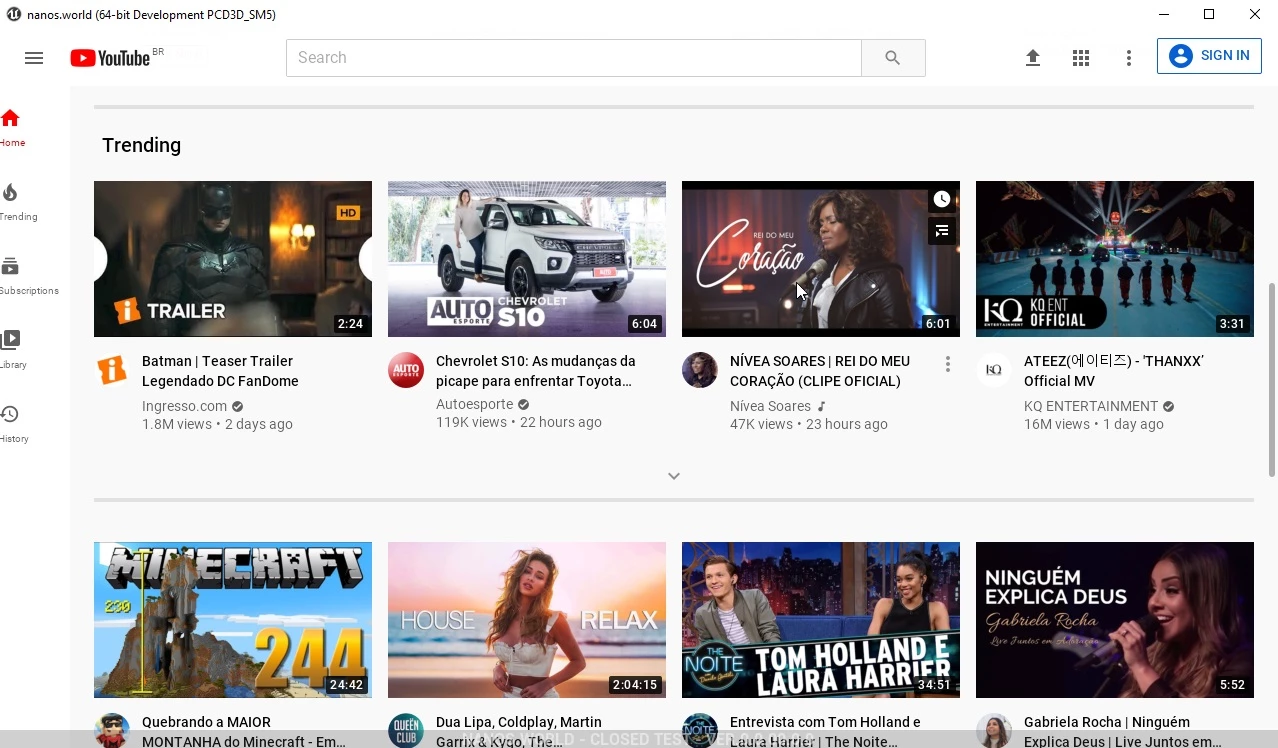
Class for spawning a dynamic Web Browser.
 Client OnlyAPI Source
Our WebUI implementation is built using the last versions of Chromium Embedded Framework.
To access the in-browser remote debugging head over to http://localhost:9222 when you are connected to a server.
Proprietary Codecs like MPEG-4 (.mp4), H.264, H.265 and AAC are not supported on public CEF builds. We recommend converting your media files to WEBM or OGG.
🎒 Examples
-- Loading a local file
local my_ui = WebUI(
    "Awesome UI",            -- Name
    "file://UI/index.html",  -- Path relative to this package (Client/)
    WidgetVisibility.Visible  -- Is Visible on Screen
)

-- Loading a Web URL
local my_browser = WebUI(
    "Awesome Site",          -- Name
    "https://nanos-world.com",   -- Web's URL
    WidgetVisibility.Visible  -- Is Visible on Screen
)

-- Loading a local file from other package
local my_ui = WebUI(
    "Awesome Other UI",      -- Name
    "file://other-package/Client/UI/index.html",
    WidgetVisibility.Visible  -- Is Visible on Screen
)
Using a WebUI as Mesh Material
-- Spawns a WebUI hidden from the screen, not transparent, not auto resized and with size of 500x500
local my_ui = WebUI("Awesome Site", "https://nanos-world.com", WidgetVisibility.Hidden, false, false, 500, 500)

-- Spawns a StaticMesh (can be any mesh)
local static_mesh = StaticMesh(Vector(0, 0, 100), Rotator(), "nanos-world::SM_Cube")

-- Sets the mesh material to use the WebUI
static_mesh:SetMaterialFromWebUI(my_ui)
Communicating between Lua and JS (WebUI)
local my_ui = WebUI("Awesome UI", "file://UI/index.html")

local param1 = 123
local param2 = "hello"

-- Calls a JS event
my_ui:CallEvent("MyEvent", param1, param2)

-- Subscribes to receive JS events
my_ui:Subscribe("MyAnswer", function(param1)
    Console.Log("Received back! %s", param1)
    -- Will output 'Received back! Hey there!'
end)
// Register for "MyEvent" from Lua
Events.Subscribe("MyEvent", function(param1, param2) {
    console.log("Triggered! " + param1 + " " + param2);
    // Will output 'Triggered! 123 hello'

    // Triggers "MyAnswer" on Lua
    Events.Call("MyAnswer", "Hey there!");
});

// It is also possible to unsubscribe from an event to make it stop triggering
Events.Unsubscribe("MyEvent");
Pretty Scroll Bar
Since we migrated from Webkit to CEF, some scrollbars got ugly. Here's a small CSS snippet to make them almost like the Webkit ones:
::-webkit-scrollbar {
    width: 6px;
}

::-webkit-scrollbar-thumb {
    border-radius: 10px;
    background-color: #494949;
}

body {
    scrollbar-gutter: stable both-edges;
}
More related examples:
User Interfacecore-concepts/scripting/user-interface Basic HUD (HTML)getting-started/tutorials-and-examples/basic-hud-htmlYou can also use a Canvas as a mesh material, with the :SetMaterialFromCanvas() method!
📚 Libraries & Frameworks
Here a list of Community Created Libraries & Frameworks making use of WebUIs expanding it's possibilities:
EGUI
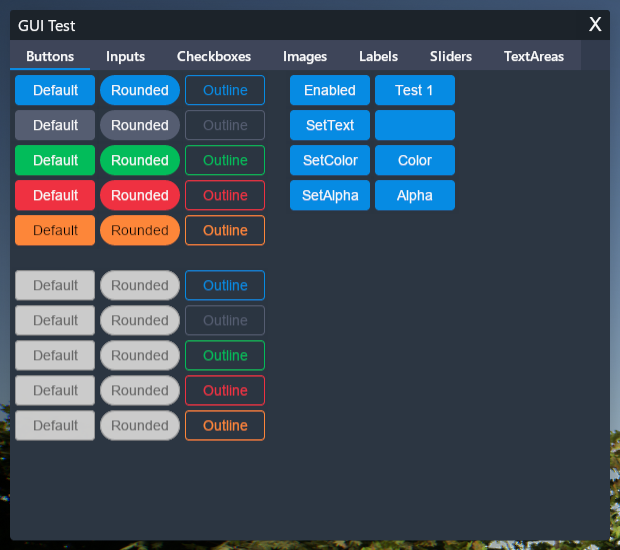
Framework for creating User Interfaces by MegaThorx
WebUI3d2d
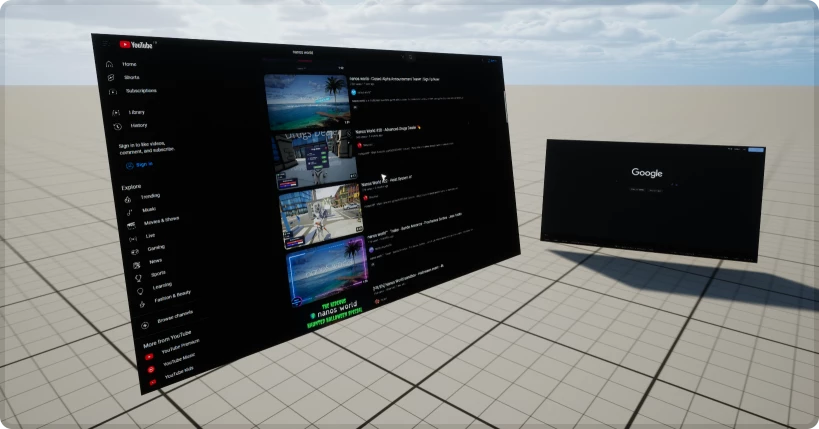
Spawn interactable WebUIs in the 3D world by Timmy

UI Framework
A powerful UI framework ported by Voltaism
🛠 Constructors
Default Constructor
No description provided
local my_webui = WebUI(name, path, visibility?, is_transparent?, auto_resize?, width?, height?)
Parameters
| Type | Name | Default | Description |
|---|---|---|---|
| string | name | Required parameter | Used for debugging logs |
| HTML Path | path | Required parameter | Web URL or HTML File Path as file://my_file.html |
| WidgetVisibility | visibility | WidgetVisibility.Visible | if WebUI is visible on screen |
| boolean | is_transparent | true | if WebUI background is transparent |
| boolean | auto_resize | true | if should auto resize when screen changes its size (useful OFF when you are painting meshes with WebUI) |
| integer | width | 0 | size of the WebUI width when you are not using auto_resize |
| integer | height | 0 | size of the WebUI height when you are not using auto_resize |
🔍 HTML Path Searchers
Loading a .html file supports the following searchers, which are looked in the following order:
- Relative to
current-file-path/ - Relative to
current-package/Client/ - Relative to
current-package/ - Relative to
Packages/
🗿 Static Functions
Inherited Entity Static Functions
Base Entityscripting-reference/classes/base-classes/entity
| Returns | Name | Description | |
|---|---|---|---|
 | table of Base Entity | GetAll | Returns a table containing all Entities of the class this is called on |
| Base Entity | GetByIndex | Returns a specific Entity of this class at an index |
| integer | GetCount | Returns how many Entities of this class exist |
| table of table | GetInheritedClasses | Gets a list of all directly inherited classes from this Class created with the Inheriting System |
| iterator | GetPairs | Returns an iterator with all Entities of this class to be used with pairs() |
| table or nil | GetParentClass | Gets the parent class if this Class was created with the Inheriting System |
| table | Inherit | Inherits this class with the Inheriting System |
| boolean | IsChildOf | Gets if this Class is child of another class if this Class was created with the Inheriting System |
| function | Subscribe | Subscribes to an Event for all entities of this Class |
| function | SubscribeRemote | Subscribes to a custom event called from server |
| Unsubscribe | Unsubscribes all callbacks from this Event in this Class within this Package, or only the callback passed |
This class doesn't have own static functions.
🦠 Functions
Inherited Entity Functions
Base Entityscripting-reference/classes/base-classes/entity
| Returns | Name | Description | |
|---|---|---|---|
 | BroadcastRemoteEvent | Calls a custom remote event directly on this entity to all Players | |
| BroadcastRemoteInRadiusEvent | Calls a custom remote event directly on this entity to all Players in a radius | |
| CallRemoteEvent | Calls a custom remote event directly on this entity to a specific Player | |
| CallRemoteEvent | Calls a custom remote event directly on this entity | |
| CallRemotePlayersEvent | Calls a custom remote event directly on this entity to a list of Players | |
 | Destroy | Destroys this Entity | |
| FinishSpawn | Finish the spawning process and send the entity to clients if it was spawned with a deferred spawn_mode | |
| table of string | GetAllValuesKeys | Gets a list of all values keys |
| table | GetClass | Gets the class of this entity |
| integer | GetID | Gets the universal network ID of this Entity (same on both client and server) |
| any | GetValue | Gets a Value stored on this Entity at the given key |
| boolean | HasAuthority | Gets if the local context has authority over this Entity (true if spawned by the client, false if spawned by the server) |
| boolean | IsA | Recursively checks if this entity is inherited from a Class |
| boolean | IsBeingDestroyed | Returns true if this Entity is being destroyed |
| boolean | IsSpawned | Gets if this Entity finished spawning |
| boolean | IsValid | Returns true if this Entity is valid (i.e. wasn't destroyed and points to a valid Entity) |
| SetSpawnMode | Overrides when this Entity finishes spawning, from the Constructor of an Inherited Class | |
| SetValue | Sets a Value in this Entity | |
| function | Subscribe | Subscribes to an Event on this specific entity |
| function | SubscribeRemote | Subscribes to a custom event called from server on this specific entity |
| Unsubscribe | Unsubscribes all callbacks from this Event in this Entity within this Package, or only the callback passed |
| Returns | Name | Description | |
|---|---|---|---|
| BringToFront | Puts this WebUI in the front of all WebUIs and Widgets | |
| CallEvent | Calls an Event on the Browser's JavaScript | |
| CloseDevTools | Closes the Developer Tools for this WebUI, it only works if the Client.SetDebugEnabled() not disabled | |
| ExecuteJavaScript | Executes a JavaScript code in the Browser | |
| string | GetName | Gets this WebUI name |
| Vector2D | GetSize | Gets the current size of this WebUI |
| WidgetVisibility | GetVisibility | Returns the current WebUI visibility |
| boolean | HasNodeFocus | Returns if this WebUI has any DOM Node focused |
| boolean | IsFrozen | Returns if this WebUI is currently frozen |
| boolean | IsReady | Returns if this WebUI is ready |
| LoadHTML | Loads a pure HTML in this Browser | |
| LoadURL | Loads a new File/URL in this Browser | |
| OpenDevTools | Opens the Developer Tools for this WebUI, it only works if the Client.SetDebugEnabled() was not disabled | |
| RemoveFocus | Removes the focus from this WebUI (and sets it back to game viewport) | |
| SendKeyEvent | Sends a Key Event into the WebUI programmatically | |
| SendMouseClickEvent | Sends a Mouse Click into the WebUI programmatically | |
| SendMouseMoveEvent | Sends a Mouse Move Event into the WebUI programmatically | |
| SendMouseWheelEvent | Sends a Mouse Event into the WebUI programmatically | |
| SetFocus | Enables the focus on this browser (i.e. can receive Keyboard input and will trigger input events) | |
| SetFreeze | Freezes the WebUI rendering to the surface (JavaScript keeps running) | |
| SetLayout | Sets the Layout as Canvas on Screen | |
| SetVisibility | Sets the visibility in screen | |
| Sound | SpawnSound | Spawns a Sound entity that plays this WebUI audio |
 Optimal
BringToFront
Puts this WebUI in the front of all WebUIs and Widgets
my_webui:BringToFront()
 Moderate
CallEvent
Calls an Event on the Browser's JavaScript
my_webui:CallEvent(event_name, args...)
Parameters
| Type | Parameter | Default | Description |
|---|---|---|---|
| string | event_name | Required parameter | The Event Name to trigger the event |
| any | args... | Required parameter | Arguments to pass to the event |
OptimalCloseDevTools
Closes the Developer Tools for this WebUI, it only works if the Client.SetDebugEnabled() not disabled
my_webui:CloseDevTools()
ExecuteJavaScript
Executes a JavaScript code in the Browser
Note: This method is experimental and should be used cautiously. Events are still the preferred way of communicating between Packages and WebUI.
my_webui:ExecuteJavaScript(javascript_code)
Parameters
| Type | Parameter | Default | Description |
|---|---|---|---|
| string | javascript_code | Required parameter | The JavaScript code to run |
OptimalGetName
Gets this WebUI name
local name = my_webui:GetName()
Returns
| Type | Description |
|---|---|
| string | This WebUI name |
OptimalGetSize
Gets the current size of this WebUI
local ret = my_webui:GetSize()
Returns
| Type | Description |
|---|---|
| Vector2D | Current size of this WebUI |
OptimalGetVisibility
Returns the current WebUI visibility
local visibility = my_webui:GetVisibility()
Returns
| Type | Description |
|---|---|
| WidgetVisibility | Current WebUI visibility |
See also SetVisibility.
OptimalHasNodeFocus
Returns if this WebUI has any DOM Node focused
local ret = my_webui:HasNodeFocus()
Returns
| Type | Description |
|---|---|
| boolean | Whether any DOM node is focused |
OptimalIsFrozen
Returns if this WebUI is currently frozen
local freeze = my_webui:IsFrozen()
Returns
| Type | Description |
|---|---|
| boolean | Whether this WebUI is currently frozen |
OptimalIsReady
Returns if this WebUI is ready
local ready = my_webui:IsReady()
Returns
| Type | Description |
|---|---|
| boolean | Whether this WebUI is ready |
OptimalLoadHTML
Loads a pure HTML in this Browser
my_webui:LoadHTML(html)
Parameters
| Type | Parameter | Default | Description |
|---|---|---|---|
| string | html | Required parameter | The HTML content to load |
OptimalLoadURL
Loads a new File/URL in this Browser
my_webui:LoadURL(url)
Parameters
| Type | Parameter | Default | Description |
|---|---|---|---|
| HTML Path | url | Required parameter | The URL or package file to load, e.g. file://UI/index.html or https://... |
ModerateOpenDevTools
Opens the Developer Tools for this WebUI, it only works if the Client.SetDebugEnabled() was not disabled
my_webui:OpenDevTools()
RemoveFocus
Removes the focus from this WebUI (and sets it back to game viewport)
You MUST call this after you don't need keyboard input anymore
my_webui:RemoveFocus()
SendKeyEvent
Sends a Key Event into the WebUI programmatically
my_webui:SendKeyEvent(key_type, key_code, modifiers?)
Parameters
| Type | Parameter | Default | Description |
|---|---|---|---|
| WebUIKeyType | key_type | Required parameter | Whether it is a key down, key up or char event |
| integer | key_code | Required parameter | The JavaScript key code |
| WebUIModifier | modifiers? | WebUIModifier.None | Supports several modifiers separating by | (using bit-wise operations) |
OptimalSendMouseClickEvent
You must send both Down and Up to make it work properly
my_webui:SendMouseClickEvent(mouse_x, mouse_y, mouse_type, is_mouse_up, modifiers?, click_count?)
Parameters
| Type | Parameter | Default | Description |
|---|---|---|---|
| integer | mouse_x | Required parameter | Position X of the mouse |
| integer | mouse_y | Required parameter | Position Y of the mouse |
| WebUIMouseType | mouse_type | Required parameter | Which mouse button |
| boolean | is_mouse_up | Required parameter | Whether the event was up or down |
| WebUIModifier | modifiers? | WebUIModifier.None | Supports several modifiers separating by | (using bit-wise operations) |
| integer | click_count? | 1 | Use 2 for double click event |
OptimalSendMouseMoveEvent
Sends a Mouse Move Event into the WebUI programmatically
my_webui:SendMouseMoveEvent(mouse_x, mouse_y, modifiers?, mouse_leave?)
Parameters
| Type | Parameter | Default | Description |
|---|---|---|---|
| integer | mouse_x | Required parameter | Position X of the mouse |
| integer | mouse_y | Required parameter | Position Y of the mouse |
| WebUIModifier | modifiers? | WebUIModifier.None | Supports several modifiers separating by | (using bit-wise operations) |
| boolean | mouse_leave? | false | Whether the mouse left the WebUI |
OptimalSendMouseWheelEvent
Sends a Mouse Event into the WebUI programmatically
my_webui:SendMouseWheelEvent(mouse_x, mouse_y, delta_x, delta_y)
Parameters
| Type | Parameter | Default | Description |
|---|---|---|---|
| integer | mouse_x | Required parameter | Position X of the mouse |
| integer | mouse_y | Required parameter | Position Y of the mouse |
| float | delta_x | Required parameter | Horizontal scroll amount |
| float | delta_y | Required parameter | Vertical scroll amount |
OptimalSetFocus
Enables the focus on this browser (i.e. can receive Keyboard input and will trigger input events)
Note: Only one browser can have focus per time.
my_webui:SetFocus()
SetFreeze
Freezes the WebUI rendering to the surface (JavaScript keeps running)
my_webui:SetFreeze(freeze)
Parameters
| Type | Parameter | Default | Description |
|---|---|---|---|
| boolean | freeze | Required parameter | Whether to freeze the rendering |
OptimalSetLayout
Sets the Layout as Canvas on Screen. Anchors:
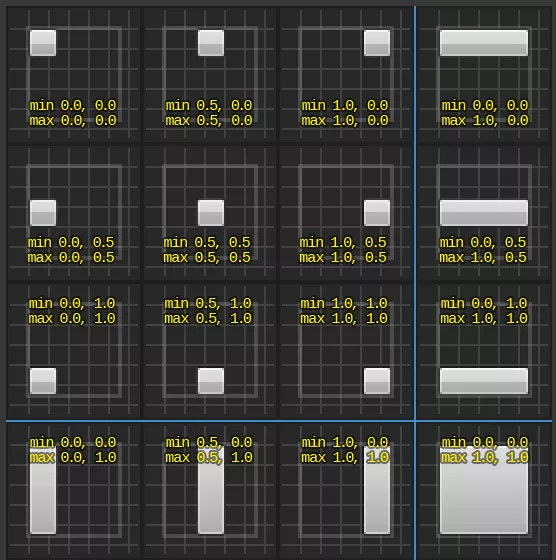
my_webui:SetLayout(location?, size?, anchors_min?, anchors_max?, alignment?)
Parameters
| Type | Parameter | Default | Description |
|---|---|---|---|
| Vector2D | location? | Vector2D(0, 0) | Screen location, or the left and top offsets when the anchors are stretched |
| Vector2D | size? | Vector2D(0, 0) | Size, or the right and bottom offsets when the anchors are stretched |
| Vector2D | anchors_min? | Vector2D(0, 0) | Min anchor, from (0, 0) top-left to (1, 1) bottom-right |
| Vector2D | anchors_max? | Vector2D(1, 1) | Max anchor, from (0, 0) top-left to (1, 1) bottom-right |
| Vector2D | alignment? | Vector2D(0.5, 0.5) | Pivot of the WebUI, (0.5, 0.5) is the center |
OptimalSetVisibility
Sets the visibility in screen
my_webui:SetVisibility(visibility)
Parameters
| Type | Parameter | Default | Description |
|---|---|---|---|
| WidgetVisibility | visibility | Required parameter | The new visibility in screen |
See also GetVisibility.
OptimalSpawnSound
Spawns a Sound entity that plays this WebUI audio
local ret = my_webui:SpawnSound(location?, is_2d?, volume?, inner_radius?, falloff_distance?, attenuation_function?)
Parameters
| Type | Parameter | Default | Description |
|---|---|---|---|
| Vector | location? | Vector(0, 0, 0) | World location of the Sound, if 3D |
| boolean | is_2d? | true | Whether the Sound is 2D |
| float | volume? | 1.0 | Volume multiplier |
| integer | inner_radius? | 400 | Radius within which the volume is 100%, if 3D |
| integer | falloff_distance? | 3600 | Distance at which the sound becomes inaudible, if 3D |
| AttenuationFunction | attenuation_function? | AttenuationFunction.Linear | How the volume fades with distance, if 3D |
Returns
| Type | Description |
|---|---|
| Sound | The spawned Sound |
🚀 Events
Inherited Entity Events
Base Entityscripting-reference/classes/base-classes/entity
| Name | Description | |
|---|---|---|
| ClassRegister | Triggered when a new Class is registered with the Inheriting System |
| Destroy | Triggered when an Entity is destroyed |
| Spawn | Triggered when an Entity is spawned/created |
| ValueChange | Triggered when an Entity has a value changed with :SetValue() |
| Name | Description | |
|---|---|---|
| Fail | Triggered when this page fails to load |
| Ready | Triggered when this page is fully loaded |
Fail
Triggered when this page fails to load
WebUI.Subscribe("Fail", function(self, error_code, message)
	-- Fail was called
end)
Arguments
| Type | Argument | Description |
|---|---|---|
| WebUI | self | The Web UI that triggered the event |
| integer | error_code | The CEF error code |
| string | message | The error message |
Ready
Triggered when this page is fully loaded
WebUI.Subscribe("Ready", function(self)
	-- Ready was called
end)
Arguments
| Type | Argument | Description |
|---|---|---|
| WebUI | self | The Web UI that triggered the event |