X-Ray & Highlight
This sample code shows how to set Actors to be highlighted when behind walls, or always highlighted!
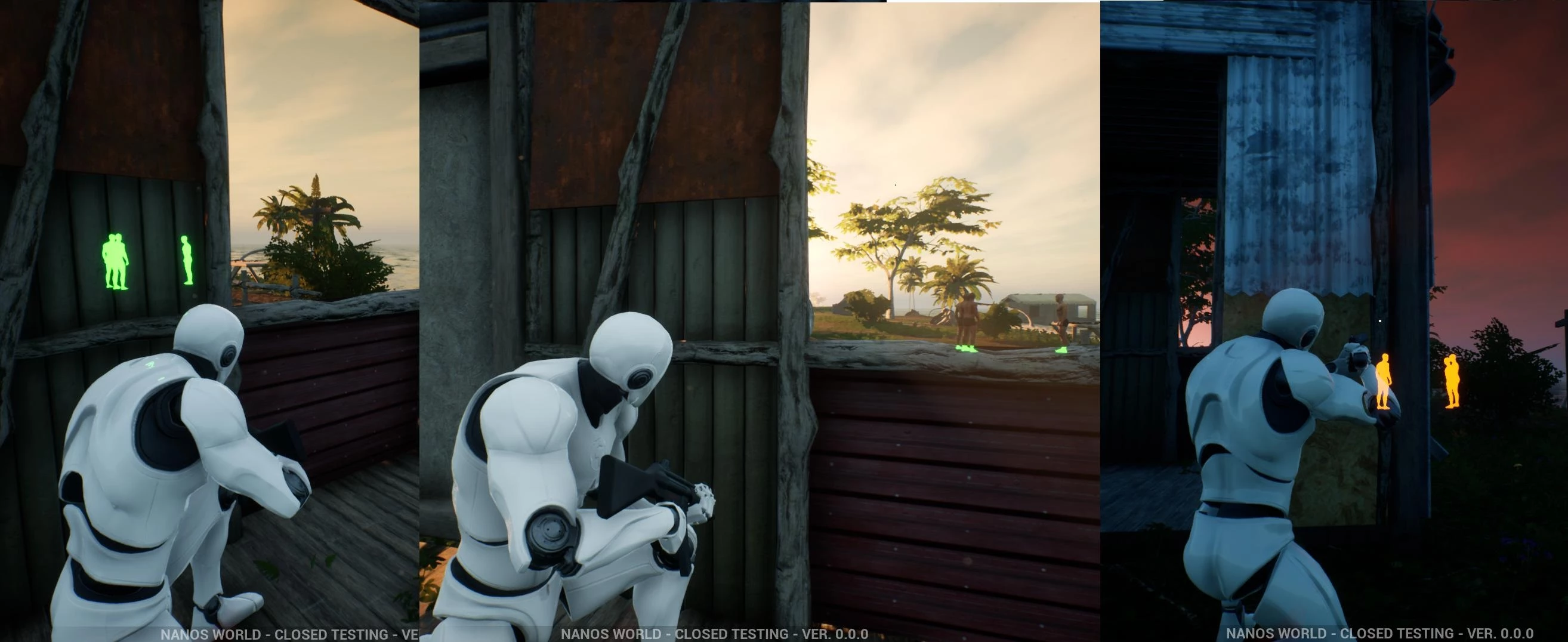
tip
As highlighting is something calculated in Post Processing, it is really hard to define custom colors for individual entities.
Fortunately nanos world supports having 3 different colors which you can configure yourself!
To configure the global Highlight color for a specific index, use:
Client.SetHighlightColor(highlight_color, index, mode)
To enable the Highlight to a specific actor, use:
my_entity:SetHighlightEnabled(true, index)
info
Valid indexes are 0, 1 and 2.
Client/Index.lua
-- Sets the Global desired Highlight color
-- Higher color values make it glow (e.g. Color(100, 0, 0))
local highlight_color = Color(10, 2.5, 0)
Client.SetHighlightColor(highlight_color, 0, HighlightMode.Always)

-- Setting all Characters to highlight
Character.Subscribe("Spawn", function(character)
    character:SetHighlightEnabled(true, 0)
end)
Outlines
Besides highlighting, Actors can also be drawn with an outline, which works the same way with 3 configurable indexes:
Client/Index.lua
-- Configures the outline color (and thickness) of the index 0
Client.SetOutlineColor(Color(0, 1, 0), 0, 2)

-- Outlines all Props when they spawn
Prop.Subscribe("Spawn", function(prop)
    prop:SetOutlineEnabled(true, 0)
end)