Jul: New Website, Spawn, Vehicles & Docs++!

Brand-new Website design, new SpawnMode enum, Vehicle Engine events, Headlights & Animation Blueprints, CharacterSimple Crouching, Vault Resource Dashboard and much more!
Welcome to our roundup of the latest updates from the last month!
Our New Website Is Here! 🚀
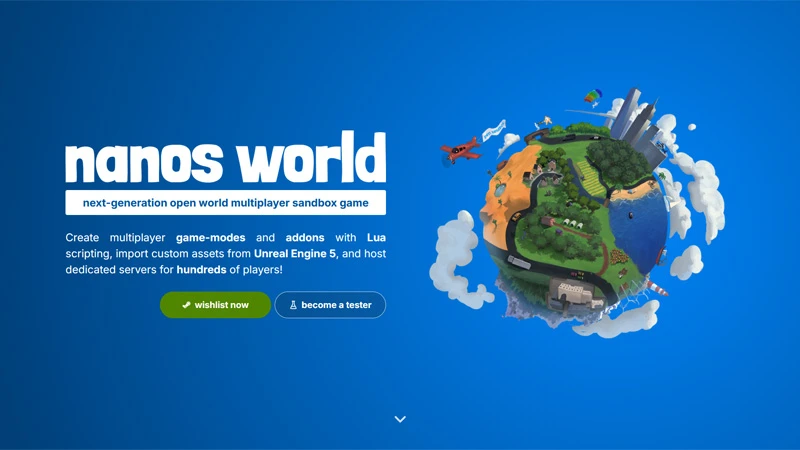
We are super excited to announce our brand-new website design! We've been working hard behind the scenes to give you all a better and much more beautiful web experience.
Let's take a tour through everything that is new!
Landing Page
Our Landing Page got a complete redesign, and we added a brand new Testimonials section featuring what the community has to say about nanos world!
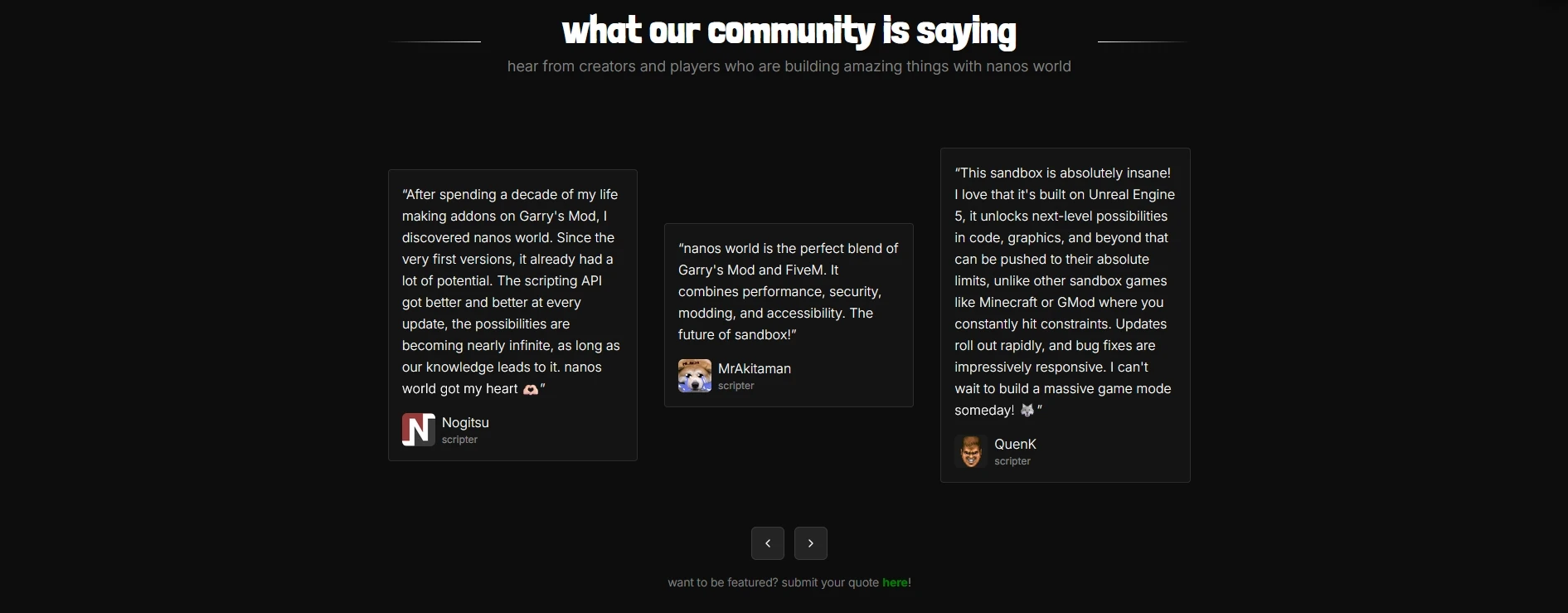
Do you have something nice to say about nanos world? Feel free to submit your own Testimonial, we would love to feature it! 💙
Store
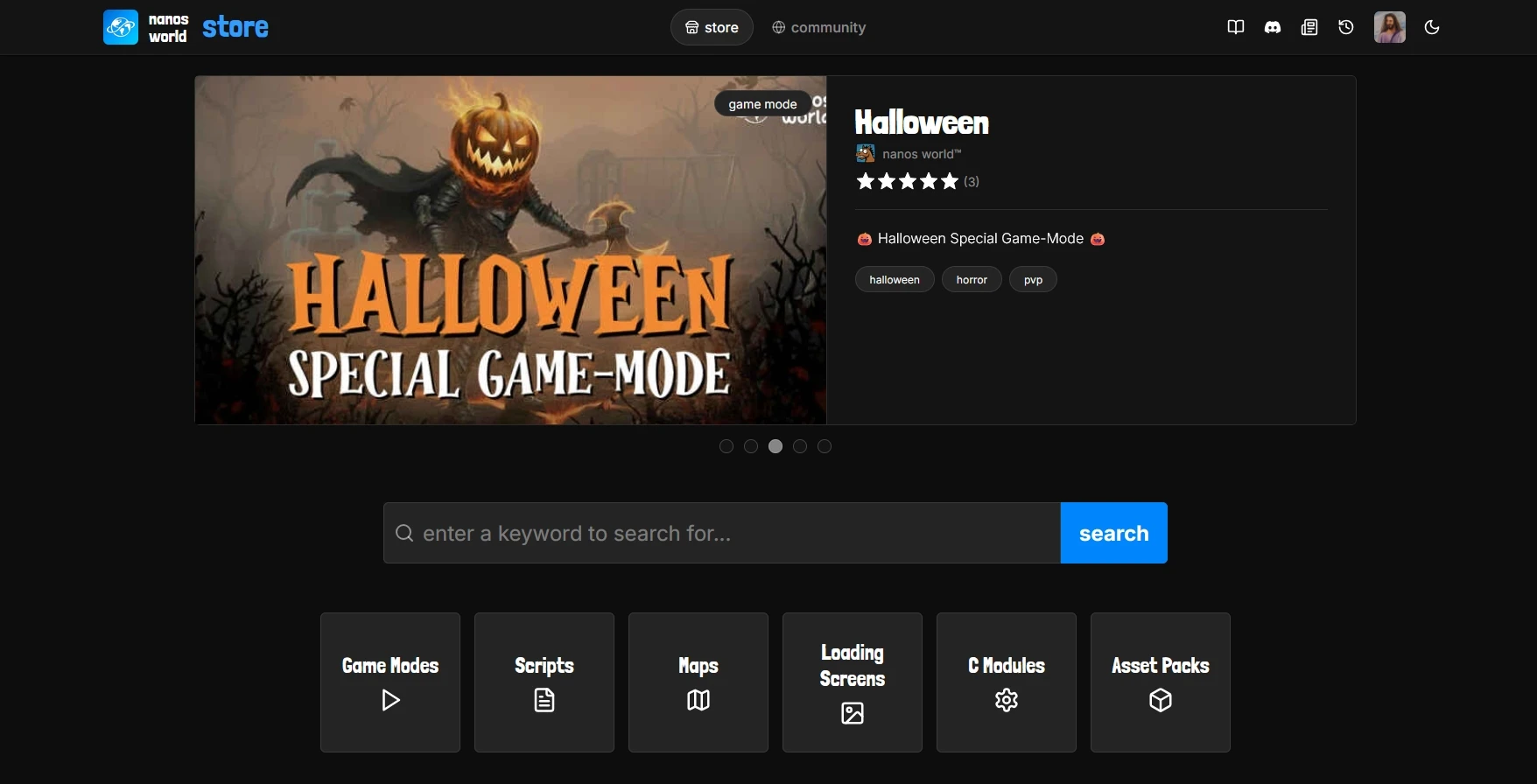
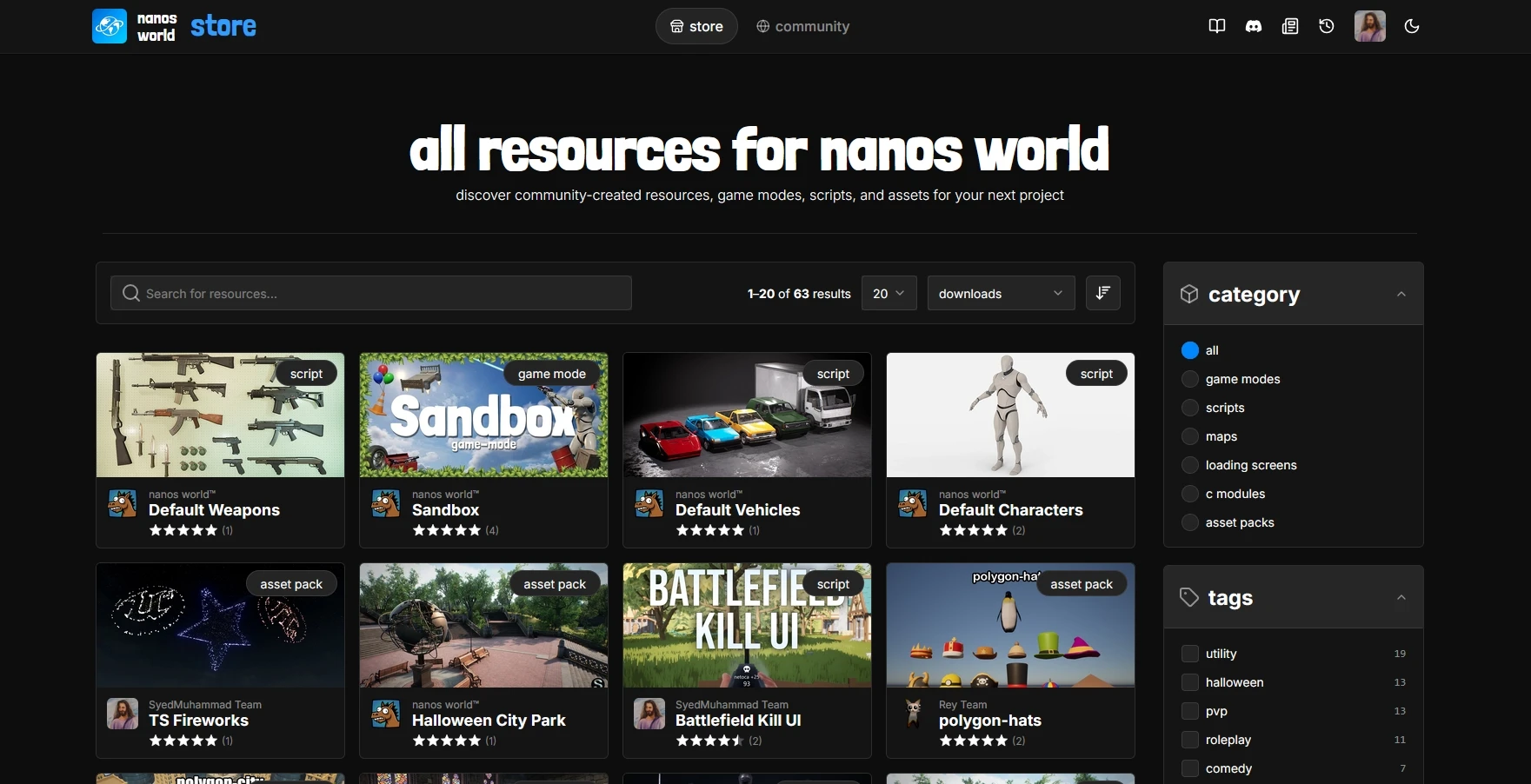
The new Store Home now features popular Teams and Resources, and the new Store Browse makes it much easier to search through all resources:
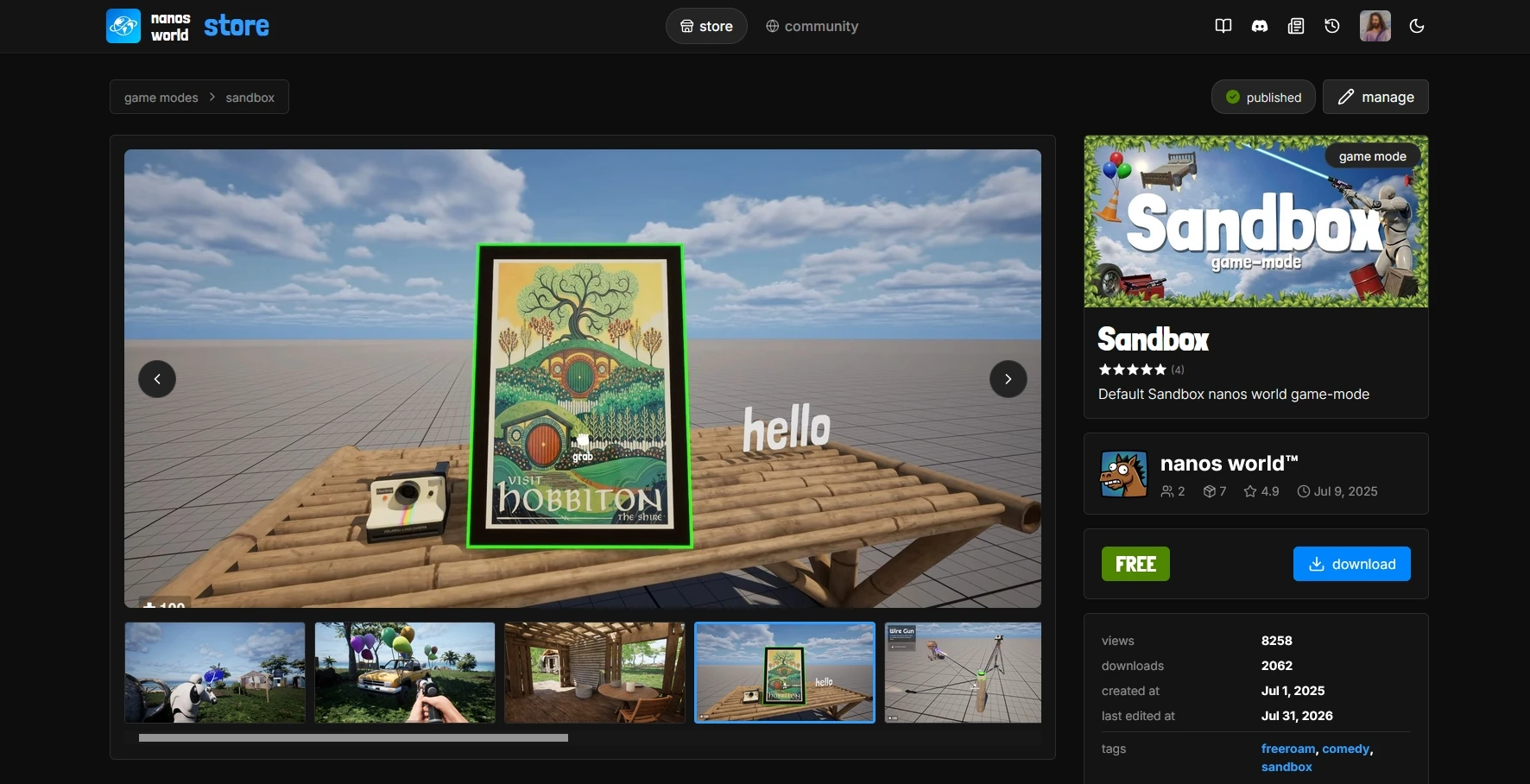
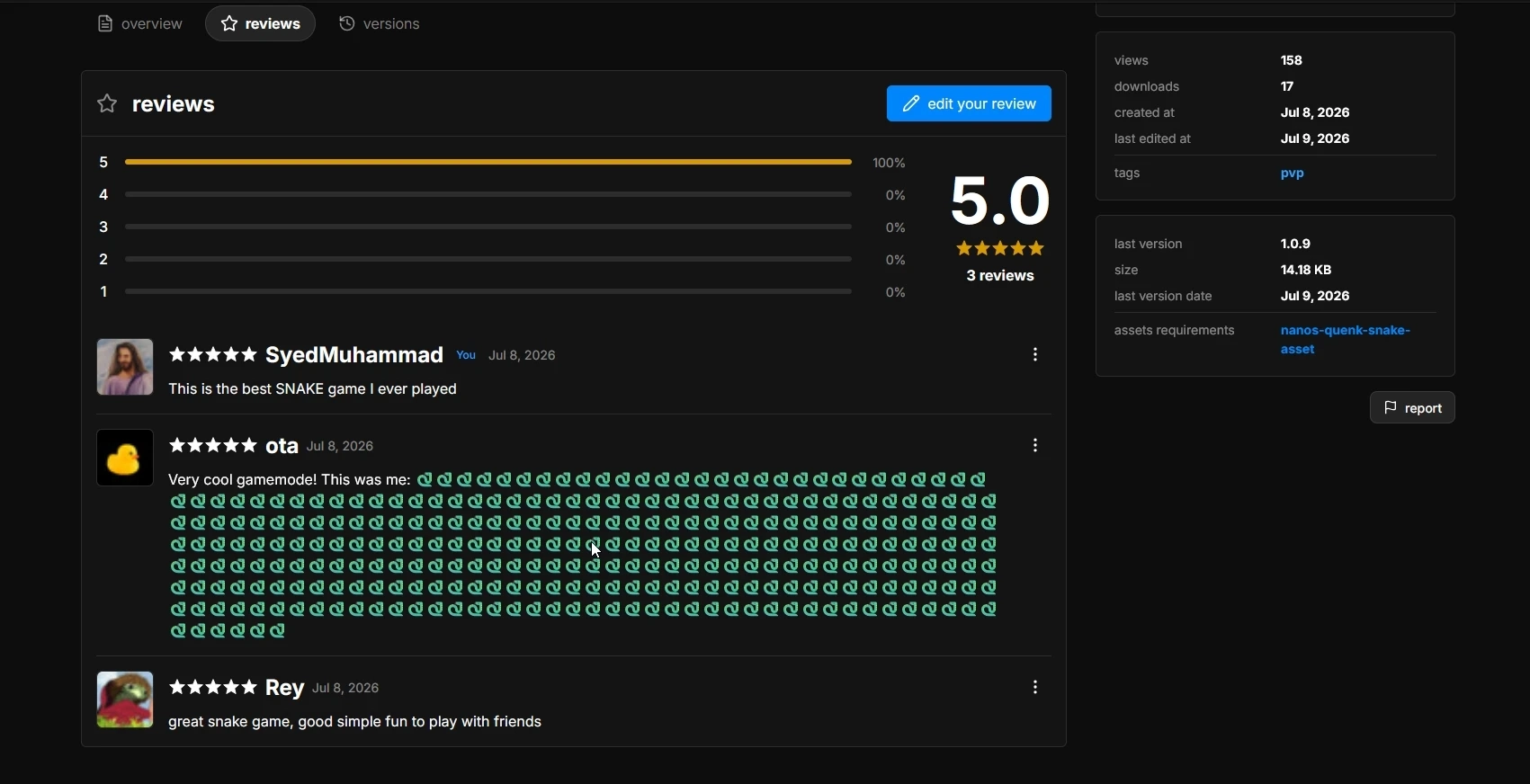
And of course, the Resource Pages themselves were fully reworked:
Community
This is the biggest addition: an entirely new Community area, where you can browse all Users, Teams and Badges!
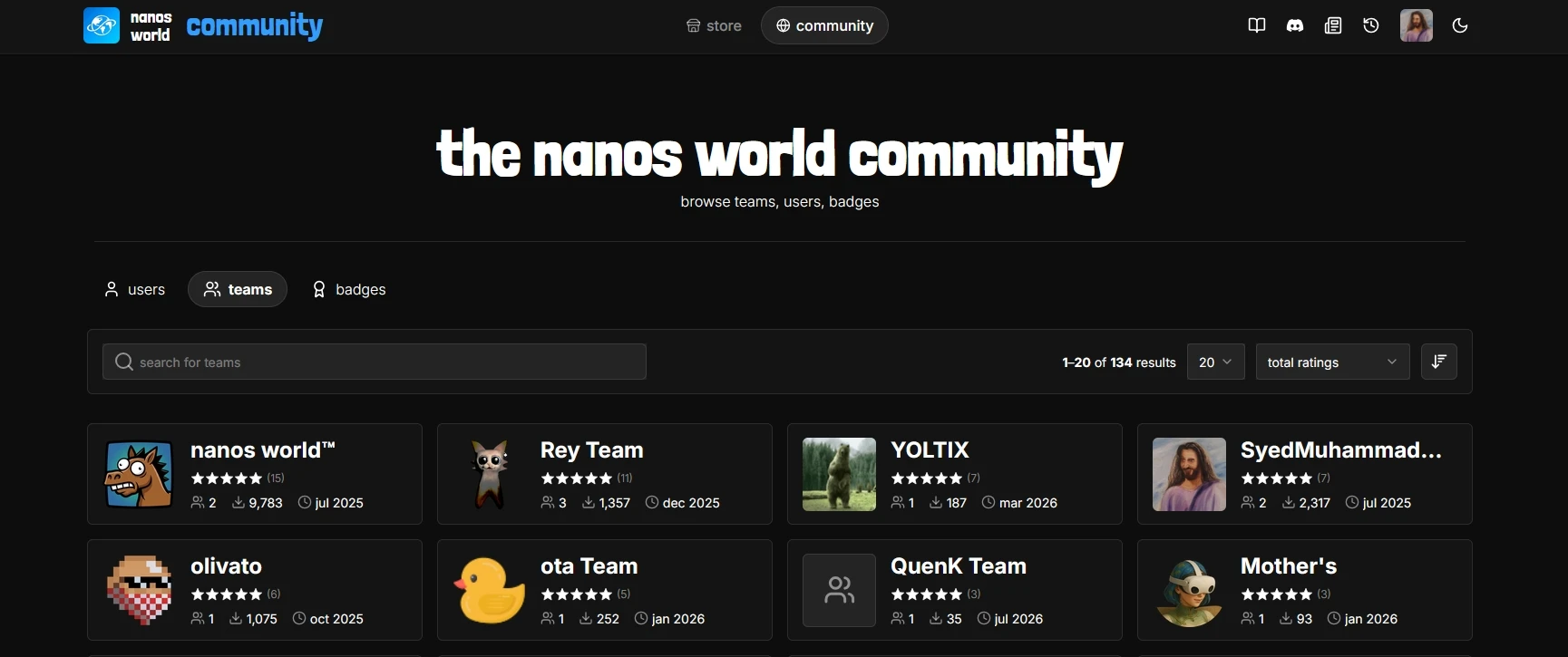
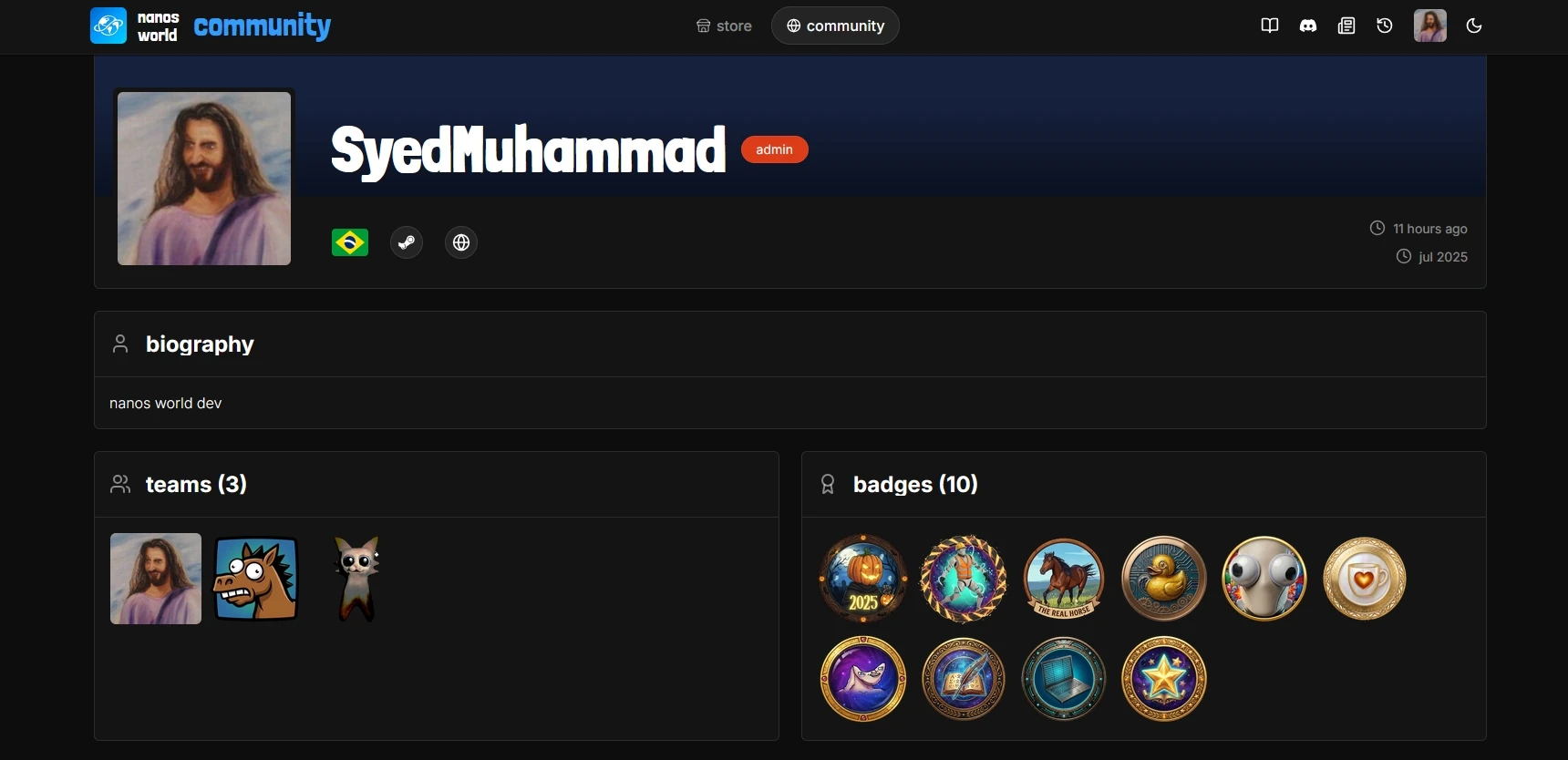
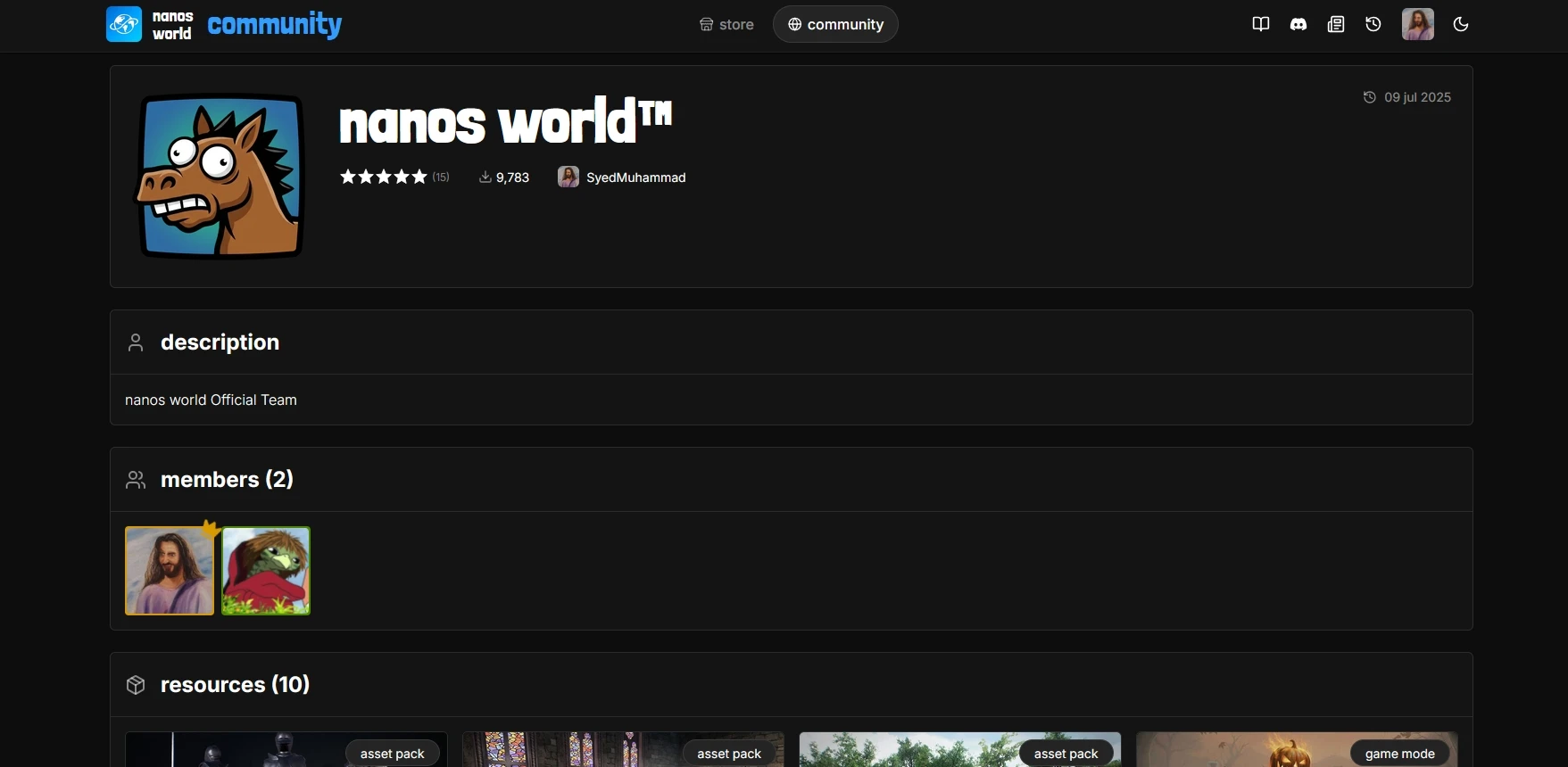
Every user and every team now has its own public profile. User Profiles show the resources they created, the teams they are part of and the badges they earned, and Team Profiles do the same for the whole team:
Badges
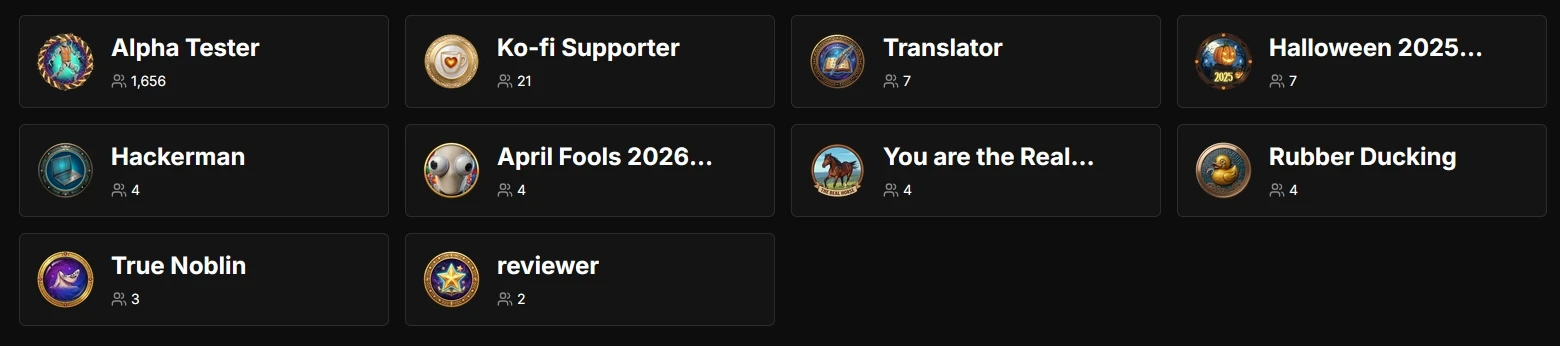
We are constantly adding new badges, and started implementing some automated ones, like the Reviewer badge, which are automatically granted to every user that reviews a resource on the Store. Also the Alpha Tester is now automatically granted to every user that got tester access!
We are gradually implementing more automated badges!
We also have the ☕ Ko-fi Supporter badge, which is granted to everyone that supports development through Ko-fi. This is still a manual process, so if you are a supporter and don't have the badge yet, please let us know!
Account Manage
Finally, the new Account Manage area is where you edit your account and manage all your resources!
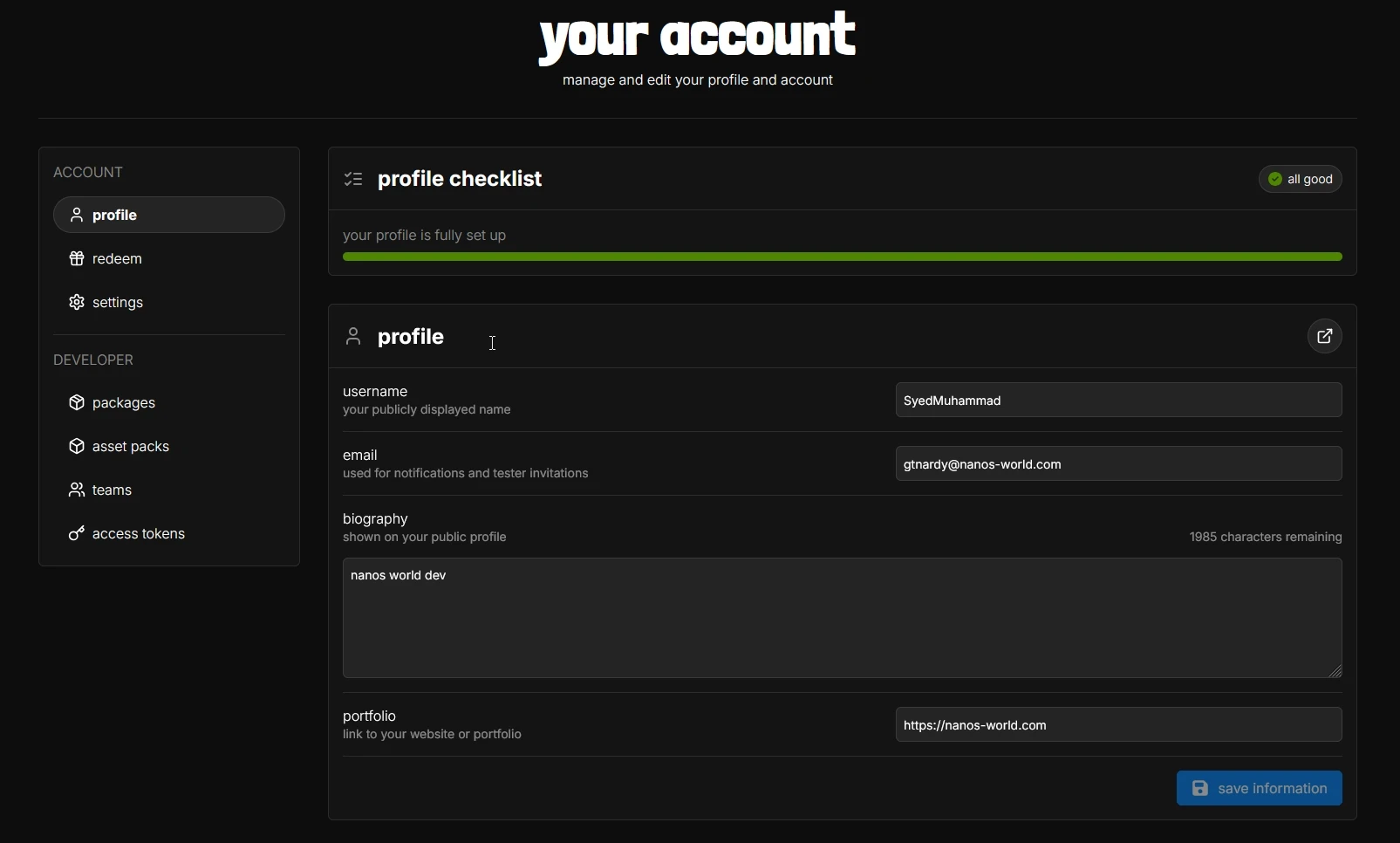
And much more! Go ahead to your Profile and add a Biography! Check it out and let us know what you think! 💙
Vault Resource Dashboard
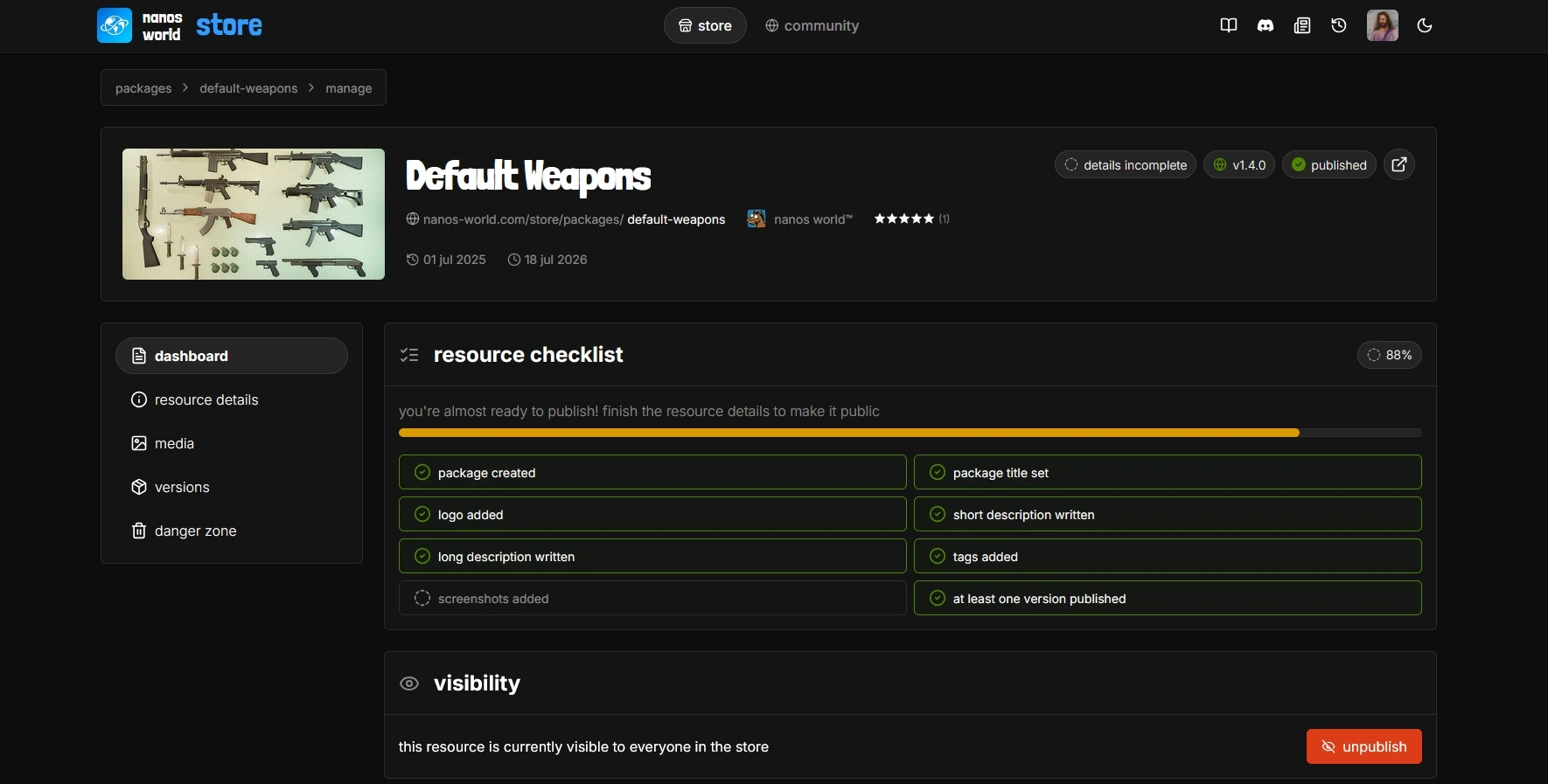
Like in the new website, we also added a new Dashboard tab to the Vault Resource Manage screen, which displays a checklist for completing your resource profile.
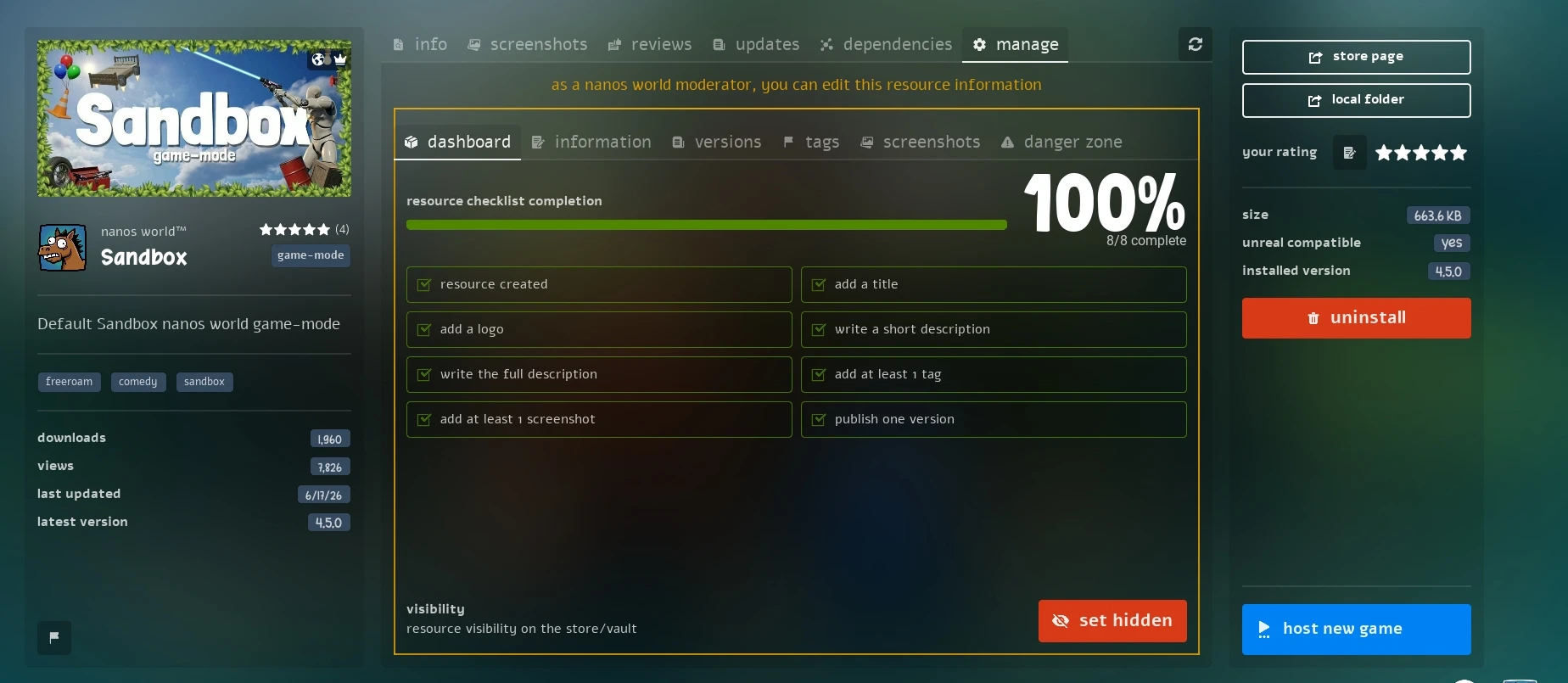
You will only be able to publish your resource after completing the whole checklist. The idea is to make sure every published resource has a proper description, images, tags and everything else players need to decide if they want to download it.
We also improved the Tags tab visualization, and fixed several visual issues with the Vault resource items in the Main Menu (stars and buttons appearing in the wrong screens).
Scripting Improvements
July was a heavy month on the scripting side, with a big rework on how Entities finish spawning and a lot of new Vehicle features!
New Spawn Modes
We introduced a new enum SpawnMode, which replaces the old defer_spawn boolean parameter present in all Entity constructors.
Instead of just "defer it or not", you can now choose exactly when an Entity finishes spawning and is sent to clients:
SpawnMode.Immediate- finishes spawning right away when calling the constructor (default, the behavior you already know).SpawnMode.AfterConstructor- keeps the spawn deferred, and an Inherited Class finishes it automatically when its Constructor returns.SpawnMode.Manual- keeps the spawn deferred until you call:FinishSpawn()yourself.
-- Spawns it deferred, so we can configure everything before sending it to clients
local prop = Prop(
	Vector(0, 0, 100),
	Rotator(),
	"nanos-world::SM_Cube",
	CollisionType.Normal,
	true,
	GrabMode.Auto,
	CCDMode.Auto,
	SpawnMode.Manual
)

prop:SetScale(Vector(2, 2, 2))
prop:SetValue("Health", 100, true)

-- Only now the Prop is sent to all clients, already fully configured
prop:FinishSpawn()
The AfterConstructor mode is what makes this really shine with Inherited Classes. Everything you configure after calling self.Super:Constructor() is batched together and sent to the clients in one go, without you having to remember to call FinishSpawn():
MyCube = Prop.Inherit("MyCube")

function MyCube:Constructor(location, rotation)
	self.Super:Constructor(location, rotation, "nanos-world::SM_Cube", CollisionType.Normal, true, GrabMode.Auto, CCDMode.Auto, SpawnMode.AfterConstructor)

	-- All of this is sent to clients in a single batch,
	-- FinishSpawn() is called automatically when this Constructor returns
	self:SetScale(Vector(2, 2, 2))
	self:SetMaterialColorParameter("Tint", Color.RED)
	self:SetValue("Health", 100, true)
end
We also added two new methods to override and query that behavior at runtime:
This is a potential breaking change: :FinishSpawn() now effectively finishes and triggers the Spawn event even from inside an Inherited Class constructor, and the server Spawn event is now triggered after sending the Spawn event to the clients.
If your code was relying on the old ordering, please double check it and let us know if you find any issue!
Vehicle Improvements
Base Vehicle got a lot of love this month!
Engine Events & State
We added new EngineStart and EngineStop events, plus a new Vehicle:IsEngineStarted() method, so you can finally react to the engine turning on and off:
VehicleWheeled.Subscribe("EngineStart", function(vehicle)
	Chat.BroadcastMessage("Vroom!")
end)
Headlights & Taillights
VehicleWheeled now has proper light control with the new methods VehicleWheeled:SetHeadlightsEnabled() and VehicleWheeled:SetTaillightsEnabled().
We also fixed the Headlights color not being applied to the Vehicle material.
Animation Blueprints
Vehicles now support the whole Animation Blueprint API that CharacterSimple already had, letting you drive your vehicle's Animation Blueprint directly from Lua:
-
Vehicle:SetAnimationBlueprintPropertyValue() -
Vehicle:GetAnimationBlueprintPropertyValue() -
Vehicle:CallAnimationBlueprintEvent() -
Vehicle:BindAnimationBlueprintEventDispatcher() -
Vehicle:UnbindAnimationBlueprintEventDispatcher()
This is great for animating doors, suspensions, rotors, cranes or any other moving part of your custom vehicles!
Camera
We added a new method Vehicle:SetCameraArmLength() to control how far the camera sits from the vehicle, and moved Vehicle:SetCameraOffset() to the Base Vehicle, so it's now available for all vehicle types.
We also fixed Vehicle:PlayAnimation() having the wrong parameter order, and VehicleWheeled:FinishSpawn() wrongly allowing to be called multiple times.
CharacterSimple Crouching
CharacterSimple now has full crouching support and sync, with the new methods CharacterSimple:SetCrouching() and CharacterSimple:IsCrouching().
Along with that, Pawn:GetCanCrouch() and Pawn:GetCanJump() were moved to the Base Pawn, being now shared between Character and CharacterSimple.
We also fixed Character crouching not syncing correctly for other players.
Network Authority Event
We added a new NetworkAuthorityChange event, triggered whenever the Network Authority of an Actor changes.
This makes it much easier to know when your client became (or stopped being) the authority over an entity, without having to poll HasNetworkAuthority() every tick.
New Actor Getters
Two new client-side methods were added to Base Actor:
Inherited Entities on Getters
Now .GetAll(), .GetPairs() and .GetByIndex() return all the inherited entities as well.
So if you have MyCubeChild = MyCube.Inherit("MyCubeChild"), calling MyCube.GetAll() will now also return all your MyCubeChild instances, which is what you'd naturally expect from inheritance.
Recursive Attached Entities
Actor:GetAttachedEntities() received a new recursively parameter, to also return the Actors attached to the attached Actors, all the way down the hierarchy.
Input Binding State
We added a new method Input.IsBindingDown(), which returns whether a Binding is currently being held.
Different from Input.IsKeyDown(), this works with the binding name your players configured, so it respects custom keybindings automatically:
Client.Subscribe("Tick", function()
	if (Input.IsBindingDown("Sprint")) then
		-- Do something while sprinting
	end
end)
Vector2D Helpers
The Vector2D struct was missing most of the helpers Vector already had, so we added them all:
-
Vector2D:Distance() -
Vector2D:DistanceSquared() -
Vector2D:IsNear() -
Vector2D:Size() -
Vector2D:SizeSquared() -
Vector2D:Dot() -
Vector2D:Cross() -
Vector2D:Lerp()
Thanks PR from @Ekali!
Curve Float Blueprint Parameter
Blueprint now supports CurveFloat as a parameter type, so you can build a curve directly from a Lua table and pass it to your Blueprint:
{
	[0.0] = 0.0,
	[0.25] = 0.8,
	[0.5] = 1.0,
	[0.75] = 0.3,
	[1.0] = 0.0,
}
Coroutines & Callbacks Fixes
We fixed most of the scripting errors related to couldn't find env from callbacks, as well as several crashes when using coroutines.
If you still run into any of those, please let us know so we can track down the remaining cases!
Other Fixes
We also fixed:
Weapon:PlayAnimation()andWeapon:StopAnimation()with missing and incorrectly ordered parameters.MovementModeChangeevent not passing the new movement mode.Pawn:SetMeshSettings()visiblewrong default parameter.:IsInWater()not syncing/returning correctly for Characters.- CharacterSimple not updating the camera Z location when being re-scaled.
Server Improvements
Player List on the built-in HTTP Server
The built-in server HTTP GET / endpoint now also returns the player list (name + network id), on top of the server info it already returned.
This endpoint is now cached internally for performance, and we fixed it not allowing to be fetched due to CORS, so you can now query it directly from a website or panel.
Steam Authentication
We improved our Auth system when connecting to a server to prevent issues from Steam rate-limiting: now tickets are only generated when your queue position reaches zero, instead of upfront for everyone waiting.
We also improved several Steam authentication timing issues, and now a much better log will display the actual error reason if Steam fails to initialize.
Gameplay Abilities Plugin
We enabled the GameplayAbilities Plugin, so you can now use it in your custom Assets!
Whitelisted UE Pluginsassets-modding/whitelisted-ue-pluginsDocs
We spent a good chunk of July reworking how the Scripting Reference is presented!
Scripting Reference Rework
- Functions and Events are now listed in the sidebar Table of Contents, with their authority and native icons, so you can jump straight to the method you are looking for.
- Improved the function declaration visualization, with a separated Returns table and better default values rendering when the default is a Lua table.
- Class Admonitions and the Base Class indicator are now displayed as compact chips.
- Base Class pages now show
<AnyBASEClass>instead of the base class name, making it clearer that those methods are shared. - Improved table layouts and wrapping, added Events/Constructors table headers, and fixed several anchor links (including Enums headings).
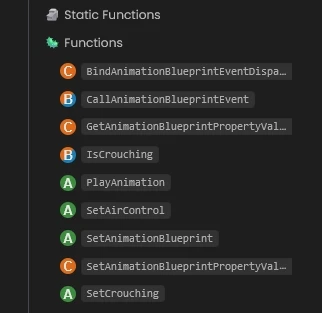
We also renamed some Class page URLs to remove the - separator, e.g. scripting-reference/classes/character-simple is now scripting-reference/classes/charactersimple.
If you have any old links bookmarked or referenced in your own docs, make sure to update them!
Detailed Server Configuration
The Server Configuration page got a huge rewrite!
Every setting is now grouped by its Config.toml section and documented with its type, default value and accepted range. On top of that, we added two entirely new sections explaining what actually happens under the hood:
- Compression - which data gets compressed, when, and which file extensions are skipped.
- Distance Optimization - the exact relevancy formula, plus tables showing the relevancy percentage and the cut-off distance for every level.
If you host a server, this is definitely worth a read to squeeze the most out of your bandwidth and CPU!
Conclusion
This month we put a big effort into improving the web experience, finally bringing the Store, the Community and your Account together in a design we're really proud of!
We wanted to make sure every creator has a proper place to showcase their work, and that the community can easily find and connect with each other. This aims with our biggest goal of creating not only a platform, but also a central community where everyone can share their creations and help each other grow.
On the game/scripting side, we worked hard on fixing, improving and adding some missing needed features. Properly regularizing the Spawn Modes, adding Vehicles all the Skeletal Mesh missing methods, implementing native Crouching sync, and not to mention to the scripting itself fixes (such as the long-standing co-routines or environment issues).
I hope you enjoy all the new features and improvements! I'm always looking for feedback, so if you have any suggestions or ideas, please let us know in our Discord or Feedback Hub.
A special thanks also goes to everyone contributing translations through Crowdin, helping make the game and the docs more accessible to players around the world, and to those supporting development through Ko-fi!
Your support is what allows me to continue working on nanos world full-time and keep pushing the project forward. 💙
See you in the next update! 🚀